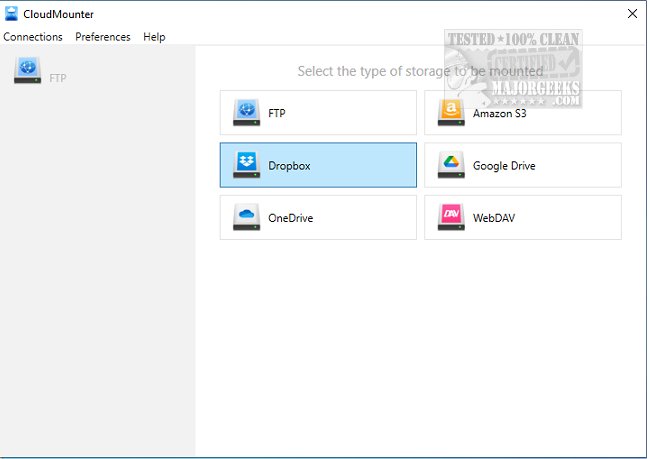
CloudMounter has released version 3.8.2153, a tool that allows users to mount various cloud storage services and web servers directly onto their PCs as if they were local disks. This functionality is particularly beneficial for users with low-capacity SSD laptops, as it enables them to effectively manage their storage without needing to download files locally. With CloudMounter, you can seamlessly connect to popular cloud services such as Microsoft OneDrive, Google Drive, and Dropbox, making it feel as though these files are stored on your machine.
One of the key advantages of CloudMounter is its ability to let users access and manage online files just like local files, providing a streamlined workflow. Users can also manage one account from services like Dropbox, Google Drive, or Microsoft OneDrive for free, enhancing its appeal. The application's user-friendly, minimalistic interface ensures ease of use, and its integration with Windows Explorer simplifies deployment.
In summary, CloudMounter 3.8.2153 is an efficient solution for individuals looking to optimize their cloud storage management, particularly useful for those with limited local storage. The app not only enhances productivity but also offers a cost-effective way to leverage cloud storage without compromising on accessibility or convenience. Future updates could potentially expand the range of supported services or introduce additional features such as enhanced security options or collaborative tools for team-based environments
One of the key advantages of CloudMounter is its ability to let users access and manage online files just like local files, providing a streamlined workflow. Users can also manage one account from services like Dropbox, Google Drive, or Microsoft OneDrive for free, enhancing its appeal. The application's user-friendly, minimalistic interface ensures ease of use, and its integration with Windows Explorer simplifies deployment.
In summary, CloudMounter 3.8.2153 is an efficient solution for individuals looking to optimize their cloud storage management, particularly useful for those with limited local storage. The app not only enhances productivity but also offers a cost-effective way to leverage cloud storage without compromising on accessibility or convenience. Future updates could potentially expand the range of supported services or introduce additional features such as enhanced security options or collaborative tools for team-based environments
CloudMounter 3.8.2153 released
CloudMounter permits mounting different cloud storage and web servers to your PC as local disks and can be quite valuable for a low-capacity SSD laptop.