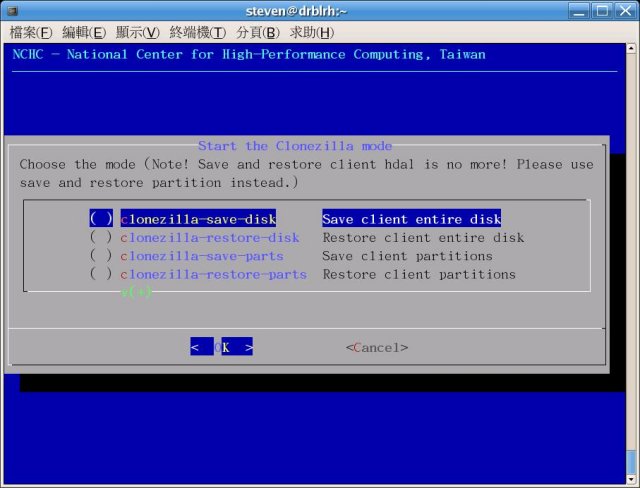
Clonezilla has released version 3.3.3-37, enhancing its capabilities as an Open Source disk imaging, partitioning, and cloning software akin to True Image or Norton Ghost. This tool is designed for system deployment, bare metal backup, and recovery, making it ideal for both individual machine backups and large-scale cloning operations, capable of simultaneously cloning over 40 computers. It optimizes efficiency by only saving and restoring used blocks on the hard drive, achieving impressive multicast restoration rates, such as 8 GB/min on high-end hardware setups.
Key features of Clonezilla include support for various file systems, including ext2, ext3, ext4, NTFS, FAT32, HFS+, and others, covering a wide range of operating systems like GNU/Linux, MS Windows, Mac OS, and FreeBSD. It can perform sector-to-sector copies for unsupported file systems using the dd command. Clonezilla supports Logical Volume Management (LVM2) under GNU/Linux, reinstallation of bootloaders like Grub and syslinux, and both MBR and GPT partition formats. It can operate on BIOS or uEFI machines and supports unattended modes for automation.
Additionally, Clonezilla allows for one image to be restored to multiple local devices, and its multicast feature is tailored for extensive cloning needs. The image files can be stored on various types of servers, including local disks, SSH, Samba, or NFS servers. By utilizing technologies like Partclone, Partimage, and ntfsclone, Clonezilla provides versatile imaging and cloning options. Furthermore, it offers integration with drbl-winroll, a tool that automates the modification of hostnames and other identifiers for cloned MS Windows machines.
In a world where data integrity and efficient backup solutions are paramount, Clonezilla continues to be a reliable choice for both personal and enterprise-level backup needs. Future updates may further enhance its features, expand file system support, and improve user experience through more automation and integration capabilities. Users looking for robust, cost-effective solutions for data backup and recovery can consider Clonezilla as an essential tool in their software arsenal
Key features of Clonezilla include support for various file systems, including ext2, ext3, ext4, NTFS, FAT32, HFS+, and others, covering a wide range of operating systems like GNU/Linux, MS Windows, Mac OS, and FreeBSD. It can perform sector-to-sector copies for unsupported file systems using the dd command. Clonezilla supports Logical Volume Management (LVM2) under GNU/Linux, reinstallation of bootloaders like Grub and syslinux, and both MBR and GPT partition formats. It can operate on BIOS or uEFI machines and supports unattended modes for automation.
Additionally, Clonezilla allows for one image to be restored to multiple local devices, and its multicast feature is tailored for extensive cloning needs. The image files can be stored on various types of servers, including local disks, SSH, Samba, or NFS servers. By utilizing technologies like Partclone, Partimage, and ntfsclone, Clonezilla provides versatile imaging and cloning options. Furthermore, it offers integration with drbl-winroll, a tool that automates the modification of hostnames and other identifiers for cloned MS Windows machines.
In a world where data integrity and efficient backup solutions are paramount, Clonezilla continues to be a reliable choice for both personal and enterprise-level backup needs. Future updates may further enhance its features, expand file system support, and improve user experience through more automation and integration capabilities. Users looking for robust, cost-effective solutions for data backup and recovery can consider Clonezilla as an essential tool in their software arsenal
Clonezilla 3.3.3-37 released
Clonezilla is an Open Source partition, disk imaging, and cloning program similar to True Image or Norton Ghost.