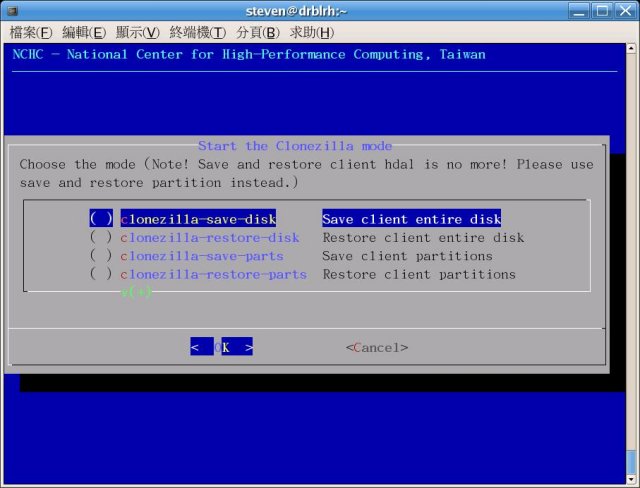
Clonezilla 3.3.2-31 has been released, enhancing the capabilities of this Open Source program designed for partition, disk imaging, and cloning tasks, comparable to software like True Image and Norton Ghost. This tool is particularly useful for system deployment, bare metal backup, and recovery processes. Clonezilla Live caters to individual machine backups and restorations, while its advanced version can operate on multiple systems (over 40) at once, significantly improving cloning efficiency by only saving used blocks on hard drives. For instance, with high-performance hardware in a 42-node cluster, it achieved a multicast restoration speed of 8 GB per minute.
Key features of Clonezilla include support for a wide range of filesystems, such as various Linux filesystems (ext2, ext3, ext4, etc.), Windows formats (FAT32, NTFS), Mac OS (HFS+), and more. The program can handle both MBR and GPT partition formats and is compatible with BIOS and UEFI machines. Unattended mode is available, enabling automation through command-line options and boot parameters. Additionally, Clonezilla supports restoring one image to multiple devices and offers multicast capabilities for large-scale cloning scenarios.
Users can store image files on local disks or network servers (ssh, samba, or NFS). The imaging and cloning processes utilize various methods, primarily based on Partclone, along with Partimage, ntfsclone, or dd for enhanced functionality. Furthermore, Clonezilla integrates with the drbl-winroll tool to automatically adjust the hostname, group, and SID of cloned Windows machines.
As Clonezilla continues to evolve, its comprehensive features make it an invaluable asset for both individual users and IT professionals requiring efficient backup and recovery solutions. Whether for personal use or enterprise-level deployment, Clonezilla remains a robust choice for disk imaging and cloning needs.
In future updates, it would be beneficial for Clonezilla to enhance its user interface for even easier navigation, introduce additional support for newly emerging filesystems, and provide more extensive documentation and tutorials to assist users in maximizing the software's potential
Key features of Clonezilla include support for a wide range of filesystems, such as various Linux filesystems (ext2, ext3, ext4, etc.), Windows formats (FAT32, NTFS), Mac OS (HFS+), and more. The program can handle both MBR and GPT partition formats and is compatible with BIOS and UEFI machines. Unattended mode is available, enabling automation through command-line options and boot parameters. Additionally, Clonezilla supports restoring one image to multiple devices and offers multicast capabilities for large-scale cloning scenarios.
Users can store image files on local disks or network servers (ssh, samba, or NFS). The imaging and cloning processes utilize various methods, primarily based on Partclone, along with Partimage, ntfsclone, or dd for enhanced functionality. Furthermore, Clonezilla integrates with the drbl-winroll tool to automatically adjust the hostname, group, and SID of cloned Windows machines.
As Clonezilla continues to evolve, its comprehensive features make it an invaluable asset for both individual users and IT professionals requiring efficient backup and recovery solutions. Whether for personal use or enterprise-level deployment, Clonezilla remains a robust choice for disk imaging and cloning needs.
In future updates, it would be beneficial for Clonezilla to enhance its user interface for even easier navigation, introduce additional support for newly emerging filesystems, and provide more extensive documentation and tutorials to assist users in maximizing the software's potential
Clonezilla 3.3.2-31 released
Clonezilla is an Open Source partition, disk imaging, and cloning program similar to True Image or Norton Ghost.