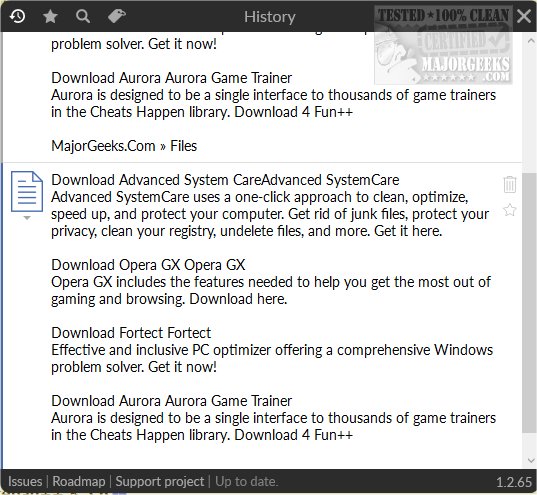
ClipboardMachinery version 1.2.66 has been released, enhancing users' ability to manage clipboard functions efficiently. This user-friendly app allows quick access to clipboard entries, enabling users to tag them and execute selected content as batch scripts. The app maintains an organized clipboard history, logging copied items in real-time, which can be accessed conveniently using the Ctrl+H hotkey.
The interface is designed to keep track of both text and images copied to the clipboard, ensuring that users have a comprehensive record for future reference. As users copy more items, the interface may take up more screen space, but the app's functionality remains streamlined. Notably, ClipboardMachinery allows users to execute copied commands directly within the program's Command Line, offering a seamless way to run batch scripts.
Additionally, the app provides a set of default tags for classifying entries based on categories, creation dates, and sources. Users can also create custom tags and prioritize them for better organization. The option to mark essential clipboard entries as favorites adds another layer of convenience for quick access.
Overall, ClipboardMachinery is a valuable tool for anyone who frequently copies items and seeks to enhance their organizational capabilities, distinguishing itself from other clipboard management apps with its unique features.
In future updates, users might benefit from enhanced cloud synchronization for accessing clipboard history across devices, advanced filtering options for better management of large clipboard histories, or integration with productivity tools to streamline workflows further. This could broaden its appeal, making it an indispensable tool for professionals in various fields, from software development to content creation
The interface is designed to keep track of both text and images copied to the clipboard, ensuring that users have a comprehensive record for future reference. As users copy more items, the interface may take up more screen space, but the app's functionality remains streamlined. Notably, ClipboardMachinery allows users to execute copied commands directly within the program's Command Line, offering a seamless way to run batch scripts.
Additionally, the app provides a set of default tags for classifying entries based on categories, creation dates, and sources. Users can also create custom tags and prioritize them for better organization. The option to mark essential clipboard entries as favorites adds another layer of convenience for quick access.
Overall, ClipboardMachinery is a valuable tool for anyone who frequently copies items and seeks to enhance their organizational capabilities, distinguishing itself from other clipboard management apps with its unique features.
In future updates, users might benefit from enhanced cloud synchronization for accessing clipboard history across devices, advanced filtering options for better management of large clipboard histories, or integration with productivity tools to streamline workflows further. This could broaden its appeal, making it an indispensable tool for professionals in various fields, from software development to content creation
ClipboardMachinery 1.2.66 released
ClipboardMachinery provides you with access to various clipboard functions through a straightforward management app.