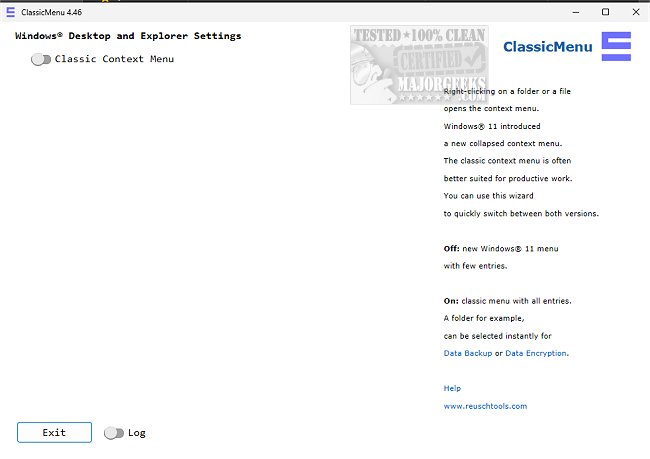
ClassicMenu version 4.77 has been released, offering an easy way for Windows 11 users to toggle between the context menus of Windows 11 and Windows 10. This tool addresses the concerns of users who find the streamlined context menu in Windows 11 to be less efficient or confusing. With ClassicMenu, the transition to the more familiar Windows 10 style is seamless and requires no complex settings or configurations.
Upon launching the application, users can instantly switch their context menu back to the Windows 10 version, which is often regarded as more user-friendly and conducive to productivity. The changes are applied immediately, allowing users to continue their tasks without interruption.
ClassicMenu serves as a practical solution for those who prefer the classic context menu layout. In addition to its primary functionality, users may also find related guides on customizing their context menus, including how to delete, add, or edit items, as well as integrating the Control Panel into both Windows 10 and 11 context menus.
As operating systems evolve, maintaining user comfort and familiarity remains crucial. ClassicMenu 4.77 not only acknowledges this need but also empowers users to tailor their digital workspace according to their preferences. In a future release, it would be beneficial for ClassicMenu to offer additional customization options, such as enabling users to create their own context menu layouts or saving multiple configurations for different tasks. This could further enhance the user experience by catering to a wider range of workflows and preferences
Upon launching the application, users can instantly switch their context menu back to the Windows 10 version, which is often regarded as more user-friendly and conducive to productivity. The changes are applied immediately, allowing users to continue their tasks without interruption.
ClassicMenu serves as a practical solution for those who prefer the classic context menu layout. In addition to its primary functionality, users may also find related guides on customizing their context menus, including how to delete, add, or edit items, as well as integrating the Control Panel into both Windows 10 and 11 context menus.
As operating systems evolve, maintaining user comfort and familiarity remains crucial. ClassicMenu 4.77 not only acknowledges this need but also empowers users to tailor their digital workspace according to their preferences. In a future release, it would be beneficial for ClassicMenu to offer additional customization options, such as enabling users to create their own context menu layouts or saving multiple configurations for different tasks. This could further enhance the user experience by catering to a wider range of workflows and preferences
ClassicMenu 4.77 released
ClassicMenu provides a simple option to change the Windows 11 context menu to the one previously available in Windows 10 and vice versa via a simple toggle switch.