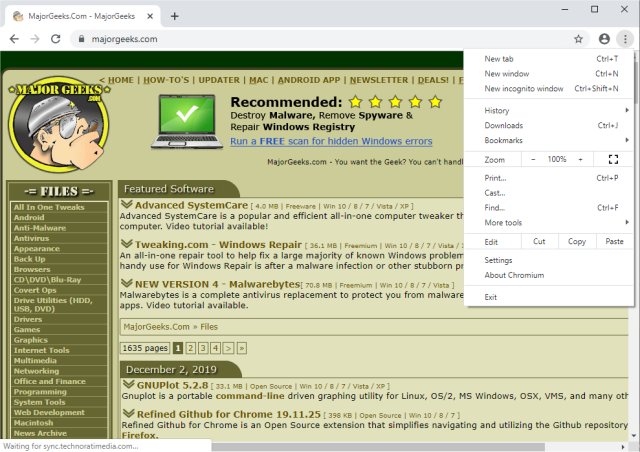
Chromium 151.0.7903.0 has been officially released, continuing the development of this Open Source web browser project from which Google Chrome derives its foundation. Chromium is compatible with multiple operating systems, including Windows, Linux, and Mac, and it is designed to enhance user experience by providing a safer, faster, and more stable web browsing environment.
Unlike traditional browser applications, Chromium acts as a tabbed window manager or shell for internet navigation. Its user interface is streamlined, avoiding unnecessary clutter to create a more intuitive and user-friendly experience. Tabs in Chromium serve a similar purpose to the title bars found in desktop applications, allowing users to efficiently manage their open web pages.
In terms of performance, Chromium is recognized for its speed and efficiency, with search functionality serving as the primary means of navigation. This focus on search simplifies access to both personal content and the broader web. The browser also incorporates advanced features such as HTML5 support, offline modes, background processing, and notifications, further enhancing its functionality.
As Chromium continues to evolve, there may be the introduction of various tab types that do not conform to the standard browser toolbar, indicating ongoing innovation in user interface design.
For users looking to optimize their browsing experience, there are various guides available, such as how to edit or change personal information in Google Chrome, manage saved credit card data across different browsers, and remove autofill entries.
In summary, Chromium remains a robust platform for web browsing, with a commitment to user-centric design and continual improvements that cater to the needs of a diverse user base. Future updates are likely to introduce even more features that enhance the browsing experience
Unlike traditional browser applications, Chromium acts as a tabbed window manager or shell for internet navigation. Its user interface is streamlined, avoiding unnecessary clutter to create a more intuitive and user-friendly experience. Tabs in Chromium serve a similar purpose to the title bars found in desktop applications, allowing users to efficiently manage their open web pages.
In terms of performance, Chromium is recognized for its speed and efficiency, with search functionality serving as the primary means of navigation. This focus on search simplifies access to both personal content and the broader web. The browser also incorporates advanced features such as HTML5 support, offline modes, background processing, and notifications, further enhancing its functionality.
As Chromium continues to evolve, there may be the introduction of various tab types that do not conform to the standard browser toolbar, indicating ongoing innovation in user interface design.
For users looking to optimize their browsing experience, there are various guides available, such as how to edit or change personal information in Google Chrome, manage saved credit card data across different browsers, and remove autofill entries.
In summary, Chromium remains a robust platform for web browsing, with a commitment to user-centric design and continual improvements that cater to the needs of a diverse user base. Future updates are likely to introduce even more features that enhance the browsing experience
Chromium 151.0.7903.0 released
Chromium is an Open Source web browser project from which Google Chrome draws its source code. Available for Windows, Linux, and Mac.