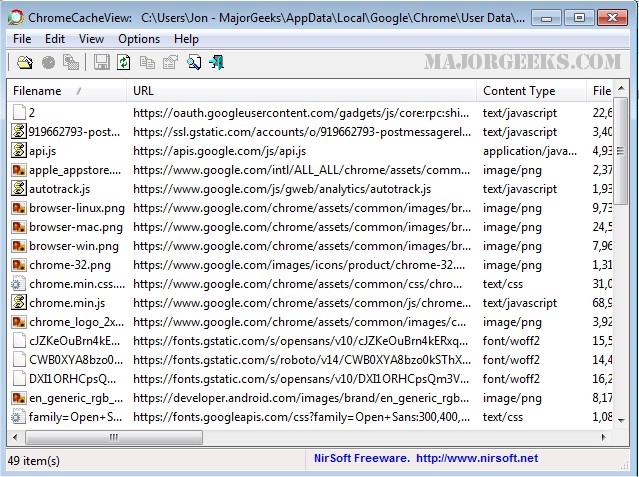
ChromeCacheView 2.55 has been released, offering users a handy tool to access and manage the cache files of the Google Chrome web browser. This utility enables users to view a comprehensive list of all files currently stored in the browser's cache, providing essential information about each file, including its URL, content type, file size, last accessed time, expiration time, server name, and server response, among others.
One of the significant features of ChromeCacheView is its user-friendly interface, which allows for easy selection and extraction of cache files. Users can choose multiple items from the cache list and either export them to a designated folder or copy the URLs to their clipboard for further use. The cache folder is typically located at [User Profile]Local SettingsApplication DataGoogleChromeUser DataDefaultCache.
ChromeCacheView stands out as it requires no installation or additional DLL files. Users can simply download the executable file (ChromeCacheView.exe), place it in any folder, and run it directly. Once opened, the main window displays the current cache files, allowing users to utilize various options such as saving selected items in text, HTML, or XML formats, copying URL lists (using Ctrl+U), or exporting the entire cache table to applications like Excel or OpenOffice.
Additionally, users have the capability to extract actual files from the cache and save them to another location using the 'Copy Selected Cache Files To' option (F4).
Furthermore, users interested in enhancing their privacy can explore related topics, such as preventing Google Chrome from storing browser history, deleting YouTube watch and search history, managing autofill entries, and editing or removing saved credit card information across various browsers including Firefox, Internet Explorer, and Edge.
In conclusion, ChromeCacheView 2.55 is an efficient and versatile tool for anyone looking to manage their browser cache effectively, with ample options for exporting and utilizing cache data. The utility addresses both practical needs for data management and privacy concerns associated with browser cache storage
One of the significant features of ChromeCacheView is its user-friendly interface, which allows for easy selection and extraction of cache files. Users can choose multiple items from the cache list and either export them to a designated folder or copy the URLs to their clipboard for further use. The cache folder is typically located at [User Profile]Local SettingsApplication DataGoogleChromeUser DataDefaultCache.
ChromeCacheView stands out as it requires no installation or additional DLL files. Users can simply download the executable file (ChromeCacheView.exe), place it in any folder, and run it directly. Once opened, the main window displays the current cache files, allowing users to utilize various options such as saving selected items in text, HTML, or XML formats, copying URL lists (using Ctrl+U), or exporting the entire cache table to applications like Excel or OpenOffice.
Additionally, users have the capability to extract actual files from the cache and save them to another location using the 'Copy Selected Cache Files To' option (F4).
Furthermore, users interested in enhancing their privacy can explore related topics, such as preventing Google Chrome from storing browser history, deleting YouTube watch and search history, managing autofill entries, and editing or removing saved credit card information across various browsers including Firefox, Internet Explorer, and Edge.
In conclusion, ChromeCacheView 2.55 is an efficient and versatile tool for anyone looking to manage their browser cache effectively, with ample options for exporting and utilizing cache data. The utility addresses both practical needs for data management and privacy concerns associated with browser cache storage
ChromeCacheView 2.55 released
ChromeCacheView is a useful utility that can read the cache folder of Google Chrome Web browser.