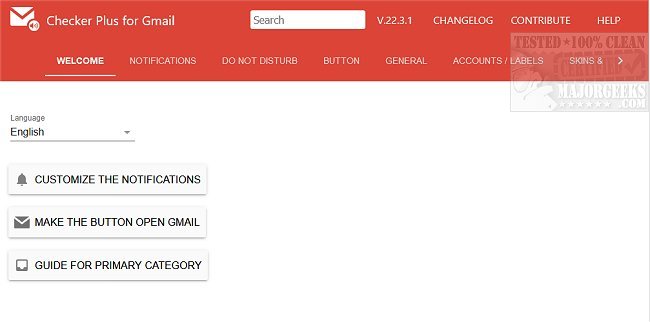
Checker Plus for Gmail, now at version 36.5, is a versatile browser extension compatible with Chrome, Firefox, and Edge. It enhances your email management experience by allowing you to receive notifications, read, listen to, or delete emails without needing to open Gmail. This tool is particularly useful for users managing multiple accounts, as it streamlines email interactions while continuing to browse other web content.
Key features of Checker Plus include:
- Push Notifications: Instant alerts for new emails.
- Email Sender Identification: Displays the sender's name and photo, similar to Gmail's chat notifications.
- Voice Notification: Reads incoming emails aloud, catering to users who are busy or visually impaired.
- Custom Label Monitoring: Users can set up alerts for specific Gmail labels or custom labels.
- Background Operation: Can run in the background, allowing alerts even when Chrome is closed.
- Popup Preview: A convenient window for reading, archiving, or deleting emails without switching tabs.
- Offline Access: Users can view emails without an internet connection.
- Sound Notifications: Desktop alerts with customizable sound options.
- Multiple Account Support: Manages various Gmail and Google Apps accounts seamlessly.
- Voice Customization: Users can select different voice options for notifications.
Additionally, the extension could be beneficial for users looking to enhance their Gmail experience with features not typically found in the web interface, such as quick actions and real-time updates.
For further tips and tricks, users can explore related topics like undoing or scheduling emails, sending confidential emails, enabling offline access, creating signatures, and downloading their Google accounts, including Gmail data.
As email communication continues to evolve, tools like Checker Plus for Gmail will remain essential for users seeking efficiency and accessibility in managing their inboxes
Key features of Checker Plus include:
- Push Notifications: Instant alerts for new emails.
- Email Sender Identification: Displays the sender's name and photo, similar to Gmail's chat notifications.
- Voice Notification: Reads incoming emails aloud, catering to users who are busy or visually impaired.
- Custom Label Monitoring: Users can set up alerts for specific Gmail labels or custom labels.
- Background Operation: Can run in the background, allowing alerts even when Chrome is closed.
- Popup Preview: A convenient window for reading, archiving, or deleting emails without switching tabs.
- Offline Access: Users can view emails without an internet connection.
- Sound Notifications: Desktop alerts with customizable sound options.
- Multiple Account Support: Manages various Gmail and Google Apps accounts seamlessly.
- Voice Customization: Users can select different voice options for notifications.
Additionally, the extension could be beneficial for users looking to enhance their Gmail experience with features not typically found in the web interface, such as quick actions and real-time updates.
For further tips and tricks, users can explore related topics like undoing or scheduling emails, sending confidential emails, enabling offline access, creating signatures, and downloading their Google accounts, including Gmail data.
As email communication continues to evolve, tools like Checker Plus for Gmail will remain essential for users seeking efficiency and accessibility in managing their inboxes
Checker Plus for Gmail (Chrome, Firefox, and Edge) 36.5 released
Checker Plus for Gmail (Chrome, Firefox, and Edge) allows you to see notifications and read, listen to, or delete emails.
Checker Plus for Gmail (Chrome, Firefox, and Edge) 36.5 released @ MajorGeeks