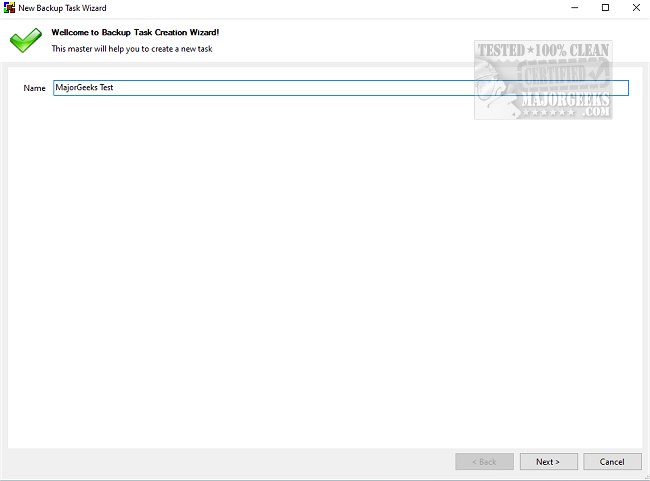
BUtil 2026.05.20 has been released as an advanced tool designed for secure, encrypted backups of documents and data on personal computers. Regular backups are essential for protecting important files from unforeseen events, and BUtil simplifies this process, encouraging users to make backups a routine practice. Unlike the more cumbersome native tools in Windows, BUtil allows users to quickly configure backup tasks, significantly reducing setup time.
The backup process with BUtil is user-friendly; simply select the files and folders you wish to back up and designate a storage location, whether it be on the same drive, an FTP server, or a networked computer. Users can opt for multiple storage locations to enhance convenience.
For those who prefer automation, BUtil includes a built-in scheduler that allows for precise timing and frequency of backups. Users can initiate manual backups or set the application to perform silent backups for a more seamless experience. To ensure data security, backups can be encrypted with a password, which can be generated using BUtil’s built-in password generator.
In addition to its graphical user interface, BUtil can also be operated via the command line, offering users various commands for task execution, system shutdown, log off, or reboot after completing backup tasks. This feature makes BUtil versatile for both casual and advanced users.
Key features of BUtil include:
- Incremental backup model with file deduplication
- Ability to import audio, photos, and videos from external devices via Wi-Fi
- Quick and easy configuration for multiple backup tasks
- HTML formatted log files for tracking and documentation
- Options for both manual and automated backup creation
To utilize all features, users must have 7-Zip or a similar application, along with Microsoft .NET installed for the 7z download options.
In summary, BUtil is a dependable solution for securely backing up vital files, making it suitable for both personal and professional use. Its combination of simplicity, automation, and security features makes it a valuable addition to any user’s toolkit.
Future enhancements could include expanded cloud storage options, integration with popular file-sharing services, and improved user interface for even more intuitive navigation. Additionally, offering support for mobile devices could make BUtil a comprehensive backup solution across various platforms
The backup process with BUtil is user-friendly; simply select the files and folders you wish to back up and designate a storage location, whether it be on the same drive, an FTP server, or a networked computer. Users can opt for multiple storage locations to enhance convenience.
For those who prefer automation, BUtil includes a built-in scheduler that allows for precise timing and frequency of backups. Users can initiate manual backups or set the application to perform silent backups for a more seamless experience. To ensure data security, backups can be encrypted with a password, which can be generated using BUtil’s built-in password generator.
In addition to its graphical user interface, BUtil can also be operated via the command line, offering users various commands for task execution, system shutdown, log off, or reboot after completing backup tasks. This feature makes BUtil versatile for both casual and advanced users.
Key features of BUtil include:
- Incremental backup model with file deduplication
- Ability to import audio, photos, and videos from external devices via Wi-Fi
- Quick and easy configuration for multiple backup tasks
- HTML formatted log files for tracking and documentation
- Options for both manual and automated backup creation
To utilize all features, users must have 7-Zip or a similar application, along with Microsoft .NET installed for the 7z download options.
In summary, BUtil is a dependable solution for securely backing up vital files, making it suitable for both personal and professional use. Its combination of simplicity, automation, and security features makes it a valuable addition to any user’s toolkit.
Future enhancements could include expanded cloud storage options, integration with popular file-sharing services, and improved user interface for even more intuitive navigation. Additionally, offering support for mobile devices could make BUtil a comprehensive backup solution across various platforms
BUtil 2026.05.20 released
BUtil is a powerful tool for creating encrypted backups of documents and data on your PC.