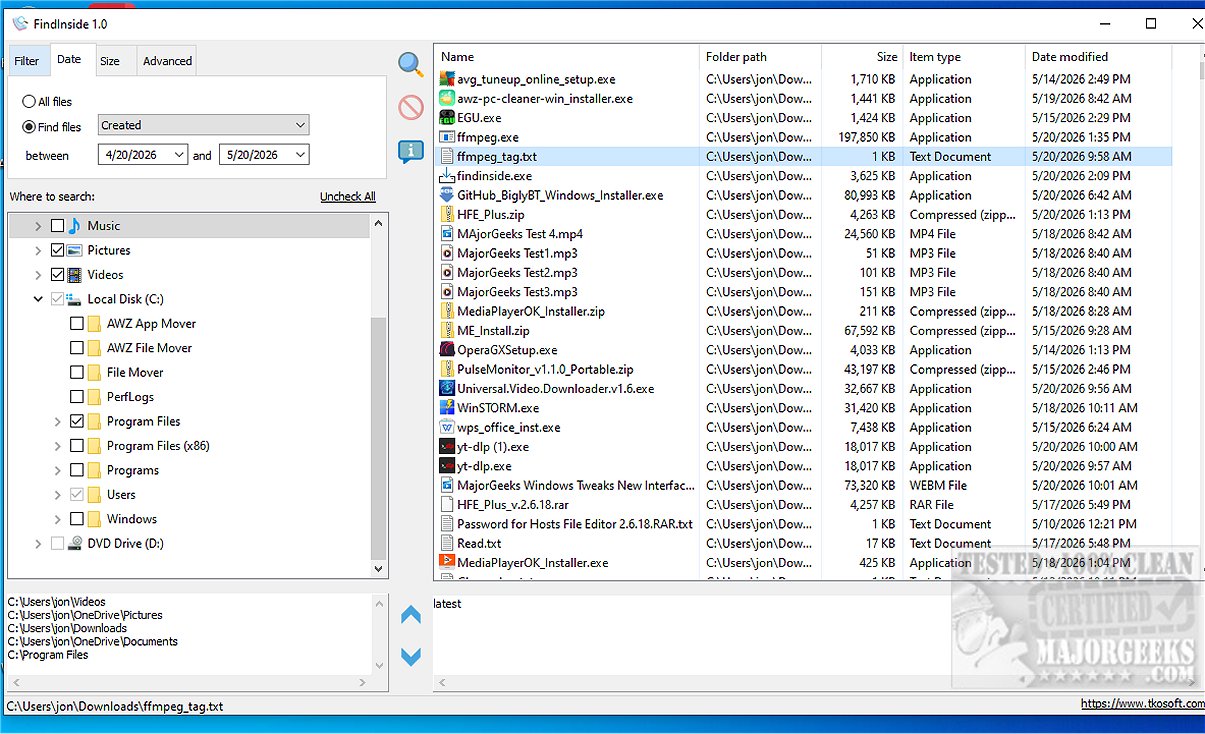
FindInside is an innovative and free desktop search tool tailored for users who require in-depth information retrieval from various document types, moving beyond the limitations of file names. This utility enables users to search for specific words or phrases throughout numerous folders and subfolders, supporting a wide array of file formats such as PDFs, Microsoft Office documents (Word and Excel), plain text files, source code, log files, and configuration files, among others.
Core Features of FindInside:
- Content-Based Search: Unlike standard file search methods, FindInside locates files based on the actual content within the documents, ensuring that no important information is overlooked.
- Built-In Preview: Once a match is found, users can view the relevant content directly within the application, with the searched phrase highlighted for easy reference.
- Navigation Tools: The software includes previous and next match buttons for seamless navigation through multiple instances of the searched term within the document preview.
- Flexible Search Options: Users can refine their searches using wildcard file name masks, date filters (for accessed, created, or modified dates), and file size limits, while also having the option to include hidden files in their search.
Intuitive Interface:
FindInside features a user-friendly tree-view interface that allows users to select one or multiple folders for searching. The search can be paused or stopped at any point, and once completed, the results are clearly organized in a list for easy access.
User Endorsement:
The tool has received positive feedback for its ability to efficiently locate text within various document types, making it a valuable asset for anyone managing extensive digital document collections.
Conclusion:
FindInside stands out for its robust functionality and ease of use, making it an essential tool for users who need to efficiently find specific information within their files. The release of FindInside 1.0 marks a significant advancement in desktop search utilities, emphasizing the importance of content-based searching in today's information-rich environment. Users are encouraged to explore the application's capabilities and enhance their document retrieval processes.
Future Enhancements and Use Cases:
Looking ahead, potential improvements could include advanced search algorithms for better accuracy, support for additional file formats, and integration with cloud storage services. This would expand FindInside's appeal to professionals in various fields, such as legal, academic, and software development, who often deal with vast amounts of documentation
Core Features of FindInside:
- Content-Based Search: Unlike standard file search methods, FindInside locates files based on the actual content within the documents, ensuring that no important information is overlooked.
- Built-In Preview: Once a match is found, users can view the relevant content directly within the application, with the searched phrase highlighted for easy reference.
- Navigation Tools: The software includes previous and next match buttons for seamless navigation through multiple instances of the searched term within the document preview.
- Flexible Search Options: Users can refine their searches using wildcard file name masks, date filters (for accessed, created, or modified dates), and file size limits, while also having the option to include hidden files in their search.
Intuitive Interface:
FindInside features a user-friendly tree-view interface that allows users to select one or multiple folders for searching. The search can be paused or stopped at any point, and once completed, the results are clearly organized in a list for easy access.
User Endorsement:
The tool has received positive feedback for its ability to efficiently locate text within various document types, making it a valuable asset for anyone managing extensive digital document collections.
Conclusion:
FindInside stands out for its robust functionality and ease of use, making it an essential tool for users who need to efficiently find specific information within their files. The release of FindInside 1.0 marks a significant advancement in desktop search utilities, emphasizing the importance of content-based searching in today's information-rich environment. Users are encouraged to explore the application's capabilities and enhance their document retrieval processes.
Future Enhancements and Use Cases:
Looking ahead, potential improvements could include advanced search algorithms for better accuracy, support for additional file formats, and integration with cloud storage services. This would expand FindInside's appeal to professionals in various fields, such as legal, academic, and software development, who often deal with vast amounts of documentation
FindInside 1.0 released
FindInside is a powerful free desktop search utility designed for users who need to locate detailed information across various document types, rather than relying solely on file names.