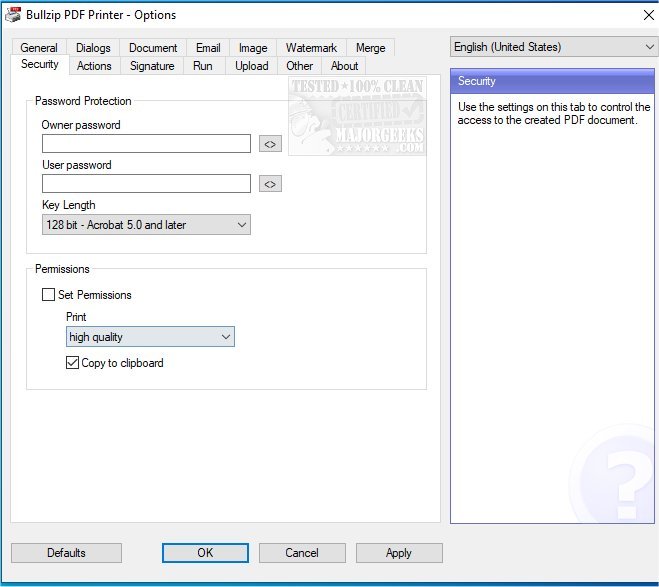
Bullzip PDF Printer version 2026.0.0.2993 has been released, enhancing its functionality as a virtual printer on Microsoft Windows. This application enables users to create PDF documents from nearly any Windows program, making it versatile for various tasks. Users have the option to print to a consistent file location or to choose a destination each time a document is printed.
The software offers extensive features, including control over whether to view the generated PDF immediately. It supports multiple output formats beyond PDF, such as BMP, JPEG, PCX, PNG, and TIFF. Additional functionalities include unattended setup, a user-friendly graphical interface, and the capability to secure documents with password protection (using 128/40-bit encryption).
Users can also customize output quality settings—ranging from screen quality to prepress—and adjust document properties like watermarks, size, rotation, and transparency. The software's capabilities are extensive, and interested users can explore the complete feature list through the provided link.
In addition to its core functions, the release notes mention tips for managing PDF files in various browsers, such as preventing Microsoft Edge from opening PDF files by default, enabling two-page view in Google Chrome, and instructions for managing installed printers in Windows. These related topics suggest a comprehensive approach to PDF management and printer configuration within the Windows environment.
Overall, Bullzip PDF Printer continues to be a significant tool for users needing an efficient and customizable PDF printing solution on Windows systems
The software offers extensive features, including control over whether to view the generated PDF immediately. It supports multiple output formats beyond PDF, such as BMP, JPEG, PCX, PNG, and TIFF. Additional functionalities include unattended setup, a user-friendly graphical interface, and the capability to secure documents with password protection (using 128/40-bit encryption).
Users can also customize output quality settings—ranging from screen quality to prepress—and adjust document properties like watermarks, size, rotation, and transparency. The software's capabilities are extensive, and interested users can explore the complete feature list through the provided link.
In addition to its core functions, the release notes mention tips for managing PDF files in various browsers, such as preventing Microsoft Edge from opening PDF files by default, enabling two-page view in Google Chrome, and instructions for managing installed printers in Windows. These related topics suggest a comprehensive approach to PDF management and printer configuration within the Windows environment.
Overall, Bullzip PDF Printer continues to be a significant tool for users needing an efficient and customizable PDF printing solution on Windows systems
Bullzip PDF Printer 2026.0.0.2993 released
Bullzip PDF Printer works as a Microsoft Windows printer and allows you to write PDF documents from virtually any Windows application.