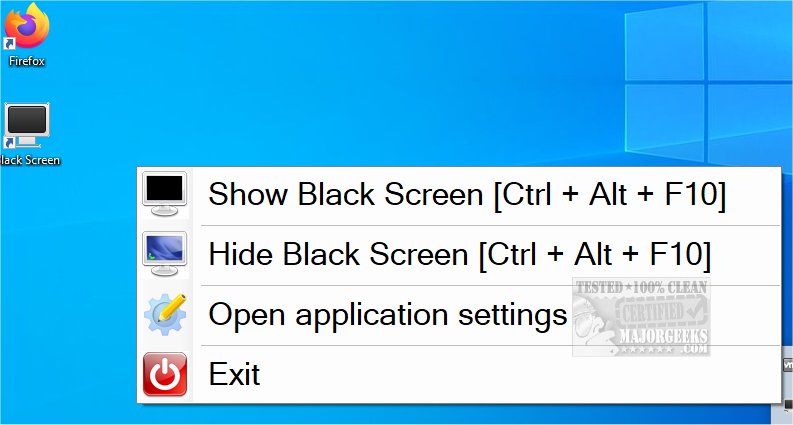
The Black Screen utility, version 1.12.54.0 / 1.12, is designed to help individuals who spend long hours in front of their computers, particularly relevant in the current trend of remote work. This eye-saver app is essential for users adjusting to the home working environment, offering features to promote eye health and mental well-being.
One of the main functionalities of Black Screen is its ability to encourage users to take regular breaks to rest their eyes and reset their focus. By pressing the ctrl + alt + F10 keys, users can instantly turn their screen black, effectively creating a distraction-free moment. Pressing the key combination again restores the desktop.
Additionally, Black Screen allows users to customize their break intervals, making it possible to set reminders for breaks after a specified duration, such as 30 minutes, with a break lasting 7 minutes. This feature is particularly beneficial for ensuring that users maintain a healthy work rhythm, giving their eyes and minds the necessary respite.
For those who prefer a more dynamic break, Black Screen offers an alternative feature that displays random images or keyword-directed visuals on the screen, providing a momentary diversion. Users can easily exit this mode with a simple keystroke.
In summary, Black Screen is a practical tool for anyone looking to manage their screen time effectively and reduce eye strain, especially in a work-from-home setting. The application's thoughtful features not only help in reminding users to take breaks but also offer engaging alternatives to traditional screen pauses. As remote work continues to rise, tools like Black Screen will play an increasingly important role in promoting healthy work habits.
Additionally, users looking to further reduce eye strain can explore other options, such as enabling night light mode in Windows 10, which adjusts screen color temperature to minimize blue light exposure, enhancing comfort during extended computer use
One of the main functionalities of Black Screen is its ability to encourage users to take regular breaks to rest their eyes and reset their focus. By pressing the ctrl + alt + F10 keys, users can instantly turn their screen black, effectively creating a distraction-free moment. Pressing the key combination again restores the desktop.
Additionally, Black Screen allows users to customize their break intervals, making it possible to set reminders for breaks after a specified duration, such as 30 minutes, with a break lasting 7 minutes. This feature is particularly beneficial for ensuring that users maintain a healthy work rhythm, giving their eyes and minds the necessary respite.
For those who prefer a more dynamic break, Black Screen offers an alternative feature that displays random images or keyword-directed visuals on the screen, providing a momentary diversion. Users can easily exit this mode with a simple keystroke.
In summary, Black Screen is a practical tool for anyone looking to manage their screen time effectively and reduce eye strain, especially in a work-from-home setting. The application's thoughtful features not only help in reminding users to take breaks but also offer engaging alternatives to traditional screen pauses. As remote work continues to rise, tools like Black Screen will play an increasingly important role in promoting healthy work habits.
Additionally, users looking to further reduce eye strain can explore other options, such as enabling night light mode in Windows 10, which adjusts screen color temperature to minimize blue light exposure, enhancing comfort during extended computer use
Black Screen 1.12.54.0 / 1.12 released
Black Screen is a small eye-saver utility designed for users who spend extended periods of time at their computers.