Black Screen version 1.12.53.0 / 1.13 has been released as an innovative utility aimed at enhancing eye comfort for individuals who spend long hours in front of their computers. With the rise of remote work, this tool is particularly beneficial for those adjusting to a home office environment. Black Screen comes equipped with several features that promote eye health and mental clarity by reminding users to take breaks and giving them a chance to reset their focus.
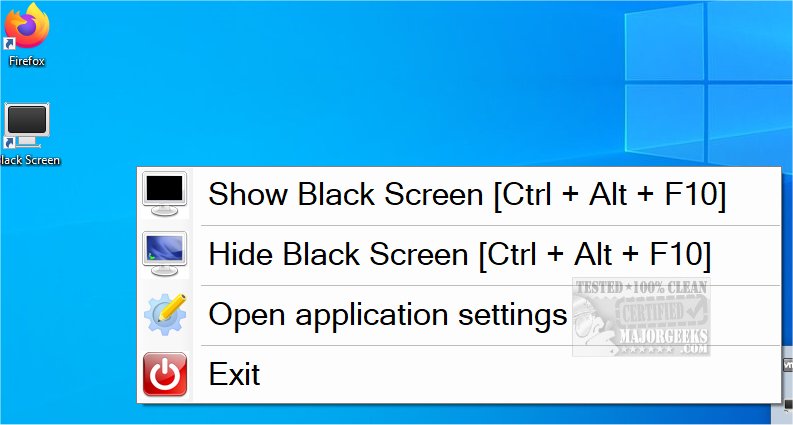
Users can easily activate the black screen mode by pressing Ctrl + Alt + F10, which temporarily turns the screen black, allowing for a quick visual rest. Pressing the same combination again will revert the screen back to its normal display. Additionally, Black Screen offers customizable break intervals; for example, users can schedule breaks to occur after 30 minutes of work, lasting 7 minutes, ensuring regular eye and mental respite.
An alternate feature provides the option to display random images or keyword-directed visuals, serving as a distraction to help refocus the user's attention. This can be particularly useful for maintaining productivity during prolonged periods of screen time. The app also allows users to void any screen display with a simple keystroke, providing flexibility and ease of use.
In an era where digital eye strain is becoming increasingly common, tools like Black Screen are essential for fostering healthier work habits. Future updates could potentially include additional features such as customizable break reminders, integration with productivity apps, or even user analytics to track screen time and break habits. These enhancements could make Black Screen an even more comprehensive solution for maintaining eye health and productivity in the digital age
Users can easily activate the black screen mode by pressing Ctrl + Alt + F10, which temporarily turns the screen black, allowing for a quick visual rest. Pressing the same combination again will revert the screen back to its normal display. Additionally, Black Screen offers customizable break intervals; for example, users can schedule breaks to occur after 30 minutes of work, lasting 7 minutes, ensuring regular eye and mental respite.
An alternate feature provides the option to display random images or keyword-directed visuals, serving as a distraction to help refocus the user's attention. This can be particularly useful for maintaining productivity during prolonged periods of screen time. The app also allows users to void any screen display with a simple keystroke, providing flexibility and ease of use.
In an era where digital eye strain is becoming increasingly common, tools like Black Screen are essential for fostering healthier work habits. Future updates could potentially include additional features such as customizable break reminders, integration with productivity apps, or even user analytics to track screen time and break habits. These enhancements could make Black Screen an even more comprehensive solution for maintaining eye health and productivity in the digital age
Black Screen 1.12.53.0 / 1.13 released
Black Screen is a small eye-saver utility designed for users who spend extended periods of time at their computers.