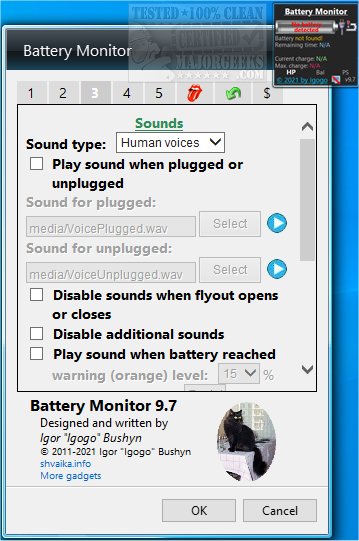
Battery Monitor version 11.0 has been released, offering users enhanced insights into their battery status. This application provides detailed information such as voltage, charge rate, current charge, and maximum charge capacity. For users on Windows 8.1 or 10 who encounter installation issues, it may be necessary to use Desktop Gadgets Revived or similar software to ensure proper functionality of Battery Monitor.
In addition to the detailed metrics, Battery Monitor features graphical displays and animated indicators that visually represent the current battery level. It also includes sound notifications for various events, such as when the laptop is plugged in or unplugged, and when the battery is fully charged. Users can set two important battery levels to trigger sound alerts, enhancing battery management.
The application allows for quick adjustments to the current power plan directly from its main interface. Customization options are available, enabling users to modify the appearance by changing colors and backgrounds, which adds a personal touch while still delivering essential battery information.
Furthermore, the app is supported by helpful resources on related topics, such as troubleshooting charging issues, creating notifications for battery status, and managing power plan settings on Windows 10 and 11.
Overall, Battery Monitor 11.0 is a powerful tool for users looking to gain deeper insights and control over their laptop's battery performance, ensuring they remain informed and proactive about their device's power management.
As technology continues to evolve, future updates to Battery Monitor could potentially incorporate features such as predictive battery life estimates, integration with smart home systems for energy management, or enhanced compatibility with a wider range of operating systems and devices
Battery Monitor 11.0 released
Battery Monitor gives you more details about your battery status, including voltage, charge rate, current charge, and max charge.