JetBrains has unveiled the latest version of its cross-platform .NET IDE, Rider 2026.3.0.2, designed specifically for developers seeking enhanced code insight, fast performance, and seamless integration with both modern and legacy tools. With a foundation similar to popular JetBrains IDEs like IntelliJ IDEA, PyCharm, and WebStorm, Rider is tailored to meet the specific needs of .NET and C# developers.
Key Features and Benefits
Rider stands out as an alternative for those who find Visual Studio sluggish or prefer a more customizable and plugin-friendly environment. Ideal for freelancers and solo developers, Rider comes equipped with a built-in terminal, templates, version control, and live code snippets—features that streamline the development process.
Out-of-the-Box Functionality
Rider supports a wide array of technologies including .NET Framework, .NET Core, Mono, Xamarin, ASP.NET, Unity, and even front-end tools like JavaScript, TypeScript, and React. The IDE also includes robust support for SQL, Docker, and Git. Notable highlights include:
- Code Analysis and Refactoring: Over 2,200 code inspections and 1,000+ context actions help developers identify bugs and optimize code before building.
- Performance: Unlike Visual Studio with ReSharper, Rider maintains speed even in large projects.
- Debugger and Test Runner: Full support for various testing frameworks including NUnit, xUnit, and MSTest.
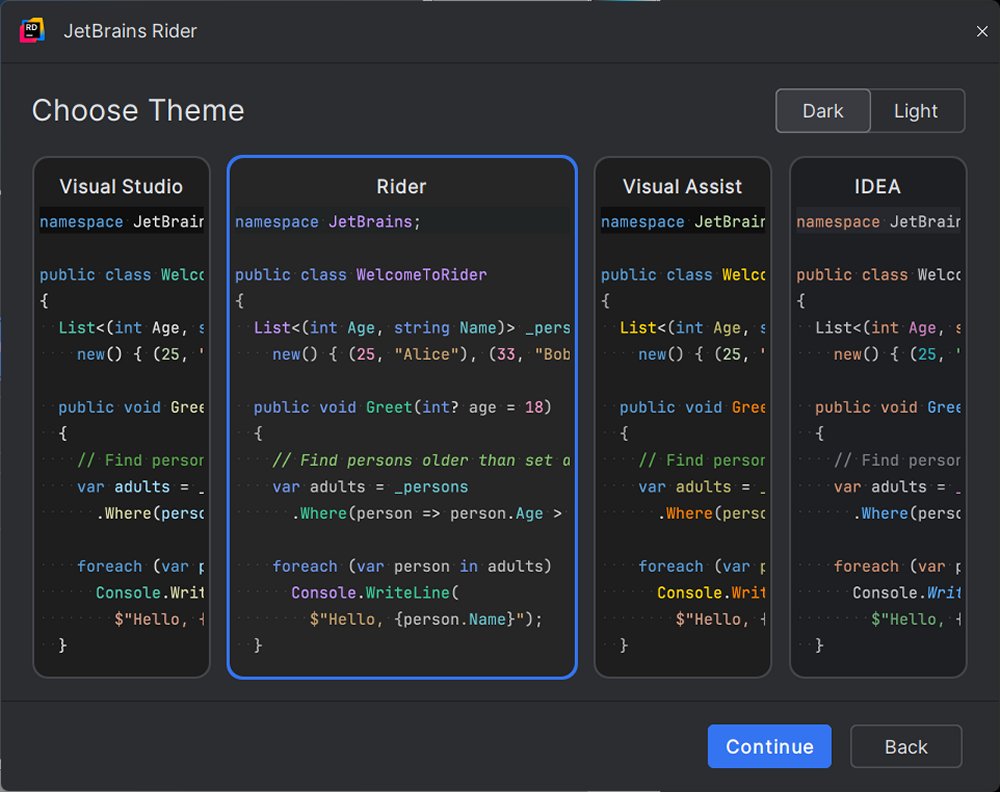
- User Interface: Smart code suggestions, customizable layouts, and themes, including a dark mode, enhance user experience.
Real-World Applications
Rider's extensive toolset enables developers to create diverse applications, whether they are working with .NET, ASP.NET Core, or MAUI for cross-platform interfaces, or developing games using engines like Unity, Unreal Engine, or Godot. Specific use cases include:
- Unity Developers: Benefit from deep integration with Unity, allowing quick navigation through assets and events.
- Web Developers: Can manage both frontend and backend code efficiently in the same environment, particularly those using ASP.NET with React or Angular.
- Enterprise Developers: Gain access to tools for microservices, containers, and SQL databases all in one workspace.
Transitioning from Visual Studio
For developers considering a switch from Visual Studio, Rider simplifies the transition process. It can directly open existing .sln and .csproj files, eliminating the need for restructuring. Most settings, including build configurations, are recognized immediately, though some adjustments may be necessary to align keybindings and UI layout with personal preferences. A Visual Studio keymap is available to facilitate this transition, and users familiar with ReSharper will find a seamless experience.
System Requirements and Licensing
Rider is compatible with Windows, macOS, and Linux, supporting .NET Framework 4.6.1 or later, .NET Core, and Mono. The IDE is free for non-commercial use, including educational and open-source projects, while a commercial license starts at $149 per year, with a 30-day free trial available.
Pros and Cons
Pros:
- Fast and responsive even for large projects
- Integrated ReSharper functionality
- Strong support for Unity, ASP.NET Core, and Xamarin
- Cross-platform consistency
- Robust version control, Docker, and database tools
Cons:
- Initial indexing can be time-consuming for large solutions
- Some adjustment may be needed for users transitioning from Visual Studio
Final Thoughts
Overall, JetBrains Rider is an excellent choice for developers looking for speed, control, and a streamlined development process. Particularly for those working with large .NET solutions or in game development, Rider offers a modern and customizable IDE that minimizes distractions, allowing developers to focus on building high-quality software.
Future Considerations
As JetBrains continues to evolve Rider, future updates may enhance its capabilities further, such as improved integration with emerging technologies and frameworks, expanded support for cloud development, and advanced AI-driven coding assistance. This positions Rider as a compelling option for developers aiming to stay ahead in the rapidly changing software landscape
Rider 2026.3.0.2 released
JetBrains Rider is a cross-platform .NET IDE built for serious developers who want deep code insight, fast performance, and smooth integration tailored for .NET and C#.