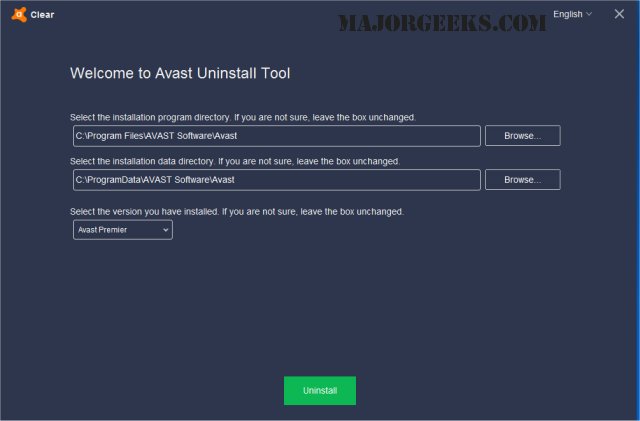
Avast Clear version 26.9.11171 has been released, providing users with a dedicated tool to completely uninstall Avast software when the standard Add/Remove Programs method fails to function correctly. This utility is particularly useful for those encountering issues while trying to remove Avast through conventional means.
To uninstall Avast using Avast Clear, follow these steps:
1. Download the aswclear.exe file to your desktop.
2. Restart your computer and boot into Safe Mode by tapping F8 during the reboot process.
3. Execute the Avast Clear uninstall utility.
4. If Avast was installed in a non-default directory, navigate to that folder when prompted (be cautious, as selecting a folder will result in its contents being deleted).
5. Click the REMOVE button to initiate the uninstallation process.
6. Finally, restart your computer to complete the process.
In addition to this information, users may find related topics helpful, such as how to install Avast as a lightweight antivirus, what actions to take when Norton or McAfee antivirus subscriptions expire, how to distinguish between genuine viruses and false positives, and recommendations for the best anti-malware applications that can coexist with existing antivirus software.
As technology continues to evolve, staying updated on software tools and utilities like Avast Clear is crucial for maintaining optimal system performance and security. Regularly checking for updates and utilizing the latest versions of uninstall utilities can help ensure a smoother experience when managing software on your device
To uninstall Avast using Avast Clear, follow these steps:
1. Download the aswclear.exe file to your desktop.
2. Restart your computer and boot into Safe Mode by tapping F8 during the reboot process.
3. Execute the Avast Clear uninstall utility.
4. If Avast was installed in a non-default directory, navigate to that folder when prompted (be cautious, as selecting a folder will result in its contents being deleted).
5. Click the REMOVE button to initiate the uninstallation process.
6. Finally, restart your computer to complete the process.
In addition to this information, users may find related topics helpful, such as how to install Avast as a lightweight antivirus, what actions to take when Norton or McAfee antivirus subscriptions expire, how to distinguish between genuine viruses and false positives, and recommendations for the best anti-malware applications that can coexist with existing antivirus software.
As technology continues to evolve, staying updated on software tools and utilities like Avast Clear is crucial for maintaining optimal system performance and security. Regularly checking for updates and utilizing the latest versions of uninstall utilities can help ensure a smoother experience when managing software on your device
Avast Clear 26.9.11171 released
Avast Clear (Avast Software Uninstall Utility) can completely remove Avast when the Add/Remove programs option does not work properly.