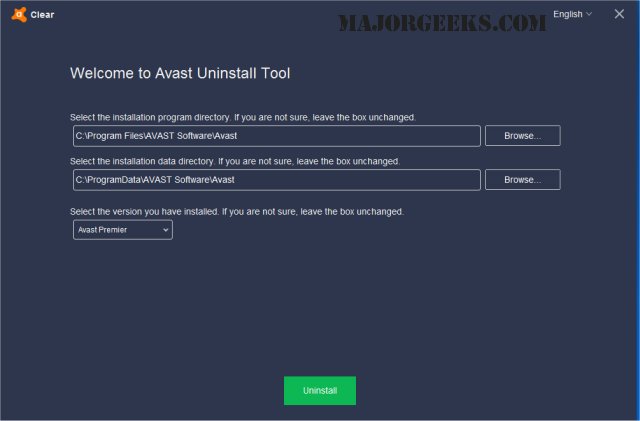
Avast Clear 26.11.11250 has been released, providing an effective solution for users who need to completely uninstall Avast software when the usual Add/Remove programs method fails. The Avast Clear utility is designed to ensure a thorough removal of all Avast components from your system.
To uninstall Avast using Avast Clear, follow these steps:
1. Download the aswclear.exe file and save it to your desktop.
2. Restart your computer and enter Safe Mode by pressing F8 during boot-up.
3. Execute the Avast Clear uninstall utility.
4. If Avast was installed in a custom folder, manually navigate to that folder. (Caution: selecting the wrong folder may lead to unintended data loss.)
5. Click on the REMOVE button to initiate the uninstallation process.
6. Finally, restart your computer to complete the procedure.
In addition to this guidance on using Avast Clear, users may find it helpful to explore related topics such as installing Avast as a lightweight antivirus solution, handling expired Norton or McAfee subscriptions, distinguishing between genuine viruses and false positives, and selecting the best anti-malware applications that can coexist with existing antivirus software.
For further assistance, consider checking online forums or Avast's official support for troubleshooting tips and user experiences related to the uninstallation process
To uninstall Avast using Avast Clear, follow these steps:
1. Download the aswclear.exe file and save it to your desktop.
2. Restart your computer and enter Safe Mode by pressing F8 during boot-up.
3. Execute the Avast Clear uninstall utility.
4. If Avast was installed in a custom folder, manually navigate to that folder. (Caution: selecting the wrong folder may lead to unintended data loss.)
5. Click on the REMOVE button to initiate the uninstallation process.
6. Finally, restart your computer to complete the procedure.
In addition to this guidance on using Avast Clear, users may find it helpful to explore related topics such as installing Avast as a lightweight antivirus solution, handling expired Norton or McAfee subscriptions, distinguishing between genuine viruses and false positives, and selecting the best anti-malware applications that can coexist with existing antivirus software.
For further assistance, consider checking online forums or Avast's official support for troubleshooting tips and user experiences related to the uninstallation process
Avast Clear 26.11.11250 released
Avast Clear (Avast Software Uninstall Utility) can completely remove Avast when the Add/Remove programs option does not work properly.