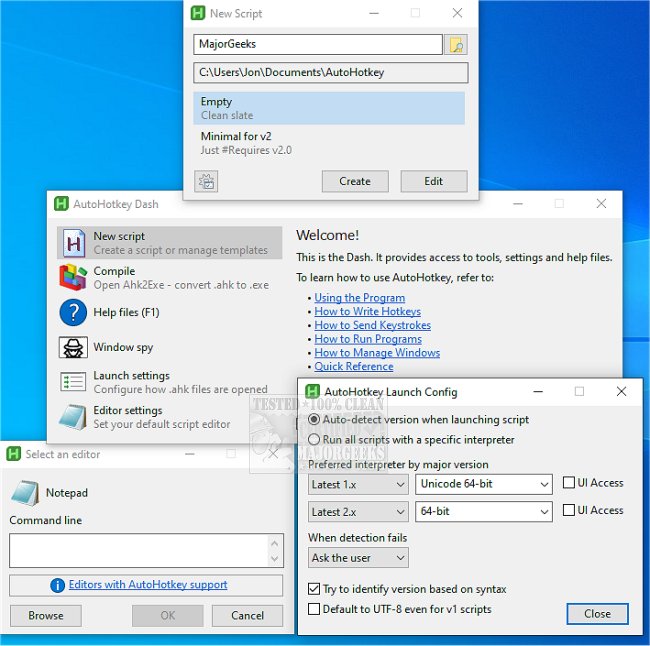
AutoHotkey has recently released versions 2.0.28 and 1.1.37.02, enhancing its capabilities as a versatile desktop automation tool for Windows. This free software allows users to create custom keyboard shortcuts, text replacements, macros, and automation scripts, which can significantly streamline repetitive tasks. It is particularly beneficial for individuals who often find themselves performing the same actions, such as clicking through menus, typing standard email replies, or entering data in older applications.
The power of AutoHotkey lies in its flexibility. Users can automate a vast range of actions, from launching programs and pasting frequently used text to remapping keys and creating complex workflows that control multiple applications. For instance, a simple AutoHotkey script can bind the Windows + M + G keys to open the MajorGeeks website, showcasing how easy it can be to enhance productivity. Additionally, the software can remap keys, turning the Caps Lock into an Escape key, or create text expansions where typing an abbreviation results in a longer text insertion.
Despite its robust features, AutoHotkey requires users to write scripts, which can be daunting for those unfamiliar with coding. There is a learning curve involved, and users may encounter challenges such as syntax errors or compatibility issues between different versions of the software. However, even basic scripts can lead to significant time savings and reduced frustration in daily computer use.
AutoHotkey is particularly effective for repetitive tasks encountered in office settings, older software, and everyday computing. By automating mundane activities, users can allocate their time to more productive pursuits, making their computing experience more efficient and enjoyable.
In summary, AutoHotkey stands out as a powerful tool for Windows users who are willing to invest some time in learning how to script. Its ability to automate tasks not only enhances productivity but also alleviates the strain of repetitive actions. As technology continues to evolve, tools like AutoHotkey will remain invaluable for optimizing user experience and efficiency. Users are encouraged to explore its capabilities and find creative ways to implement automation in their daily routines, thereby making the most of their computing environment
The power of AutoHotkey lies in its flexibility. Users can automate a vast range of actions, from launching programs and pasting frequently used text to remapping keys and creating complex workflows that control multiple applications. For instance, a simple AutoHotkey script can bind the Windows + M + G keys to open the MajorGeeks website, showcasing how easy it can be to enhance productivity. Additionally, the software can remap keys, turning the Caps Lock into an Escape key, or create text expansions where typing an abbreviation results in a longer text insertion.
Despite its robust features, AutoHotkey requires users to write scripts, which can be daunting for those unfamiliar with coding. There is a learning curve involved, and users may encounter challenges such as syntax errors or compatibility issues between different versions of the software. However, even basic scripts can lead to significant time savings and reduced frustration in daily computer use.
AutoHotkey is particularly effective for repetitive tasks encountered in office settings, older software, and everyday computing. By automating mundane activities, users can allocate their time to more productive pursuits, making their computing experience more efficient and enjoyable.
In summary, AutoHotkey stands out as a powerful tool for Windows users who are willing to invest some time in learning how to script. Its ability to automate tasks not only enhances productivity but also alleviates the strain of repetitive actions. As technology continues to evolve, tools like AutoHotkey will remain invaluable for optimizing user experience and efficiency. Users are encouraged to explore its capabilities and find creative ways to implement automation in their daily routines, thereby making the most of their computing environment
AutoHotkey 2.0.28 / 1.1.37.02 released
AutoHotkey provides you with a fast, scriptable freeware desktop automation tool with hotkeys.