ASCOMP has recently released version 3.001 of F-Rename, a tool designed to simplify the file-renaming process and enhance file organization. By allowing users to rename files individually, this software can significantly save time and improve workflow efficiency.
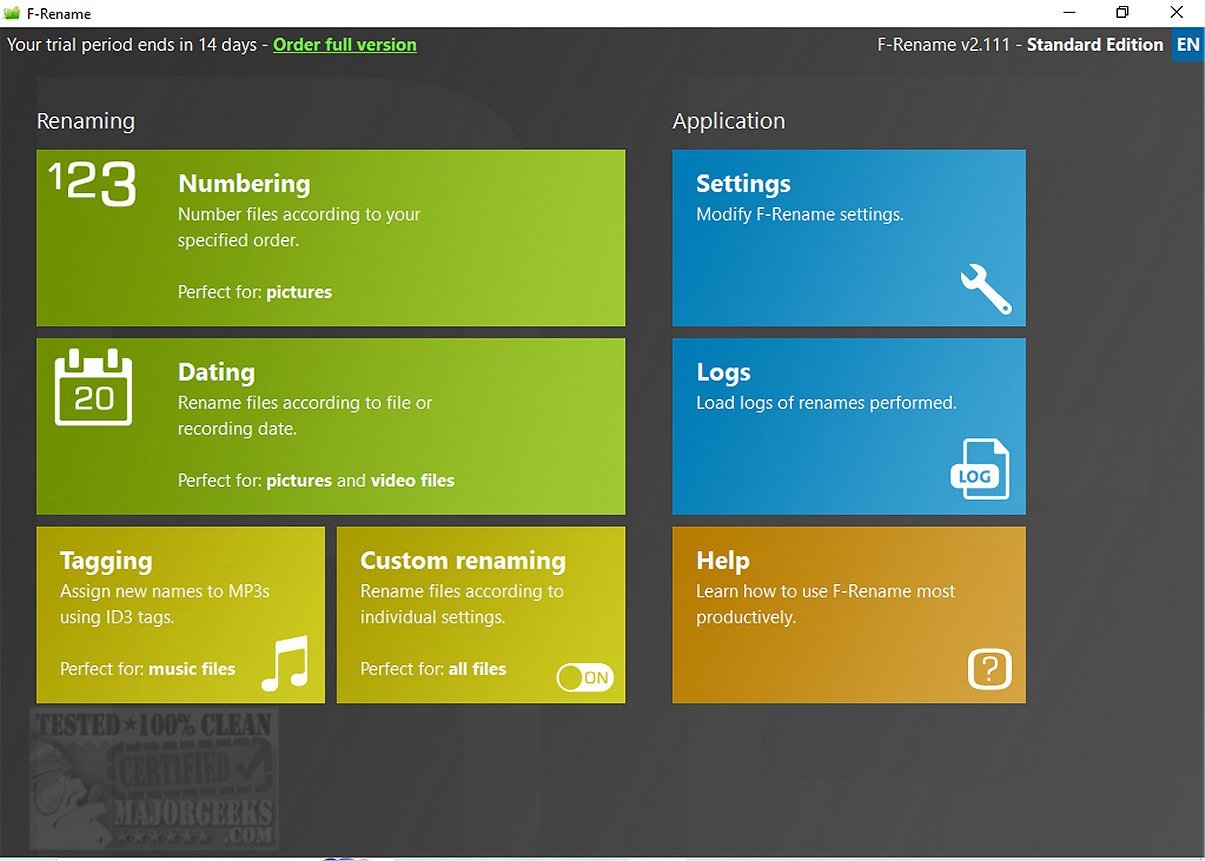
ASCOMP F-Rename is tailored to effortlessly rename an unlimited number of files according to various customizable patterns. Its user-friendly interface allows for the application of predefined renaming patterns or the creation of custom ones to meet specific needs. With just a few clicks, users can efficiently organize entire collections of files by numbering or dating them. The tool also features specialized functionality for renaming MP3 files based on their ID3 tags, making it easier to maintain a well-structured music library.
One standout feature of ASCOMP F-Rename is its advanced individual renaming options, which provide flexibility through the use of file metadata tags. Users can convert, shorten, or replace file names partially or entirely, ensuring complete control over file labeling. Additionally, the software includes a preview feature that allows users to see how renamed files will appear before any changes are finalized. This, along with a comprehensive logging system, helps prevent accidental loss or mislabeling during the renaming process.
In summary, ASCOMP F-Rename is an intuitive and efficient application designed for batch renaming files. Its modern interface, combined with the ability to preview changes, makes it a valuable tool for anyone looking to improve their file management practices. Users are encouraged to try ASCOMP F-Rename to experience the convenience it offers.
To further enhance user experience, future updates could consider integrating more advanced features such as cloud support for file management across devices, enhanced collaboration tools for team environments, and additional file format handling capabilities
ASCOMP F-Rename is tailored to effortlessly rename an unlimited number of files according to various customizable patterns. Its user-friendly interface allows for the application of predefined renaming patterns or the creation of custom ones to meet specific needs. With just a few clicks, users can efficiently organize entire collections of files by numbering or dating them. The tool also features specialized functionality for renaming MP3 files based on their ID3 tags, making it easier to maintain a well-structured music library.
One standout feature of ASCOMP F-Rename is its advanced individual renaming options, which provide flexibility through the use of file metadata tags. Users can convert, shorten, or replace file names partially or entirely, ensuring complete control over file labeling. Additionally, the software includes a preview feature that allows users to see how renamed files will appear before any changes are finalized. This, along with a comprehensive logging system, helps prevent accidental loss or mislabeling during the renaming process.
In summary, ASCOMP F-Rename is an intuitive and efficient application designed for batch renaming files. Its modern interface, combined with the ability to preview changes, makes it a valuable tool for anyone looking to improve their file management practices. Users are encouraged to try ASCOMP F-Rename to experience the convenience it offers.
To further enhance user experience, future updates could consider integrating more advanced features such as cloud support for file management across devices, enhanced collaboration tools for team environments, and additional file format handling capabilities
ASCOMP F-Rename 3.001 released
ASCOMP F-Rename streamlines the file-renaming process by allowing you to rename files individually, optimizing file organization and structure. Using this tool can save you significant time and improve your workflow.