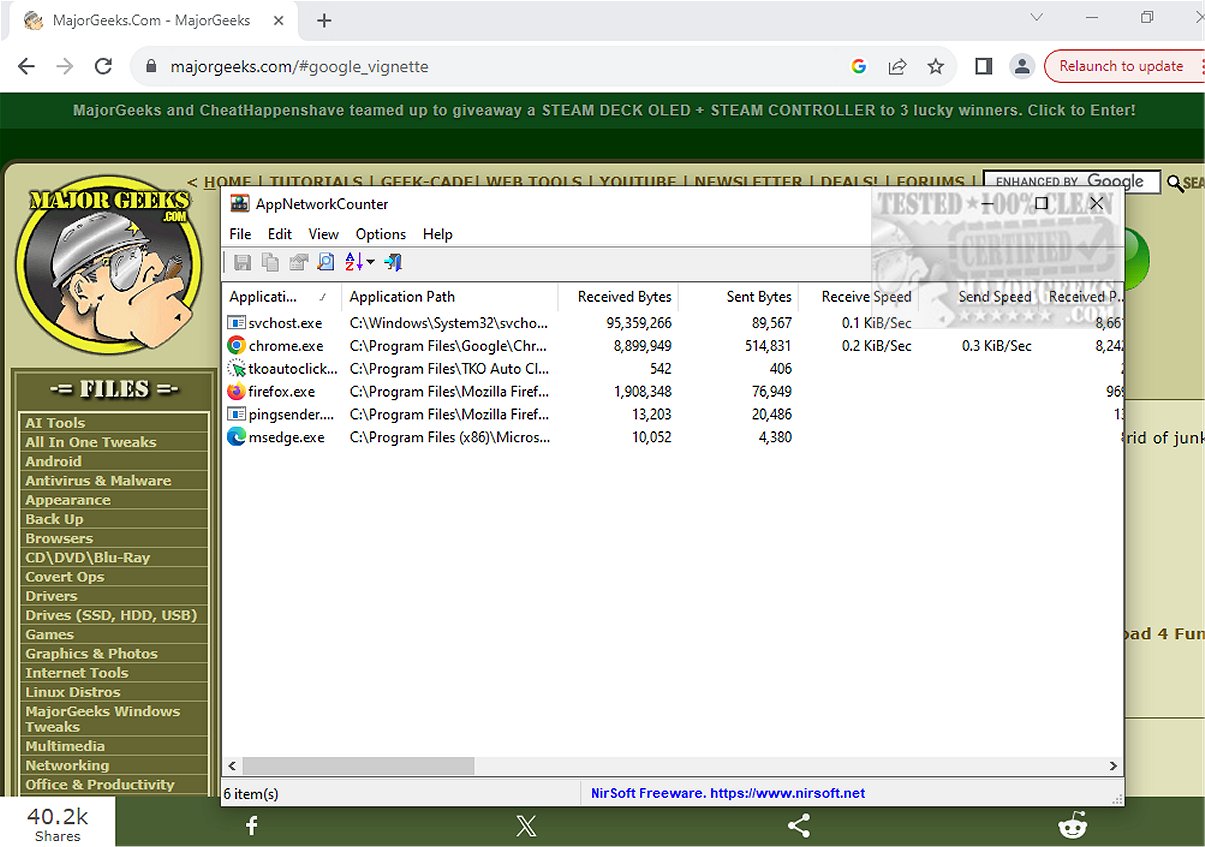
AppNetworkCounter version 1.62 has been released, offering users a free tool to monitor network activity for various applications on their system. This application allows users to easily track the number of TCP/UDP bytes and packets sent and received by each app. For every application, AppNetworkCounter presents detailed statistics, including sent and received bytes, packets, and specific breakdowns for IPv4 and IPv6 traffic. Additionally, it can display relevant version information for each application, such as the product name, version, file description, and company name.
The user interface follows the familiar Nirsoft design, and the app begins collecting data immediately after being unpackaged. This makes it convenient for users to start monitoring their network usage without extensive setup.
In addition to its core features, AppNetworkCounter can be particularly useful for network administrators and users interested in optimizing their network performance. It can help identify bandwidth-heavy applications, troubleshoot connectivity issues, and enhance overall network efficiency.
For those looking to complement their network monitoring efforts, users can also explore additional resources such as guides on using the Ping command in Windows, ways to display internet upload and download usage directly on the taskbar, methods for checking network adapter speeds in Windows 10 and 11, and tips for improving wireless network performance. Overall, AppNetworkCounter serves as a valuable tool for anyone wanting to gain deeper insights into their application's network behavior
The user interface follows the familiar Nirsoft design, and the app begins collecting data immediately after being unpackaged. This makes it convenient for users to start monitoring their network usage without extensive setup.
In addition to its core features, AppNetworkCounter can be particularly useful for network administrators and users interested in optimizing their network performance. It can help identify bandwidth-heavy applications, troubleshoot connectivity issues, and enhance overall network efficiency.
For those looking to complement their network monitoring efforts, users can also explore additional resources such as guides on using the Ping command in Windows, ways to display internet upload and download usage directly on the taskbar, methods for checking network adapter speeds in Windows 10 and 11, and tips for improving wireless network performance. Overall, AppNetworkCounter serves as a valuable tool for anyone wanting to gain deeper insights into their application's network behavior
AppNetworkCounter 1.62 released
AppNetworkCounter is a freeware app that permits you to easily view every app's number of TCP/UDP bytes and packets sent/received.