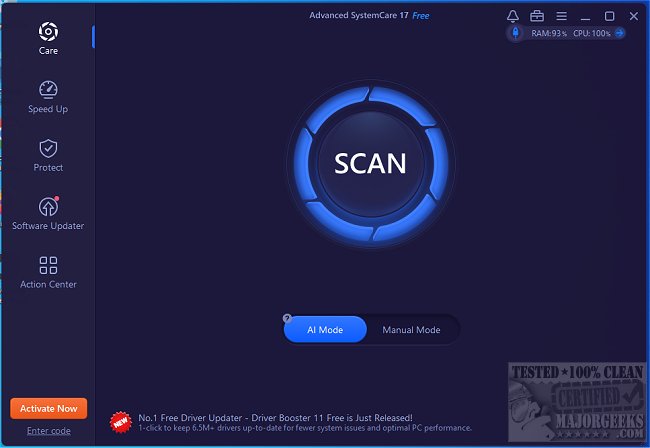
The latest release of Advanced SystemCare, version 19.5.0.231, presents an effective solution for users looking to enhance their computer's performance. Known for its user-friendly interface, this all-in-one optimization tool aids in cleaning, optimizing, speeding up, and protecting PCs. With a straightforward one-click optimization feature, Advanced SystemCare addresses common issues such as junk file accumulation, slow startup times, and registry errors, making it ideal for users who want to maintain a fast and secure computing environment without extensive technical knowledge.
Why Use Advanced SystemCare?
As computers age, they inevitably accumulate junk files and unnecessary applications that can hinder performance. Advanced SystemCare automates the optimization process, allowing users to achieve a responsive PC effortlessly. The software effectively boosts speed by disabling superfluous background processes, freeing up RAM, and cleaning out unwanted files. By optimizing startup times and fixing system errors, it ensures a smoother experience for all types of users, from gamers to professionals.
Key Features and Benefits:
- One-Click Optimization: Simplifies the cleaning process, requiring minimal user intervention.
- Turbo Boost Mode: Enhances gaming and intensive application performance by reallocating system resources.
- Real-time Monitoring: Tracks system performance metrics to preemptively address slowdowns.
- Privacy Protection: Safeguards user data by clearing browsing history and blocking trackers.
When to Utilize Advanced SystemCare:
- If your computer's startup process is excessively slow, utilize the Startup Manager to reduce boot times.
- When storage space is running low, the junk file cleanup feature can recover gigabytes of storage.
- If applications frequently lag or freeze, AI optimization can enhance performance.
- For improved gaming experiences, Turbo Boost can optimize system resources.
- To maintain privacy, the software can erase browsing data and block tracking.
Pros and Cons:
Pros:
- Easy one-click cleanup and performance enhancement.
- Efficient for both casual use and demanding tasks like gaming.
- Strong privacy and security features.
Cons:
- Some advanced features may only be available in the Pro version.
- There may be prompts to install additional IObit software.
Conclusion:
With years of user experience, Advanced SystemCare remains a reliable choice for anyone seeking to enhance their PC's performance. Whether you're facing slow startups, limited disk space, or sluggish applications, this software provides automated solutions to streamline and optimize your system effectively.
For those interested, a video tutorial is available to guide users through the features of Advanced SystemCare.
Extended Considerations:
As technology continues to evolve, so do the challenges associated with maintaining optimal PC performance. Users may benefit from exploring additional features of Advanced SystemCare, such as its scheduled maintenance tools, which can automate cleaning processes on a regular basis. Furthermore, as more users become concerned about online privacy, the software's constantly updated privacy protection features will be crucial in safeguarding personal information against emerging threats. Regularly updating to the latest version ensures access to the newest improvements and features, making Advanced SystemCare a proactive choice for maintaining a high-performance computing experience
Why Use Advanced SystemCare?
As computers age, they inevitably accumulate junk files and unnecessary applications that can hinder performance. Advanced SystemCare automates the optimization process, allowing users to achieve a responsive PC effortlessly. The software effectively boosts speed by disabling superfluous background processes, freeing up RAM, and cleaning out unwanted files. By optimizing startup times and fixing system errors, it ensures a smoother experience for all types of users, from gamers to professionals.
Key Features and Benefits:
- One-Click Optimization: Simplifies the cleaning process, requiring minimal user intervention.
- Turbo Boost Mode: Enhances gaming and intensive application performance by reallocating system resources.
- Real-time Monitoring: Tracks system performance metrics to preemptively address slowdowns.
- Privacy Protection: Safeguards user data by clearing browsing history and blocking trackers.
When to Utilize Advanced SystemCare:
- If your computer's startup process is excessively slow, utilize the Startup Manager to reduce boot times.
- When storage space is running low, the junk file cleanup feature can recover gigabytes of storage.
- If applications frequently lag or freeze, AI optimization can enhance performance.
- For improved gaming experiences, Turbo Boost can optimize system resources.
- To maintain privacy, the software can erase browsing data and block tracking.
Pros and Cons:
Pros:
- Easy one-click cleanup and performance enhancement.
- Efficient for both casual use and demanding tasks like gaming.
- Strong privacy and security features.
Cons:
- Some advanced features may only be available in the Pro version.
- There may be prompts to install additional IObit software.
Conclusion:
With years of user experience, Advanced SystemCare remains a reliable choice for anyone seeking to enhance their PC's performance. Whether you're facing slow startups, limited disk space, or sluggish applications, this software provides automated solutions to streamline and optimize your system effectively.
For those interested, a video tutorial is available to guide users through the features of Advanced SystemCare.
Extended Considerations:
As technology continues to evolve, so do the challenges associated with maintaining optimal PC performance. Users may benefit from exploring additional features of Advanced SystemCare, such as its scheduled maintenance tools, which can automate cleaning processes on a regular basis. Furthermore, as more users become concerned about online privacy, the software's constantly updated privacy protection features will be crucial in safeguarding personal information against emerging threats. Regularly updating to the latest version ensures access to the newest improvements and features, making Advanced SystemCare a proactive choice for maintaining a high-performance computing experience
Advanced SystemCare 19.5.0.231 released
Advanced SystemCare is a popular and efficient all-in-one computer tweaker that will help clean, optimize, speed up, and protect your computer. Video tutorial available.