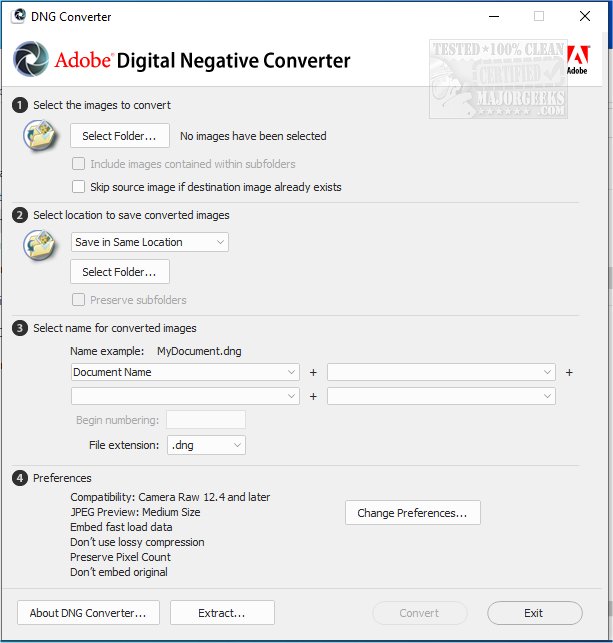
Adobe has released version 18.6 of the DNG Converter, a tool that facilitates the conversion of camera-specific raw files into a universal Digital Negative (DNG) format. This format is advantageous as it ensures backward compatibility with older versions of Adobe software, including Photoshop, Lightroom, Bridge, After Effects, and Photoshop Elements, allowing users with the latest cameras to access their images without needing the most current software.
One of the key benefits of the DNG format is its openness; it is a freely available specification that can be supported by other software and hardware vendors, unlike many proprietary raw formats. This makes it a safer choice for long-term archival of images, as the DNG format is designed to preserve all pixel information and essential metadata while also potentially embedding the original raw file to retain any proprietary data that may be lost in the conversion process.
The DNG Converter supports a wide range of Camera Raw versions (2.4 to 1.32) and DNG versions (1.1 to 1.6), making it a versatile tool for photographers.
In addition to its primary function, the DNG Converter can also simplify workflows by allowing photographers to standardize their raw files into a single format, making it easier to manage and edit images across different software platforms.
Looking ahead, future updates to the DNG Converter may focus on enhancing compatibility with emerging camera technologies and improving the efficiency of the conversion process, ensuring that users continue to benefit from the latest advancements in photography. Furthermore, as digital photography evolves, the importance of file formats like DNG will likely grow, solidifying its role in the preservation and accessibility of digital images
One of the key benefits of the DNG format is its openness; it is a freely available specification that can be supported by other software and hardware vendors, unlike many proprietary raw formats. This makes it a safer choice for long-term archival of images, as the DNG format is designed to preserve all pixel information and essential metadata while also potentially embedding the original raw file to retain any proprietary data that may be lost in the conversion process.
The DNG Converter supports a wide range of Camera Raw versions (2.4 to 1.32) and DNG versions (1.1 to 1.6), making it a versatile tool for photographers.
In addition to its primary function, the DNG Converter can also simplify workflows by allowing photographers to standardize their raw files into a single format, making it easier to manage and edit images across different software platforms.
Looking ahead, future updates to the DNG Converter may focus on enhancing compatibility with emerging camera technologies and improving the efficiency of the conversion process, ensuring that users continue to benefit from the latest advancements in photography. Furthermore, as digital photography evolves, the importance of file formats like DNG will likely grow, solidifying its role in the preservation and accessibility of digital images
Adobe DNG Converter 18.6 released
Adobe DNG Converter (Digital Negative) allows camera-specific raw files to be converted to a universal DNG raw file.