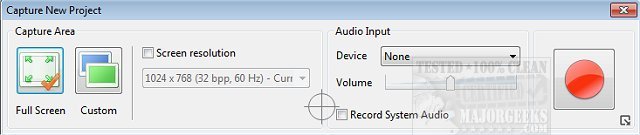
ActivePresenter version 10.6.2 has been released, enhancing its capabilities as an all-in-one tool for screen recording, video editing, and eLearning. This software is designed to facilitate the creation of professional-quality content by allowing users to capture their screens and edit the resulting videos seamlessly.
With ActivePresenter, users can produce high-quality screencasts complete with precise annotations, high-resolution graphics, voice-overs, and various effects. The tool offers extensive customization options, enabling the addition of background music, closed captioning, and zoom-n-pan features. Users can capture any application on their device and export the final products into popular formats such as images, videos (MP4, FLV, MKV, WMV, WebM, and AVI), HTML SlideShows, HTML5 simulations, and documents, making them compatible with a wide range of devices and platforms.
Key features of ActivePresenter include Smart Capture, which records the screen based on mouse clicks or key presses, transforming each action into a slide that guides viewers through the lesson. Additionally, the software allows for webcam recording, enabling simultaneous screen and webcam capture or separate webcam video recording. The audio and video editing capabilities ensure that users can refine their content without any loss of quality, with operations such as cutting, deleting, cropping, splitting, joining, blurring, changing playback speed, and adjusting volume or inserting freeze-frames.
ActivePresenter stands out among other screen capture tools by offering unique features that cater to both novice and advanced users. This versatility makes it an appealing choice for educators, trainers, and content creators looking to enhance their instructional materials or video projects.
In summary, ActivePresenter 10.6.2 is a powerful tool that not only simplifies the process of creating engaging educational content but also provides robust editing capabilities that meet the needs of a diverse user base. As technology continues to evolve, tools like ActivePresenter will likely see further improvements, further enhancing the learning and content creation experience
With ActivePresenter, users can produce high-quality screencasts complete with precise annotations, high-resolution graphics, voice-overs, and various effects. The tool offers extensive customization options, enabling the addition of background music, closed captioning, and zoom-n-pan features. Users can capture any application on their device and export the final products into popular formats such as images, videos (MP4, FLV, MKV, WMV, WebM, and AVI), HTML SlideShows, HTML5 simulations, and documents, making them compatible with a wide range of devices and platforms.
Key features of ActivePresenter include Smart Capture, which records the screen based on mouse clicks or key presses, transforming each action into a slide that guides viewers through the lesson. Additionally, the software allows for webcam recording, enabling simultaneous screen and webcam capture or separate webcam video recording. The audio and video editing capabilities ensure that users can refine their content without any loss of quality, with operations such as cutting, deleting, cropping, splitting, joining, blurring, changing playback speed, and adjusting volume or inserting freeze-frames.
ActivePresenter stands out among other screen capture tools by offering unique features that cater to both novice and advanced users. This versatility makes it an appealing choice for educators, trainers, and content creators looking to enhance their instructional materials or video projects.
In summary, ActivePresenter 10.6.2 is a powerful tool that not only simplifies the process of creating engaging educational content but also provides robust editing capabilities that meet the needs of a diverse user base. As technology continues to evolve, tools like ActivePresenter will likely see further improvements, further enhancing the learning and content creation experience
ActivePresenter 10.6.2 released
ActivePresenter is an all-in-one tool for screen recording, video editing, and eLearning that is full of useful features.