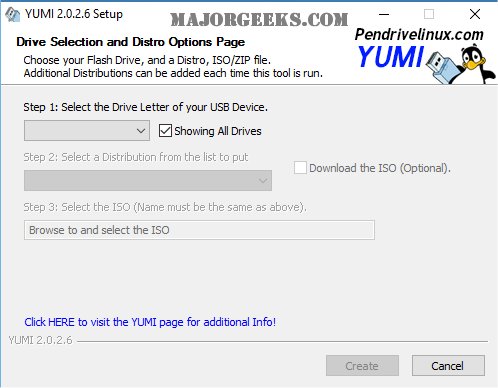
YUMI has released new versions: YUMI 2.0.3.6, UUI 0.0.4.6, and UEFI 2.0.9.4 UEFI Legacy. This software, known as Your Universal Multiboot Installer, allows users to create multiboot USB flash drives that can host a variety of operating systems, antivirus tools, diagnostic utilities, and disc cloning applications. Unlike previous multiboot solutions that used GRUB to boot ISO files directly, YUMI employs Syslinux to boot extracted distributions stored on the USB device, only reverting to GRUB for booting multiple ISO files when necessary.
The UEFI version of YUMI is still under development and utilizes GRUB2 for booting in both UEFI and BIOS modes. However, it is important to note that it is not backward compatible with the standard YUMI version. Users must ensure their USB drives are formatted to FAT32 to enable UEFI booting, as NTFS formatted drives will only work in BIOS mode. Additionally, if secure boot is enabled, it needs to be disabled for proper functionality.
YUMI and YUMI-UEFI are offered as freeware, but users are encouraged to support their development through donations. For those interested in a simpler solution, the Universal USB Installer (UUI) is also available for download.
In the evolving landscape of portable operating systems, YUMI continues to be a versatile tool for users looking to streamline their computing experience, offering flexibility and a range of utilities in a single USB drive. As technology progresses, future updates may expand compatibility and features, further enhancing user experience and functionality
The UEFI version of YUMI is still under development and utilizes GRUB2 for booting in both UEFI and BIOS modes. However, it is important to note that it is not backward compatible with the standard YUMI version. Users must ensure their USB drives are formatted to FAT32 to enable UEFI booting, as NTFS formatted drives will only work in BIOS mode. Additionally, if secure boot is enabled, it needs to be disabled for proper functionality.
YUMI and YUMI-UEFI are offered as freeware, but users are encouraged to support their development through donations. For those interested in a simpler solution, the Universal USB Installer (UUI) is also available for download.
In the evolving landscape of portable operating systems, YUMI continues to be a versatile tool for users looking to streamline their computing experience, offering flexibility and a range of utilities in a single USB drive. As technology progresses, future updates may expand compatibility and features, further enhancing user experience and functionality
YUMI 2.0.3.6 UUI / 0.0.4.6 UEFI / 2.0.9.4 UEFI Legacy released
YUMI helps create a multiboot USB flash drive containing multiple operating systems, antivirus utilities, diagnostic tools, disc cloning, and more.
YUMI 2.0.3.6 UUI / 0.0.4.6 UEFI / 2.0.9.4 UEFI Legacy released @ MajorGeeks