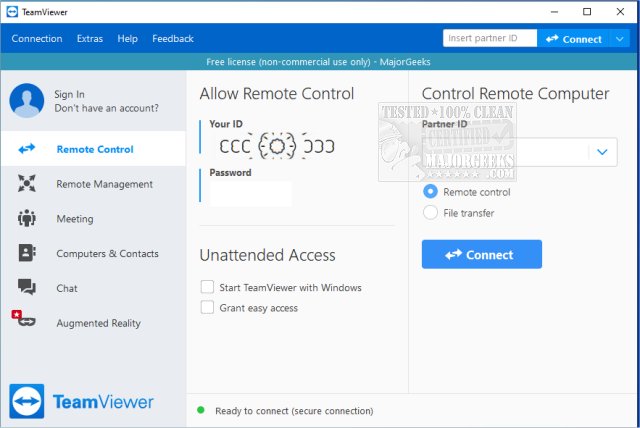
TeamViewer has recently released version 15.78.4, enhancing its reputation as a leading free remote access software. Designed for ease of use, TeamViewer allows users to access or provide remote access to their computers effortlessly. It is compatible with various operating systems, including Windows, macOS, Linux, Android, and iOS, and can be run as a portable application without installation.
For anyone who has struggled to guide a friend or family member through technical difficulties over the phone, TeamViewer serves as a practical solution. The app is particularly beneficial for non-commercial use, enabling users to connect to another PC or allow others to access theirs from anywhere. With a straightforward setup process, users only need to download, launch, and utilize the QuickJoin feature or portable version to establish a connection. Each device receives a unique 9-digit ID and a constantly changing password, ensuring secure access that the user must provide for each session.
TeamViewer is ideal for various scenarios, including assisting others with software installations, troubleshooting issues remotely, or accessing personal computers while traveling. It supports two-way interactions, allowing users to share their screens for collaborative projects or presentations. The software ensures security through end-to-end encryption using AES (256-bit) and delivers strong performance with minimal lag even on slower internet connections.
Users can choose between a full installation, which offers features like unattended access and remote reboot, or the portable version for quick assistance without needing admin rights.
- Free for personal use
- Portable version available, requiring no installation
- Supports file transfers, chat, and multi-monitor setups
- End-to-end encrypted connections
- Works across all major platforms
Cons:
- Frequent commercial use triggers license pop-ups and restrictions
- Some advanced features, such as remote printing, necessitate a full installation
For anyone who has struggled to guide a friend or family member through technical difficulties over the phone, TeamViewer serves as a practical solution. The app is particularly beneficial for non-commercial use, enabling users to connect to another PC or allow others to access theirs from anywhere. With a straightforward setup process, users only need to download, launch, and utilize the QuickJoin feature or portable version to establish a connection. Each device receives a unique 9-digit ID and a constantly changing password, ensuring secure access that the user must provide for each session.
TeamViewer is ideal for various scenarios, including assisting others with software installations, troubleshooting issues remotely, or accessing personal computers while traveling. It supports two-way interactions, allowing users to share their screens for collaborative projects or presentations. The software ensures security through end-to-end encryption using AES (256-bit) and delivers strong performance with minimal lag even on slower internet connections.
Users can choose between a full installation, which offers features like unattended access and remote reboot, or the portable version for quick assistance without needing admin rights.
Pros and Cons
Pros:- Free for personal use
- Portable version available, requiring no installation
- Supports file transfers, chat, and multi-monitor setups
- End-to-end encrypted connections
- Works across all major platforms
Cons:
- Frequent commercial use triggers license pop-ups and restrictions
- Some advanced features, such as remote printing, necessitate a full installation
Conclusion
TeamViewer strikes an effective balance between power and simplicity, making it a go-to tool for tech support, whether for family members or for accessing files remotely. Its speed, security, and ease of use make it indispensable for everyday troubleshooting and remote access needs. Users appreciate the ability to assist others without being physically present, which saves time and effort, particularly when addressing common tech issues.Future Enhancements
Looking ahead, TeamViewer could further enhance its offerings by improving features for commercial users, potentially introducing tiered pricing plans that accommodate frequent use without overwhelming pop-ups. Additionally, expanding integrations with other software tools and enhancing mobile app capabilities could broaden its appeal and usability for a wider audienceTeamViewer 15.78.4 released
TeamViewer is a popular, easy-to-use free remote access program to access or let someone remotely access your computer. It can be installed or run as portable. Video tutorial available.