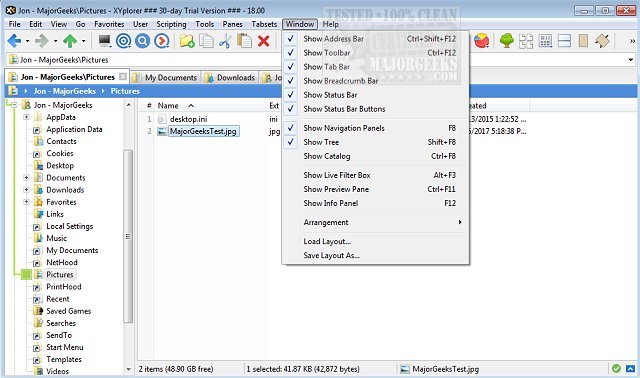
XYplorer has recently released versions 28.50 and 27.20.1600, further enhancing its capabilities as a powerful tabbed file manager for Windows. Unlike the standard Windows File Explorer, XYplorer offers advanced tools for file management, making it particularly beneficial for users who handle extensive file collections across multiple drives.
Key features of XYplorer include dual-pane browsing, which allows users to view two locations side-by-side, and a robust file search function that can quickly sift through large drives. The ability to batch rename files, detect duplicates, support ZIP files, and preview content before moving or editing makes XYplorer a comprehensive solution for file organization. Additionally, the portable version of XYplorer is ideal for technicians or users who frequently switch between different Windows PCs, as it allows them to carry their preferred settings and file management tools.
XYplorer's interface is customizable, although its extensive options may initially seem overwhelming for new users. Nevertheless, essential features such as tabs, dual panes, and file previews can be utilized immediately without a steep learning curve. For casual users who only occasionally manage files, the standard File Explorer may suffice, but for those who often face frustrations with its limitations, XYplorer presents a compelling alternative.
In conclusion, XYplorer is an efficient and feature-rich file manager that addresses the needs of serious users looking to optimize their file management tasks. Its combination of speed, portability, and configurability makes it a valuable tool for anyone who regularly organizes and manipulates large quantities of files. As file management continues to evolve, XYplorer stands out as a more capable option compared to traditional methods
Key features of XYplorer include dual-pane browsing, which allows users to view two locations side-by-side, and a robust file search function that can quickly sift through large drives. The ability to batch rename files, detect duplicates, support ZIP files, and preview content before moving or editing makes XYplorer a comprehensive solution for file organization. Additionally, the portable version of XYplorer is ideal for technicians or users who frequently switch between different Windows PCs, as it allows them to carry their preferred settings and file management tools.
XYplorer's interface is customizable, although its extensive options may initially seem overwhelming for new users. Nevertheless, essential features such as tabs, dual panes, and file previews can be utilized immediately without a steep learning curve. For casual users who only occasionally manage files, the standard File Explorer may suffice, but for those who often face frustrations with its limitations, XYplorer presents a compelling alternative.
In conclusion, XYplorer is an efficient and feature-rich file manager that addresses the needs of serious users looking to optimize their file management tasks. Its combination of speed, portability, and configurability makes it a valuable tool for anyone who regularly organizes and manipulates large quantities of files. As file management continues to evolve, XYplorer stands out as a more capable option compared to traditional methods
XYplorer 28.50 / 27.20.1600 released
XYplorer is a tabbed file manager for Windows featuring powerful file search, zip support, duplicate file finder and much more.