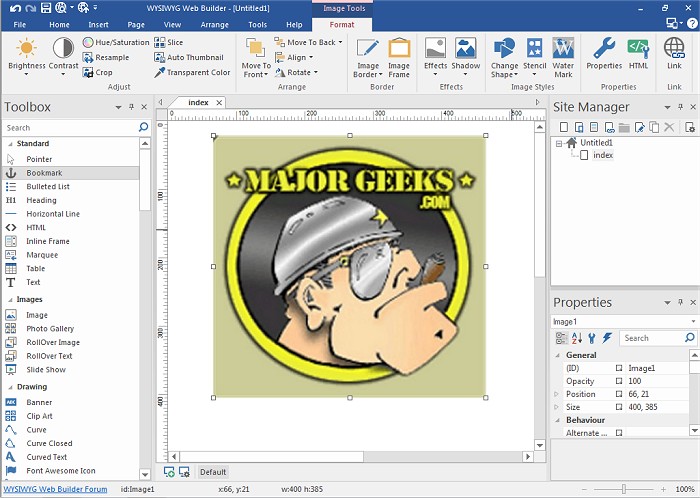
WYSIWYG Web Builder 21.2.3 has been released, offering users an intuitive platform for creating web pages without needing to understand HTML coding. The program operates on a What-You-See-Is-What-You-Get (WYSIWYG) principle, meaning that users can design their web pages visually, and the final output will reflect their design accurately. The software generates HTML tags automatically as users click and drag to place elements on their pages, making web design accessible to everyone.
Key features of WYSIWYG Web Builder include:
- A form layout object that allows users to create various forms with options for actions and hidden fields.
- Support for multiple form fields including text boxes, text areas, checkboxes, radio buttons, combo boxes, and buttons.
- A Form Wizard that simplifies the form creation process into four easy steps, offering a selection of pre-designed forms to choose from.
- A Captcha object to integrate into PHP forms, helping to prevent spam submissions.
- Rich text support that enables the use of different fonts, colors, links, and sizes within text objects.
- A custom HTML object for users to insert their own HTML or JavaScript code.
- Support for multimedia elements such as JAVA, Flash, Windows Media, YouTube videos, and more.
- Options to publish entire websites or selected pages either to a local drive or directly to a web server using the built-in Publishing tool.
- A built-in photo gallery creator and banner maker, along with features for rollover images.
In addition to these tools, WYSIWYG Web Builder provides customizable menus, toolbars, keyboard shortcuts, and flexible window arrangements, allowing users to tailor their workspace to their preferences. The program is designed for both novices and experienced web developers, making it a versatile tool for anyone looking to create and manage their web presence effectively.
As web design continues to evolve, WYSIWYG Web Builder strives to keep pace with the latest trends and technologies, enhancing user experience and providing new features that meet the growing demands of digital content creation
Key features of WYSIWYG Web Builder include:
- A form layout object that allows users to create various forms with options for actions and hidden fields.
- Support for multiple form fields including text boxes, text areas, checkboxes, radio buttons, combo boxes, and buttons.
- A Form Wizard that simplifies the form creation process into four easy steps, offering a selection of pre-designed forms to choose from.
- A Captcha object to integrate into PHP forms, helping to prevent spam submissions.
- Rich text support that enables the use of different fonts, colors, links, and sizes within text objects.
- A custom HTML object for users to insert their own HTML or JavaScript code.
- Support for multimedia elements such as JAVA, Flash, Windows Media, YouTube videos, and more.
- Options to publish entire websites or selected pages either to a local drive or directly to a web server using the built-in Publishing tool.
- A built-in photo gallery creator and banner maker, along with features for rollover images.
In addition to these tools, WYSIWYG Web Builder provides customizable menus, toolbars, keyboard shortcuts, and flexible window arrangements, allowing users to tailor their workspace to their preferences. The program is designed for both novices and experienced web developers, making it a versatile tool for anyone looking to create and manage their web presence effectively.
As web design continues to evolve, WYSIWYG Web Builder strives to keep pace with the latest trends and technologies, enhancing user experience and providing new features that meet the growing demands of digital content creation
WYSIWYG Web Builder 21.2.3 released
WYSIWYG Web Builder is a (What-You-See-Is-What-You-Get) program used for creating your own web pages.