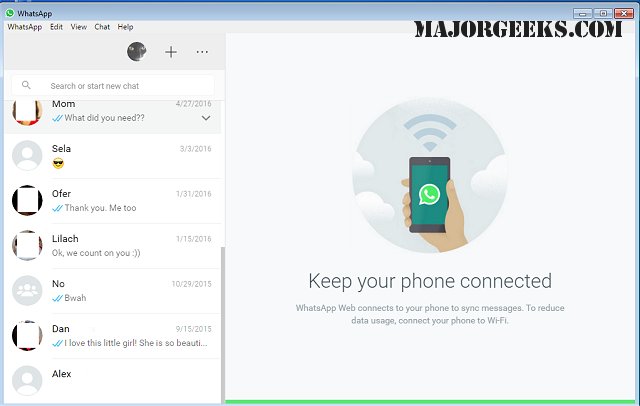
WhatsApp has released version 2.2638.102.0 for its Desktop application, which mirrors the functionality of the Android app. With WhatsApp for Desktop, users can communicate with friends, family, and colleagues without needing to reach for their phones. The app allows for seamless messaging, media sharing, and voice or video calls, all while keeping conversations in sync between devices.
To get started, users simply need to download the app and scan a QR code with their mobile device to authorize their account. The latest update enhances the user experience by allowing users to access their accounts even when their phones are off, and it boasts faster loading times and reduced system resource usage. The desktop interface is designed for PCs, providing features like full-sized media, efficient keyboard typing, and easy file management.
Privacy remains a priority for WhatsApp, as the app employs end-to-end encryption to secure messages, calls, and shared files. Users can also control their visibility settings regarding last-seen status and profile pictures. Additionally, WhatsApp Desktop supports voice calls for up to 32 participants and video calls for up to 8, making it a viable alternative to other video conferencing platforms.
For those who prefer not to install software, WhatsApp Web offers an accessible solution directly through a browser. By scanning a QR code, users can sync their chats and communicate efficiently without installation, although it lacks certain advanced features found in the desktop app.
In summary, WhatsApp for Desktop and WhatsApp Web provide flexible options for users wanting to stay connected on a larger screen. The desktop app is ideal for a comprehensive messaging experience, while WhatsApp Web is perfect for quick access without the need for installation. Regardless of the platform, users can expect a secure and reliable messaging experience.
Extension:
As WhatsApp continues to evolve, there are potential future enhancements that could further improve user experience. For instance, incorporating features like screen sharing during calls or enhanced collaboration tools for group chats could make the app even more competitive against other communication platforms. Additionally, as remote work becomes increasingly common, integrating project management tools or calendar features could position WhatsApp as a more comprehensive solution for both personal and professional communication.
The app could also benefit from AI-driven features, such as smart replies or automated scheduling, to streamline conversations and increase productivity. With continuous updates and a focus on user needs, WhatsApp is likely to maintain its status as a leading messaging platform in the coming years
To get started, users simply need to download the app and scan a QR code with their mobile device to authorize their account. The latest update enhances the user experience by allowing users to access their accounts even when their phones are off, and it boasts faster loading times and reduced system resource usage. The desktop interface is designed for PCs, providing features like full-sized media, efficient keyboard typing, and easy file management.
Privacy remains a priority for WhatsApp, as the app employs end-to-end encryption to secure messages, calls, and shared files. Users can also control their visibility settings regarding last-seen status and profile pictures. Additionally, WhatsApp Desktop supports voice calls for up to 32 participants and video calls for up to 8, making it a viable alternative to other video conferencing platforms.
For those who prefer not to install software, WhatsApp Web offers an accessible solution directly through a browser. By scanning a QR code, users can sync their chats and communicate efficiently without installation, although it lacks certain advanced features found in the desktop app.
In summary, WhatsApp for Desktop and WhatsApp Web provide flexible options for users wanting to stay connected on a larger screen. The desktop app is ideal for a comprehensive messaging experience, while WhatsApp Web is perfect for quick access without the need for installation. Regardless of the platform, users can expect a secure and reliable messaging experience.
Extension:
As WhatsApp continues to evolve, there are potential future enhancements that could further improve user experience. For instance, incorporating features like screen sharing during calls or enhanced collaboration tools for group chats could make the app even more competitive against other communication platforms. Additionally, as remote work becomes increasingly common, integrating project management tools or calendar features could position WhatsApp as a more comprehensive solution for both personal and professional communication.
The app could also benefit from AI-driven features, such as smart replies or automated scheduling, to streamline conversations and increase productivity. With continuous updates and a focus on user needs, WhatsApp is likely to maintain its status as a leading messaging platform in the coming years
WhatsApp 2.2638.102.0 released
WhatsApp for Desktop provides you with nearly all the same free functionality of the Android version directly on your PC.