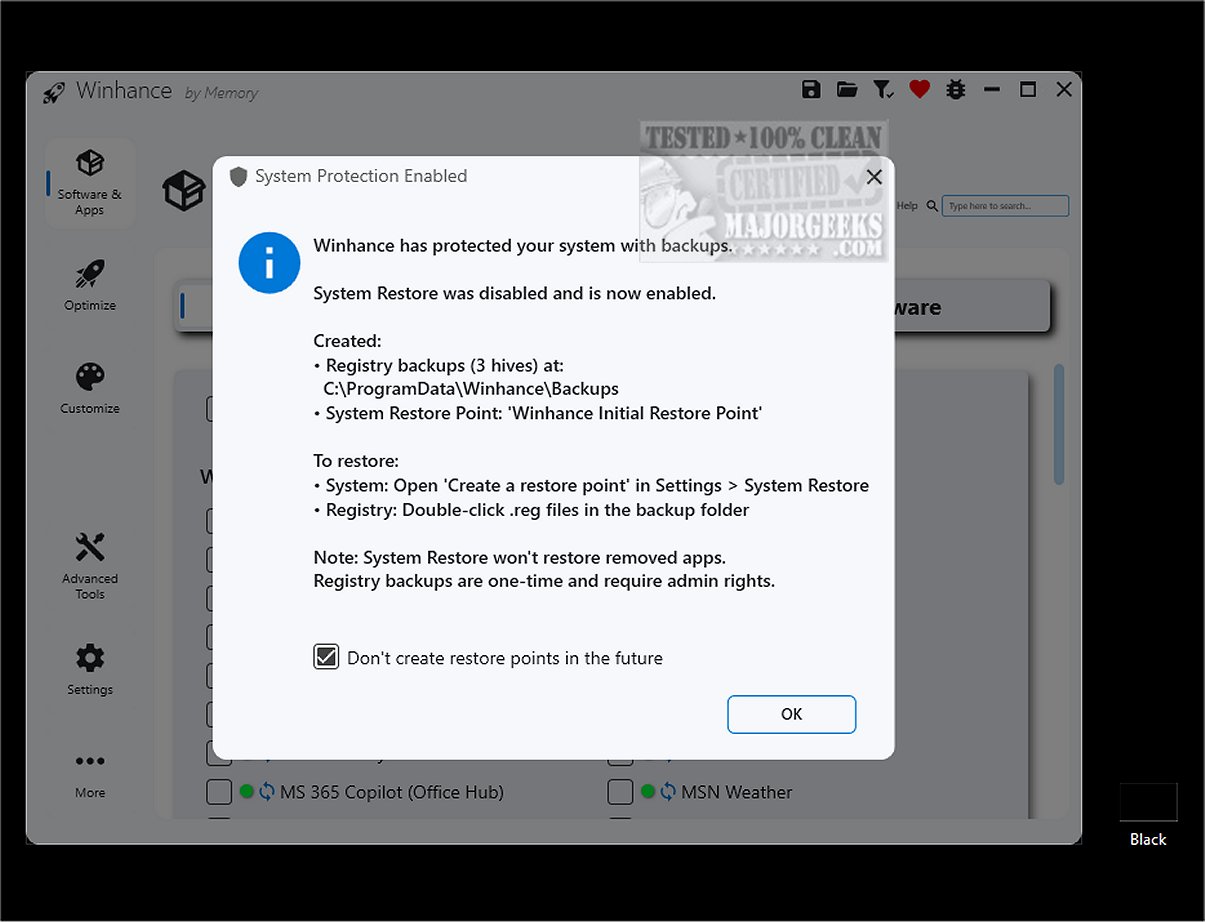
Winhance 26.06.12 has been released, offering users a comprehensive tool to optimize their Windows 10 and 11 experiences. This software simplifies the process of debloating Windows by enabling users to easily remove unwanted applications, enhance system performance, and customize settings to align with their preferences. Unlike traditional methods that often involve complex PowerShell scripts, Winhance features a user-friendly interface that makes these processes more accessible.
Windows operating systems often come with unnecessary built-in applications and features that can consume system resources and raise privacy concerns. Winhance addresses these issues by allowing users to manage and eliminate these unwanted components, ultimately streamlining their system and improving performance. Key functionalities of Winhance include:
- Debloating: Safely remove unwanted apps, features, and capabilities.
- Optimization: Tune system settings for enhanced performance, privacy, and gaming.
- Customization: Adjust themes, taskbar, start menu, and explorer settings easily.
- Automation: Create custom Windows installation media and automated setup files.
The intuitive Optimization tab centralizes settings related to privacy, security, power management, and gaming performance, allowing users to manage their preferences without navigating through multiple menus. Furthermore, Winhance offers a centralized hub for settings, simplifying the process of finding and adjusting configurations.
Before using Winhance, users are encouraged to create a system restore point, a precautionary measure that ensures a backup of the system state in case of any issues. The software also features automatic re-removal of selected apps after updates, giving users ongoing control over their system.
In summary, Winhance is an all-in-one dashboard designed to enhance the Windows experience by providing effective tools for debloating, optimizing, and customizing the operating system. Whether you're looking to improve gaming performance, adjust privacy settings, or streamline system functionality, Winhance is a valuable asset for Windows users seeking a more tailored experience.
Future Enhancements:
Looking ahead, it would be beneficial for Winhance to incorporate features such as real-time system performance monitoring, additional privacy tools, and enhanced user tutorials to further assist users in navigating its capabilities. Integrating community feedback mechanisms could also allow for continuous improvement and adaptation to user needs, ensuring that Winhance remains a vital tool in the Windows optimization landscape
Windows operating systems often come with unnecessary built-in applications and features that can consume system resources and raise privacy concerns. Winhance addresses these issues by allowing users to manage and eliminate these unwanted components, ultimately streamlining their system and improving performance. Key functionalities of Winhance include:
- Debloating: Safely remove unwanted apps, features, and capabilities.
- Optimization: Tune system settings for enhanced performance, privacy, and gaming.
- Customization: Adjust themes, taskbar, start menu, and explorer settings easily.
- Automation: Create custom Windows installation media and automated setup files.
The intuitive Optimization tab centralizes settings related to privacy, security, power management, and gaming performance, allowing users to manage their preferences without navigating through multiple menus. Furthermore, Winhance offers a centralized hub for settings, simplifying the process of finding and adjusting configurations.
Before using Winhance, users are encouraged to create a system restore point, a precautionary measure that ensures a backup of the system state in case of any issues. The software also features automatic re-removal of selected apps after updates, giving users ongoing control over their system.
In summary, Winhance is an all-in-one dashboard designed to enhance the Windows experience by providing effective tools for debloating, optimizing, and customizing the operating system. Whether you're looking to improve gaming performance, adjust privacy settings, or streamline system functionality, Winhance is a valuable asset for Windows users seeking a more tailored experience.
Future Enhancements:
Looking ahead, it would be beneficial for Winhance to incorporate features such as real-time system performance monitoring, additional privacy tools, and enhanced user tutorials to further assist users in navigating its capabilities. Integrating community feedback mechanisms could also allow for continuous improvement and adaptation to user needs, ensuring that Winhance remains a vital tool in the Windows optimization landscape
Winhance 26.06.12 released
Winhance provides an efficient solution to streamline and enhance your Windows experience. It allows you to easily remove unnecessary applications, optimize system performance, and customize your settings to better suit individual preferences.