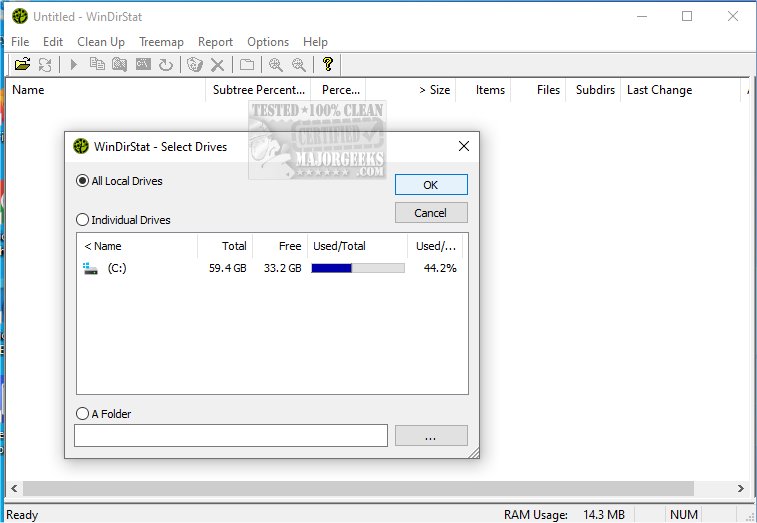
WinDirStat 2.9.0 has been released, offering users an effective tool for analyzing disk usage and cleaning up storage on Microsoft Windows systems. This free application is especially beneficial for users who find their storage space dwindling without a clear understanding of what is consuming it. Additionally, for those who prefer portability, a version is available that can run from a USB stick.
Upon launching WinDirStat, users are greeted with several key features:
- A comprehensive directory tree that resembles Windows Explorer but is organized by the amount of space each file and folder occupies.
- A visually engaging treemap that displays the entire drive as a series of colored rectangles, where the size of each block corresponds to the file size.
- An extension list that categorizes file types, highlighting which formats (such as .mp4, .zip, or .exe) take up the most space.
The treemap is particularly noteworthy, allowing users to quickly identify large files or folders that may be unnecessarily consuming storage, such as old projects or game installations. Each color on the map represents a different file type, aiding in the differentiation between various categories of files, including media, system files, and documents.
WinDirStat is ideal for anyone experiencing sudden storage shortages, especially IT professionals, system administrators, or users managing shared computers and network drives. It serves as a proactive tool for identifying large space users before a cleanup or for ongoing monitoring of disk usage.
Pros and Cons:
Pros:
- Completely free and open-source.
- Provides a clear visual representation of disk usage.
- Simplifies the identification of large or redundant files.
- Offers a portable version for on-the-go use.
Cons:
- Lacks built-in features like file shredding or duplicate file detection.
- Scanning large drives can be time-consuming.
Geek Verdict:
WinDirStat stands out as a valuable resource for those concerned about disk space management. While it may not have a flashy interface, its functionality and user-friendly visualizations make it a top choice for effectively cleaning up disk space. The treemap, which may initially appear complex, quickly becomes an intuitive tool for managing storage.
Further Reading:
For users interested in additional disk cleanup tools, comparisons between CCleaner, Wise Disk Cleaner, and PrivaZer can provide insights into other options. Moreover, guides on using Storage Sense to automate junk file deletion in Windows 10/11, and instructions for managing built-in apps via PowerShell, are also available. Users may also encounter questions about specific system folders, such as $Windows.~Bt, $SysReset, and $GetCurrent, and their potential for deletion.
As disk space management continues to be a concern for many users, tools like WinDirStat will remain essential in helping individuals maintain an organized and efficient storage system
Upon launching WinDirStat, users are greeted with several key features:
- A comprehensive directory tree that resembles Windows Explorer but is organized by the amount of space each file and folder occupies.
- A visually engaging treemap that displays the entire drive as a series of colored rectangles, where the size of each block corresponds to the file size.
- An extension list that categorizes file types, highlighting which formats (such as .mp4, .zip, or .exe) take up the most space.
The treemap is particularly noteworthy, allowing users to quickly identify large files or folders that may be unnecessarily consuming storage, such as old projects or game installations. Each color on the map represents a different file type, aiding in the differentiation between various categories of files, including media, system files, and documents.
WinDirStat is ideal for anyone experiencing sudden storage shortages, especially IT professionals, system administrators, or users managing shared computers and network drives. It serves as a proactive tool for identifying large space users before a cleanup or for ongoing monitoring of disk usage.
Pros and Cons:
Pros:
- Completely free and open-source.
- Provides a clear visual representation of disk usage.
- Simplifies the identification of large or redundant files.
- Offers a portable version for on-the-go use.
Cons:
- Lacks built-in features like file shredding or duplicate file detection.
- Scanning large drives can be time-consuming.
Geek Verdict:
WinDirStat stands out as a valuable resource for those concerned about disk space management. While it may not have a flashy interface, its functionality and user-friendly visualizations make it a top choice for effectively cleaning up disk space. The treemap, which may initially appear complex, quickly becomes an intuitive tool for managing storage.
Further Reading:
For users interested in additional disk cleanup tools, comparisons between CCleaner, Wise Disk Cleaner, and PrivaZer can provide insights into other options. Moreover, guides on using Storage Sense to automate junk file deletion in Windows 10/11, and instructions for managing built-in apps via PowerShell, are also available. Users may also encounter questions about specific system folders, such as $Windows.~Bt, $SysReset, and $GetCurrent, and their potential for deletion.
As disk space management continues to be a concern for many users, tools like WinDirStat will remain essential in helping individuals maintain an organized and efficient storage system
WinDirStat 2.9.0 released
WinDirStat is a disk usage statistics viewer and cleanup tool for Microsoft Windows. Portable available.