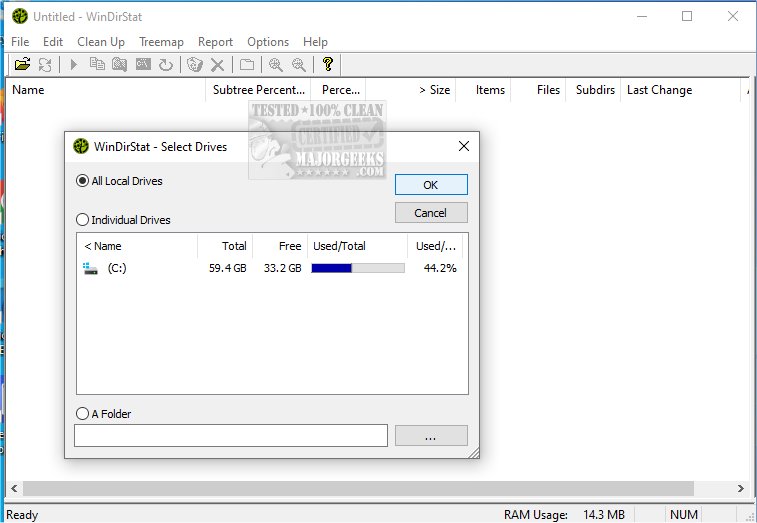
WinDirStat is a powerful disk usage statistics viewer and cleanup tool designed specifically for Microsoft Windows. Now available in version 2.7.0, this free software helps users identify what is consuming their drive space. It also offers a portable version for those who prefer to carry it on a USB stick.
Key Features:
Upon launching WinDirStat, users are greeted with several useful features:
- Detailed Directory Tree: Similar to Windows Explorer, but organized based on the amount of space used by each folder or file.
- Colorful Treemap Visualization: This unique visual representation displays the entire drive as a collection of rectangles, where each block's size correlates with the size of the file it represents.
- Extension List: Users can see which file types (e.g., .mp4, .zip, .exe) are consuming the most storage.
The treemap feature stands out, as it allows users to quickly identify large files or folders, like an outdated video project or a bloated game directory. Each block's color corresponds to its file type, making it easier to differentiate between media files, system files, and documents.
Who Can Benefit from WinDirStat?
WinDirStat is ideal for anyone who has experienced sudden storage shortages on SSDs or hard drives. It is especially beneficial for IT professionals, system administrators, or individuals managing shared PCs or network drives. Users can utilize the tool before conducting a cleanup to pinpoint the real culprits behind storage consumption or to monitor ongoing disk usage.
Pros and Cons:
- Pros:
- Free and open-source software.
- Provides an excellent visual breakdown of disk space usage.
- Simplifies the identification of large or unnecessary files.
- Offers a portable version for on-the-go use.
- Cons:
- Lacks a built-in file shredder or duplicate file finder.
- Scanning large drives can be time-consuming.
Final Thoughts:
WinDirStat is a top choice for users who are conscious of their disk space. While it may not have flashy features, its functionality is unparalleled. The treemap may initially resemble a digital quilt, but after familiarization, users will appreciate its effectiveness in managing disk space without guesswork.
Related Tools and Tips:
Additionally, users might explore comparisons of other drive cleaning software like CCleaner, Wise Disk Cleaner, and PrivaZer. For those looking to automate junk file deletions, Windows 10/11's Storage Sense is a great option. Users can also learn how to manage built-in apps using PowerShell or find out about specific Windows folders and their deletable contents.
In conclusion, with its new update, WinDirStat continues to be a valuable asset for anyone seeking to optimize their disk usage efficiently
Key Features:
Upon launching WinDirStat, users are greeted with several useful features:
- Detailed Directory Tree: Similar to Windows Explorer, but organized based on the amount of space used by each folder or file.
- Colorful Treemap Visualization: This unique visual representation displays the entire drive as a collection of rectangles, where each block's size correlates with the size of the file it represents.
- Extension List: Users can see which file types (e.g., .mp4, .zip, .exe) are consuming the most storage.
The treemap feature stands out, as it allows users to quickly identify large files or folders, like an outdated video project or a bloated game directory. Each block's color corresponds to its file type, making it easier to differentiate between media files, system files, and documents.
Who Can Benefit from WinDirStat?
WinDirStat is ideal for anyone who has experienced sudden storage shortages on SSDs or hard drives. It is especially beneficial for IT professionals, system administrators, or individuals managing shared PCs or network drives. Users can utilize the tool before conducting a cleanup to pinpoint the real culprits behind storage consumption or to monitor ongoing disk usage.
Pros and Cons:
- Pros:
- Free and open-source software.
- Provides an excellent visual breakdown of disk space usage.
- Simplifies the identification of large or unnecessary files.
- Offers a portable version for on-the-go use.
- Cons:
- Lacks a built-in file shredder or duplicate file finder.
- Scanning large drives can be time-consuming.
Final Thoughts:
WinDirStat is a top choice for users who are conscious of their disk space. While it may not have flashy features, its functionality is unparalleled. The treemap may initially resemble a digital quilt, but after familiarization, users will appreciate its effectiveness in managing disk space without guesswork.
Related Tools and Tips:
Additionally, users might explore comparisons of other drive cleaning software like CCleaner, Wise Disk Cleaner, and PrivaZer. For those looking to automate junk file deletions, Windows 10/11's Storage Sense is a great option. Users can also learn how to manage built-in apps using PowerShell or find out about specific Windows folders and their deletable contents.
In conclusion, with its new update, WinDirStat continues to be a valuable asset for anyone seeking to optimize their disk usage efficiently
WinDirStat 2.7.0 released
WinDirStat is a disk usage statistics viewer and cleanup tool for Microsoft Windows. Portable available.