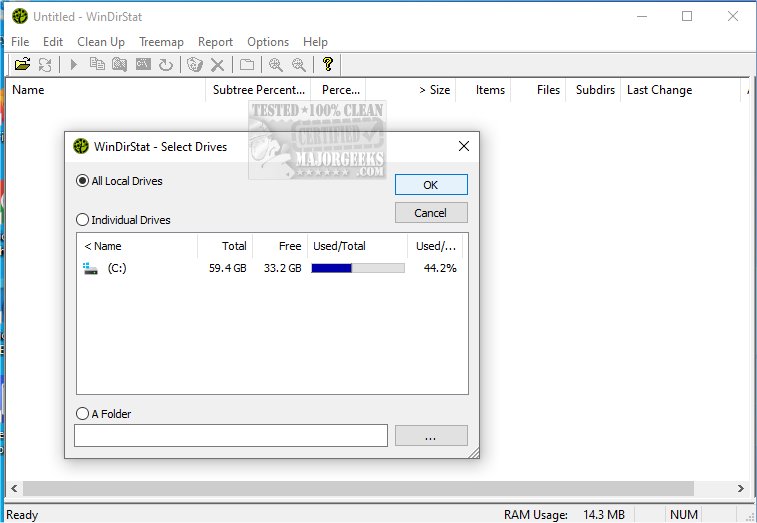
WinDirStat 2.6.2 has been released, enhancing its capabilities as a disk usage statistics viewer and cleanup tool for Microsoft Windows. This free software is particularly useful for those who are struggling to understand what is consuming their drive space. The program offers a Portable version, allowing it to be run directly from a USB stick for convenience.
Upon launching WinDirStat, users are greeted with a detailed directory tree that displays folders and files sorted by their size, mimicking the layout of Windows Explorer. The standout feature is the colorful treemap, which visually represents the entire drive as a collection of rectangles, with each block's size corresponding to the size of the file. This visual representation makes it easy to identify large files or folders, such as video projects or game installations. Additionally, an extension list shows the types of files occupying the most space, such as media files or executable programs.
WinDirStat is particularly beneficial for individuals facing storage issues, including IT professionals, system administrators, and anyone managing shared or network drives. It serves as an effective tool for identifying space-wasting files before undertaking a cleanup or simply monitoring disk usage.
Pros and Cons
Pros:
- Free and open-source
- Provides a clear visual breakdown of disk usage
- Simplifies the identification of large or unnecessary files
- Portable version available for USB use
Cons:
- Lacks built-in features like a file shredder or duplicate finder
- Scanning large drives can take considerable time
Geek Verdict
WinDirStat stands out as an excellent option for those concerned about disk space management. While it may not have flashy features, its functionality, particularly the treemap, is invaluable for users looking to optimize their storage. With a bit of familiarity, users will appreciate its efficiency in cleaning up their drives.
Further Exploration
For those interested in additional disk management tools, comparisons between CCleaner, Wise Disk Cleaner, and PrivaZer may provide insights into other options available. Additionally, learning to use Storage Sense in Windows 10/11 can help automate the process of deleting junk files. Users might also find value in understanding and managing system folders like $Windows.~Bt and $SysReset, ensuring their drives remain uncluttered
Upon launching WinDirStat, users are greeted with a detailed directory tree that displays folders and files sorted by their size, mimicking the layout of Windows Explorer. The standout feature is the colorful treemap, which visually represents the entire drive as a collection of rectangles, with each block's size corresponding to the size of the file. This visual representation makes it easy to identify large files or folders, such as video projects or game installations. Additionally, an extension list shows the types of files occupying the most space, such as media files or executable programs.
WinDirStat is particularly beneficial for individuals facing storage issues, including IT professionals, system administrators, and anyone managing shared or network drives. It serves as an effective tool for identifying space-wasting files before undertaking a cleanup or simply monitoring disk usage.
Pros and Cons
Pros:
- Free and open-source
- Provides a clear visual breakdown of disk usage
- Simplifies the identification of large or unnecessary files
- Portable version available for USB use
Cons:
- Lacks built-in features like a file shredder or duplicate finder
- Scanning large drives can take considerable time
Geek Verdict
WinDirStat stands out as an excellent option for those concerned about disk space management. While it may not have flashy features, its functionality, particularly the treemap, is invaluable for users looking to optimize their storage. With a bit of familiarity, users will appreciate its efficiency in cleaning up their drives.
Further Exploration
For those interested in additional disk management tools, comparisons between CCleaner, Wise Disk Cleaner, and PrivaZer may provide insights into other options available. Additionally, learning to use Storage Sense in Windows 10/11 can help automate the process of deleting junk files. Users might also find value in understanding and managing system folders like $Windows.~Bt and $SysReset, ensuring their drives remain uncluttered
WinDirStat 2.6.2 released
WinDirStat is a disk usage statistics viewer and cleanup tool for Microsoft Windows. Portable available.