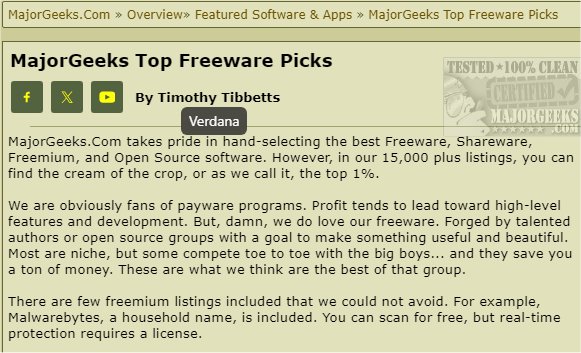
The latest version of WhatFont for Chrome, 3.3.0, has been released, offering users a convenient way to identify fonts used on websites with just a mouse hover. This browser extension is ideal for individuals who often encounter visually appealing fonts and wish to learn more about them. The tool streamlines the font identification process, making it especially useful for developers, designers, and typography enthusiasts who may need to replicate specific fonts for their projects.
With WhatFont for Chrome, discovering the fonts on any website can be done within seconds. By simply hovering over the text, users can access vital information such as the font's name, size, and color in real-time. Additionally, a click on any text element reveals more in-depth style data, including line height, letter spacing, and font weight, enabling users to easily replicate these styles in their own work.
In summary, WhatFont for Chrome is an essential tool for anyone interested in typography, as it significantly reduces the time and effort required to identify and replicate fonts. Whether you're a designer looking for inspiration or a developer wanting to ensure consistency in your projects, this extension is a valuable resource.
To further enhance your typography experience, you may also explore related topics such as installing or uninstalling fonts in Windows, restoring default font settings, acquiring additional fonts for Windows 10 and 11, and customizing fonts and colors through PowerShell or Command Prompt
With WhatFont for Chrome, discovering the fonts on any website can be done within seconds. By simply hovering over the text, users can access vital information such as the font's name, size, and color in real-time. Additionally, a click on any text element reveals more in-depth style data, including line height, letter spacing, and font weight, enabling users to easily replicate these styles in their own work.
In summary, WhatFont for Chrome is an essential tool for anyone interested in typography, as it significantly reduces the time and effort required to identify and replicate fonts. Whether you're a designer looking for inspiration or a developer wanting to ensure consistency in your projects, this extension is a valuable resource.
To further enhance your typography experience, you may also explore related topics such as installing or uninstalling fonts in Windows, restoring default font settings, acquiring additional fonts for Windows 10 and 11, and customizing fonts and colors through PowerShell or Command Prompt
WhatFont for Chrome 3.3.0 released
WhatFont for Chrome can help you identify most website fonts with just a quick mouse hover.