The USB Drive Letter Manager (USBDLM) version 5.7.6 has been released, enhancing the management of drive letter assignments for USB drives on Windows systems. This service operates independently of user privileges since it runs as a background service, eliminating the need for users to have permission to modify drive letters. USBDLM efficiently resolves conflicts that may arise between USB drives and network or local drives accessed by the logged-in user.
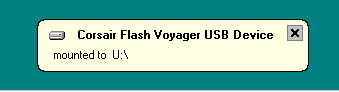
Key features of USBDLM include the ability to check if a drive letter is already in use by a network share and assign the next available letter. Users can reserve specific letters for local drives, assign letters based on a predefined list of default letters, and do so according to various criteria such as user, drive type, connection type (USB, FireWire), USB port, volume label, and drive size. Additionally, the software allows for personalized drive letter assignments via an INI file placed on the USB drive, the temporary removal of drive letters for card readers until a card is inserted, and the display of balloon tips indicating assigned drive letters.
USBDLM also supports autorun events triggered by various conditions, and users can find more details in the help file, which is available in an HTML format online.
To further enhance your experience with USB drives, consider exploring related topics such as optimizing USB drives for improved performance, managing the visibility of the Safely Remove Hardware icon, understanding the function of SS USB ports, and diagnosing common USB-related issues. These resources can provide valuable insights into maximizing the efficiency and functionality of your USB devices
Key features of USBDLM include the ability to check if a drive letter is already in use by a network share and assign the next available letter. Users can reserve specific letters for local drives, assign letters based on a predefined list of default letters, and do so according to various criteria such as user, drive type, connection type (USB, FireWire), USB port, volume label, and drive size. Additionally, the software allows for personalized drive letter assignments via an INI file placed on the USB drive, the temporary removal of drive letters for card readers until a card is inserted, and the display of balloon tips indicating assigned drive letters.
USBDLM also supports autorun events triggered by various conditions, and users can find more details in the help file, which is available in an HTML format online.
To further enhance your experience with USB drives, consider exploring related topics such as optimizing USB drives for improved performance, managing the visibility of the Safely Remove Hardware icon, understanding the function of SS USB ports, and diagnosing common USB-related issues. These resources can provide valuable insights into maximizing the efficiency and functionality of your USB devices
USB Drive Letter Manager (USBDLM) 5.7.6 released
USB Drive Letter Manager (USBDLM) is a Windows service that controls Window's drive letter assignment for USB drives.
USB Drive Letter Manager (USBDLM) 5.7.6 released @ MajorGeeks