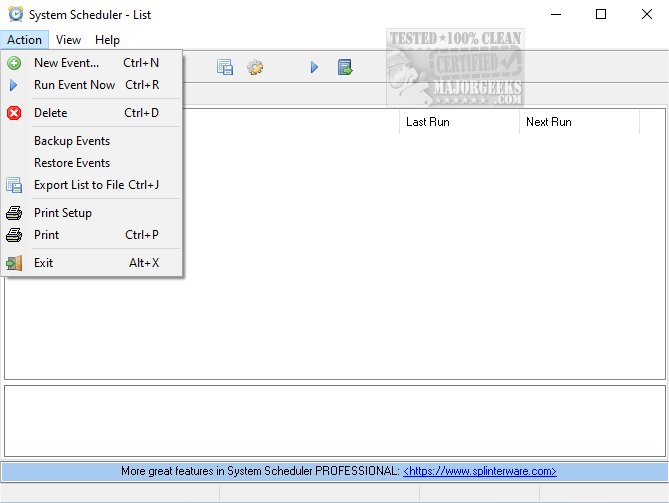
System Scheduler 5.66 has been released, offering users a robust tool for scheduling the execution of batch files, applications, and scripts. This software serves as a reliable alternative to the Windows Task Manager, operating without any dependencies. Users can easily configure specific times for launching various programs, facilitating unattended operations during overnight or weekend hours. The software also enables the creation of pop-up reminders with audible alarms for crucial tasks. Its intuitive user interface simplifies the setup process, making it accessible for users of all skill levels.
In addition to its scheduling capabilities, System Scheduler includes a feature called Window Watcher. This tool monitors the presence of specific windows on your desktop and can automate actions such as sending keystrokes or closing applications when certain conditions are met. This functionality is particularly useful for managing error messages or triggering actions without user intervention.
Overall, System Scheduler is a versatile utility that enhances productivity by allowing for comprehensive task automation. It provides users with the tools they need to manage their workflows efficiently, ensuring that important processes run smoothly without requiring constant oversight. With its latest update, users can expect improved performance and additional features that further streamline their scheduling needs.
Looking ahead, future versions may incorporate even more advanced automation capabilities, integration with cloud services for remote scheduling, and enhanced user customization options to cater to a growing variety of user requirements
In addition to its scheduling capabilities, System Scheduler includes a feature called Window Watcher. This tool monitors the presence of specific windows on your desktop and can automate actions such as sending keystrokes or closing applications when certain conditions are met. This functionality is particularly useful for managing error messages or triggering actions without user intervention.
Overall, System Scheduler is a versatile utility that enhances productivity by allowing for comprehensive task automation. It provides users with the tools they need to manage their workflows efficiently, ensuring that important processes run smoothly without requiring constant oversight. With its latest update, users can expect improved performance and additional features that further streamline their scheduling needs.
Looking ahead, future versions may incorporate even more advanced automation capabilities, integration with cloud services for remote scheduling, and enhanced user customization options to cater to a growing variety of user requirements
System Scheduler 5.66 released
System Scheduler enables you to schedule the running of batch files, applications, and scripts. It is a viable alternative to the Windows Task Manager but has zero dependencies.