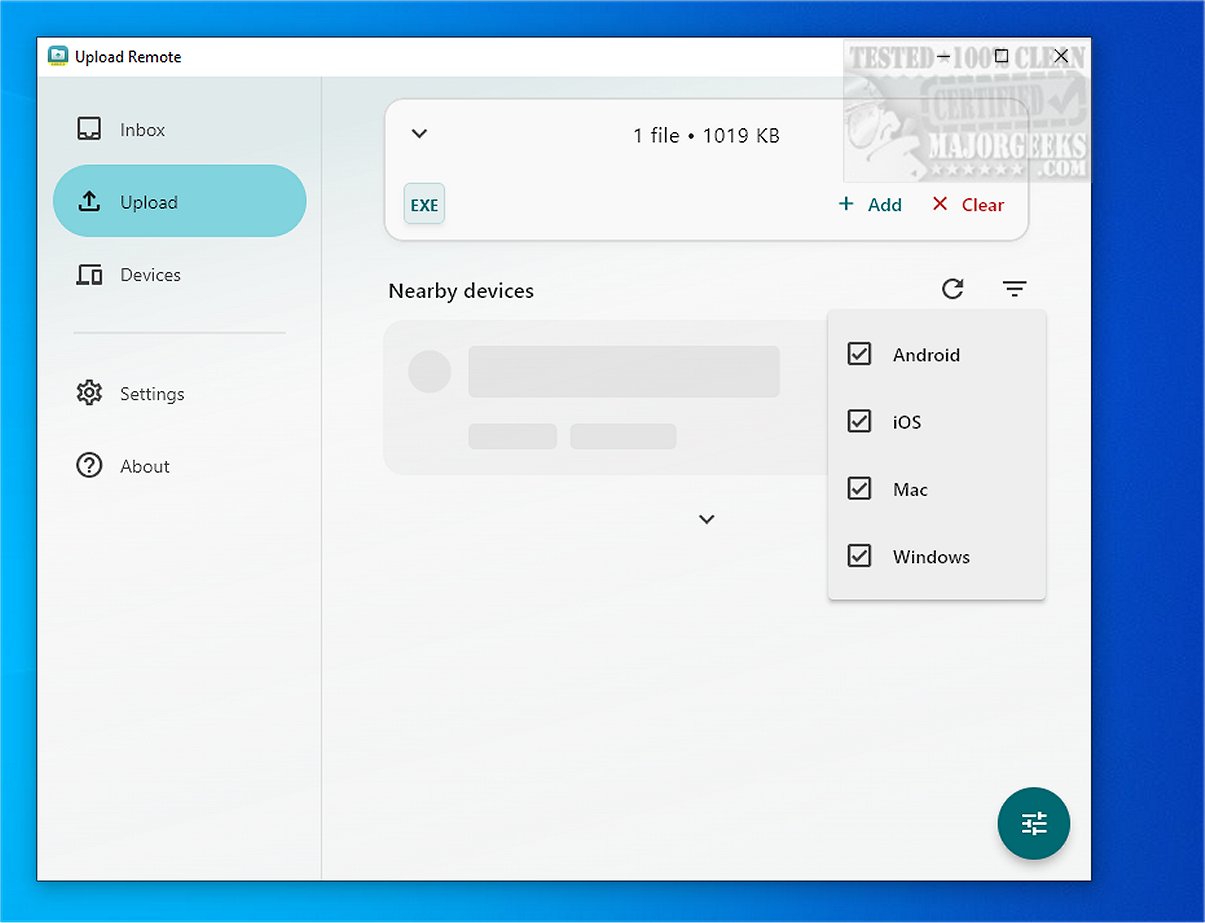
Upload Remote is a powerful file-sharing application designed for effortless and secure file transfers across a variety of devices, including computers, smartphones, and tablets. The recently released version 2.0.2 enhances its functionality, making it even easier for users to exchange files quickly over local networks or Wi-Fi connections, with a strong emphasis on security through end-to-end encryption. This ensures that all data remains solely on users' devices, never being transmitted to external servers, thus preserving privacy and control over shared content.
Key Features of Upload Remote
1. Streamlined File Sharing: The application simplifies the file-sharing process by allowing senders to directly push files into the receiver's Inbox folder without requiring confirmation from the recipient. This efficient method minimizes unnecessary steps, enhancing the overall user experience.
2. Organized User Interface: Upload Remote features a compact and well-organized interface with three main tabs:
- Inbox Tab: Displays incoming files, with new files highlighted at the top for quick access. Users can directly manage files—open, save, share, or delete—within this tab, similar to an email application.
- Upload Tab: Users can easily select files to send, with nearby devices listed for quick selection. A simple tap initiates the upload process.
- Devices Tab: This section facilitates the management of paired devices, allowing users to reorder the device list, edit names and permissions, or remove devices as necessary.
3. Upload Notifications: Newly uploaded files are marked with an "unread" indicator, ensuring users can easily identify them. If a sender tries to upload a file with a name that already exists, the application prompts a confirmation dialog to prevent accidental overwrites.
4. Permission Settings: While primarily designed for personal use, Upload Remote allows users to grant others permission to upload files to their devices. A password protection feature enhances security, safeguarding devices from unauthorized access while enabling trusted individuals to upload content.
Conclusion
Upload Remote stands out as an intuitive and secure file-sharing solution, making it ideal for users of all technical backgrounds. Whether sharing documents, photos, or videos, the application’s user-friendly interface and robust security measures ensure a smooth and safe experience. The recent updates further solidify Upload Remote's position as a go-to tool for efficient file transfers across personal devices. As technology continues to evolve, Upload Remote is poised to adapt and expand its features, catering to the growing needs of its users
Key Features of Upload Remote
1. Streamlined File Sharing: The application simplifies the file-sharing process by allowing senders to directly push files into the receiver's Inbox folder without requiring confirmation from the recipient. This efficient method minimizes unnecessary steps, enhancing the overall user experience.
2. Organized User Interface: Upload Remote features a compact and well-organized interface with three main tabs:
- Inbox Tab: Displays incoming files, with new files highlighted at the top for quick access. Users can directly manage files—open, save, share, or delete—within this tab, similar to an email application.
- Upload Tab: Users can easily select files to send, with nearby devices listed for quick selection. A simple tap initiates the upload process.
- Devices Tab: This section facilitates the management of paired devices, allowing users to reorder the device list, edit names and permissions, or remove devices as necessary.
3. Upload Notifications: Newly uploaded files are marked with an "unread" indicator, ensuring users can easily identify them. If a sender tries to upload a file with a name that already exists, the application prompts a confirmation dialog to prevent accidental overwrites.
4. Permission Settings: While primarily designed for personal use, Upload Remote allows users to grant others permission to upload files to their devices. A password protection feature enhances security, safeguarding devices from unauthorized access while enabling trusted individuals to upload content.
Conclusion
Upload Remote stands out as an intuitive and secure file-sharing solution, making it ideal for users of all technical backgrounds. Whether sharing documents, photos, or videos, the application’s user-friendly interface and robust security measures ensure a smooth and safe experience. The recent updates further solidify Upload Remote's position as a go-to tool for efficient file transfers across personal devices. As technology continues to evolve, Upload Remote is poised to adapt and expand its features, catering to the growing needs of its users
Upload Remote 2.0.2 released
Upload Remote is a versatile file-sharing application that facilitates seamless and secure transfers across various devices, including computers, phones, and tablets.