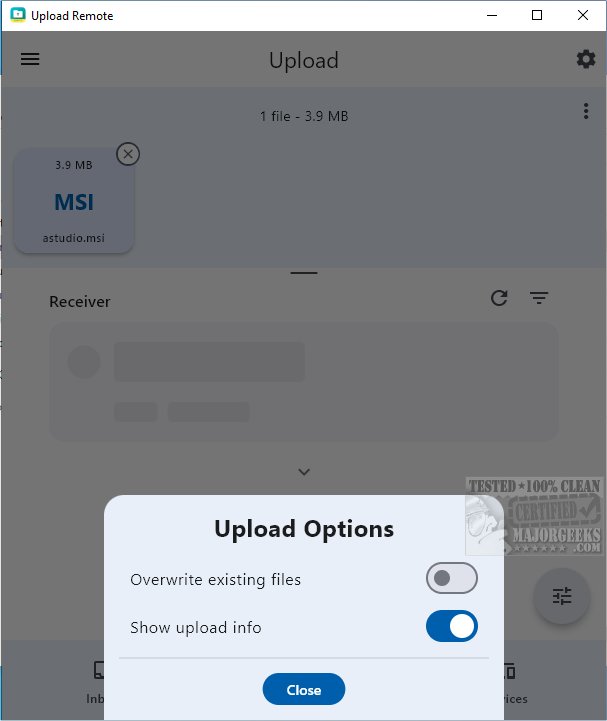
Upload Remote is a powerful file-sharing application designed to enable effortless and secure file transfers across multiple devices such as computers, smartphones, and tablets. This cross-platform tool allows users to share files quickly over local networks or Wi-Fi, with the added benefit of end-to-end encryption that protects user privacy by ensuring that all data is stored solely on their devices and never on external servers.
Streamlined File-Sharing Experience:
Upload Remote enhances the file-sharing process by reducing unnecessary steps. Users can send files directly to the recipient's Inbox folder without needing confirmation from the receiving device. This functionality not only saves time but also simplifies the interaction, making file exchanges smoother for both parties.
User-Friendly Interface:
The application features a well-organized interface with three primary tabs:
- Inbox Tab: Displays incoming files with new uploads highlighted, allowing users to manage files as they would in an email application.
- Upload Tab: Users can easily select files to send, with nearby devices listed for quick access.
- Devices Tab: Facilitates management of paired devices, enabling users to edit device names, reorder their list, or remove devices as necessary.
Upload Notifications:
Files recently uploaded are marked with an "unread" indicator, ensuring they are easily noticeable. The application also includes a confirmation dialog for uploads that may overwrite existing files, thereby preventing accidental data loss.
Permission Settings:
While primarily designed for personal devices, Upload Remote allows users to grant upload permissions to others. A password protection feature can be activated to enhance security, safeguarding devices from unauthorized access while still permitting trusted individuals to upload files.
- Cloud Integration: Allowing users to back up their files to a cloud service for extra redundancy and accessibility.
- Enhanced Collaboration Tools: Implementing real-time collaboration features that let multiple users work on shared files simultaneously.
- Cross-Platform Syncing: Enabling users to access their files seamlessly across different operating systems, ensuring a cohesive experience regardless of the device used.
By continually innovating and responding to user needs, Upload Remote can solidify its position as a leading file-sharing application in an increasingly digital world
Key Features of Upload Remote
Streamlined File-Sharing Experience:
Upload Remote enhances the file-sharing process by reducing unnecessary steps. Users can send files directly to the recipient's Inbox folder without needing confirmation from the receiving device. This functionality not only saves time but also simplifies the interaction, making file exchanges smoother for both parties.
User-Friendly Interface:
The application features a well-organized interface with three primary tabs:
- Inbox Tab: Displays incoming files with new uploads highlighted, allowing users to manage files as they would in an email application.
- Upload Tab: Users can easily select files to send, with nearby devices listed for quick access.
- Devices Tab: Facilitates management of paired devices, enabling users to edit device names, reorder their list, or remove devices as necessary.
Upload Notifications:
Files recently uploaded are marked with an "unread" indicator, ensuring they are easily noticeable. The application also includes a confirmation dialog for uploads that may overwrite existing files, thereby preventing accidental data loss.
Permission Settings:
While primarily designed for personal devices, Upload Remote allows users to grant upload permissions to others. A password protection feature can be activated to enhance security, safeguarding devices from unauthorized access while still permitting trusted individuals to upload files.
The Geek Verdict
Upload Remote stands out as an intuitive solution for seamless file transfers, whether for documents, photos, or videos. Its user-friendly design caters to individuals with varying levels of technical expertise, making it accessible to everyone.Future Directions
To further enhance Upload Remote, future updates could introduce additional features such as:- Cloud Integration: Allowing users to back up their files to a cloud service for extra redundancy and accessibility.
- Enhanced Collaboration Tools: Implementing real-time collaboration features that let multiple users work on shared files simultaneously.
- Cross-Platform Syncing: Enabling users to access their files seamlessly across different operating systems, ensuring a cohesive experience regardless of the device used.
By continually innovating and responding to user needs, Upload Remote can solidify its position as a leading file-sharing application in an increasingly digital world
Upload Remote 1.1.1 released
Upload Remote is a versatile file-sharing application that facilitates seamless and secure transfers across various devices, including computers, phones, and tablets.