Uninstalr 3.1 has been released, enhancing the uninstalling experience with a user-friendly interface and a range of advanced features. The application supports multiple simultaneous uninstalls, allowing users to efficiently remove several programs at once. With a straightforward UI, Uninstalr displays all uninstallable apps for easy selection, and it automatically cleans up any leftover files without requiring additional input from the user.
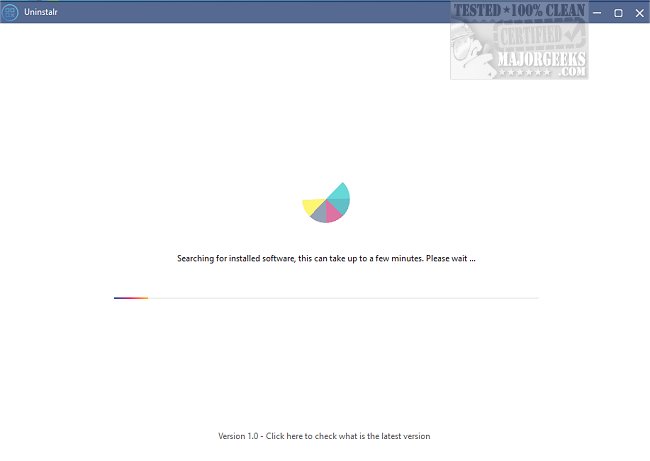
The application initiates a scan of the system for uninstallable software, which may take time depending on how many applications are present. Users can batch uninstall apps and take advantage of unattended uninstallation, meaning they can leave their machine while the process runs in the background. Uninstalr also identifies portable apps and remnants of previously uninstalled software, making it a comprehensive tool for software management.
Additionally, users can monitor new software installations with Uninstalr, which provides a detailed file-by-file report of the data added to the system. Before proceeding with an uninstallation, Uninstalr informs users of the data that will be removed, allowing for informed decisions. The software includes filtering and search capabilities to help users navigate the list of installed applications.
By default, when uninstalling a program, Uninstalr will remove all associated applications and restart the system to ensure complete removal of leftover data. However, users can customize these settings to exclude Windows components or built-in apps by accessing the filters option.
Uninstalr serves as an effective alternative to the standard Windows uninstaller, offering enhanced functionality and user convenience.
Looking ahead, future updates could potentially introduce features such as cloud backup for uninstalled data, integration with antivirus programs for enhanced security during uninstallation, or even machine learning algorithms to suggest the most unused applications for removal, further streamlining the user experience
The application initiates a scan of the system for uninstallable software, which may take time depending on how many applications are present. Users can batch uninstall apps and take advantage of unattended uninstallation, meaning they can leave their machine while the process runs in the background. Uninstalr also identifies portable apps and remnants of previously uninstalled software, making it a comprehensive tool for software management.
Additionally, users can monitor new software installations with Uninstalr, which provides a detailed file-by-file report of the data added to the system. Before proceeding with an uninstallation, Uninstalr informs users of the data that will be removed, allowing for informed decisions. The software includes filtering and search capabilities to help users navigate the list of installed applications.
By default, when uninstalling a program, Uninstalr will remove all associated applications and restart the system to ensure complete removal of leftover data. However, users can customize these settings to exclude Windows components or built-in apps by accessing the filters option.
Uninstalr serves as an effective alternative to the standard Windows uninstaller, offering enhanced functionality and user convenience.
Looking ahead, future updates could potentially introduce features such as cloud backup for uninstalled data, integration with antivirus programs for enhanced security during uninstallation, or even machine learning algorithms to suggest the most unused applications for removal, further streamlining the user experience
Uninstalr 3.1 released
Uninstalr makes uninstalling simple, with support for multiple simultaneous uninstalls and more.