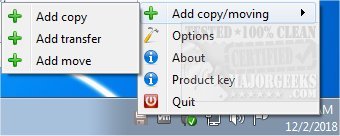
Ultracopier version 3.0.2.3 has been released, enhancing the capabilities of this open-source file management utility, which is designed to facilitate quick and efficient copying, moving, and transferring of files and folders. Ultracopier serves as an alternative to the standard Windows Explorer file copy dialogs, providing users with a more streamlined and organized approach to managing their files.
The software simplifies the file transfer process by allowing users to view a comprehensive list of files and customize the order in which they are copied. Users can also pause, resume, or skip specific files during the transfer, granting them greater control over the process. With its user-friendly interface, Ultracopier caters to individuals of all skill levels, making file management accessible and efficient.
Key features of Ultracopier include:
- Play/pause functionality
- Speed limitation options
- Error/collision management
- On-error resume capabilities
- Data security measures
- Intelligent reorganization during transfers to enhance performance
In addition to these features, Ultracopier offers a host of tools and tips for Windows users, such as how to change the default drag-and-drop actions, reset folder view settings, and manage hidden files and folders.
Overall, Ultracopier stands out as an essential tool for anyone looking to optimize their file management tasks, making it a valuable addition to the digital toolkit of both casual users and professionals alike. With continued development and updates, Ultracopier is poised to remain a leading choice for efficient file transfer management
The software simplifies the file transfer process by allowing users to view a comprehensive list of files and customize the order in which they are copied. Users can also pause, resume, or skip specific files during the transfer, granting them greater control over the process. With its user-friendly interface, Ultracopier caters to individuals of all skill levels, making file management accessible and efficient.
Key features of Ultracopier include:
- Play/pause functionality
- Speed limitation options
- Error/collision management
- On-error resume capabilities
- Data security measures
- Intelligent reorganization during transfers to enhance performance
In addition to these features, Ultracopier offers a host of tools and tips for Windows users, such as how to change the default drag-and-drop actions, reset folder view settings, and manage hidden files and folders.
Overall, Ultracopier stands out as an essential tool for anyone looking to optimize their file management tasks, making it a valuable addition to the digital toolkit of both casual users and professionals alike. With continued development and updates, Ultracopier is poised to remain a leading choice for efficient file transfer management
Ultracopier 3.0.2.3 released
Ultracopier is an Open Source file management utility designed for fast copying, moving, and transferring of files/folders.