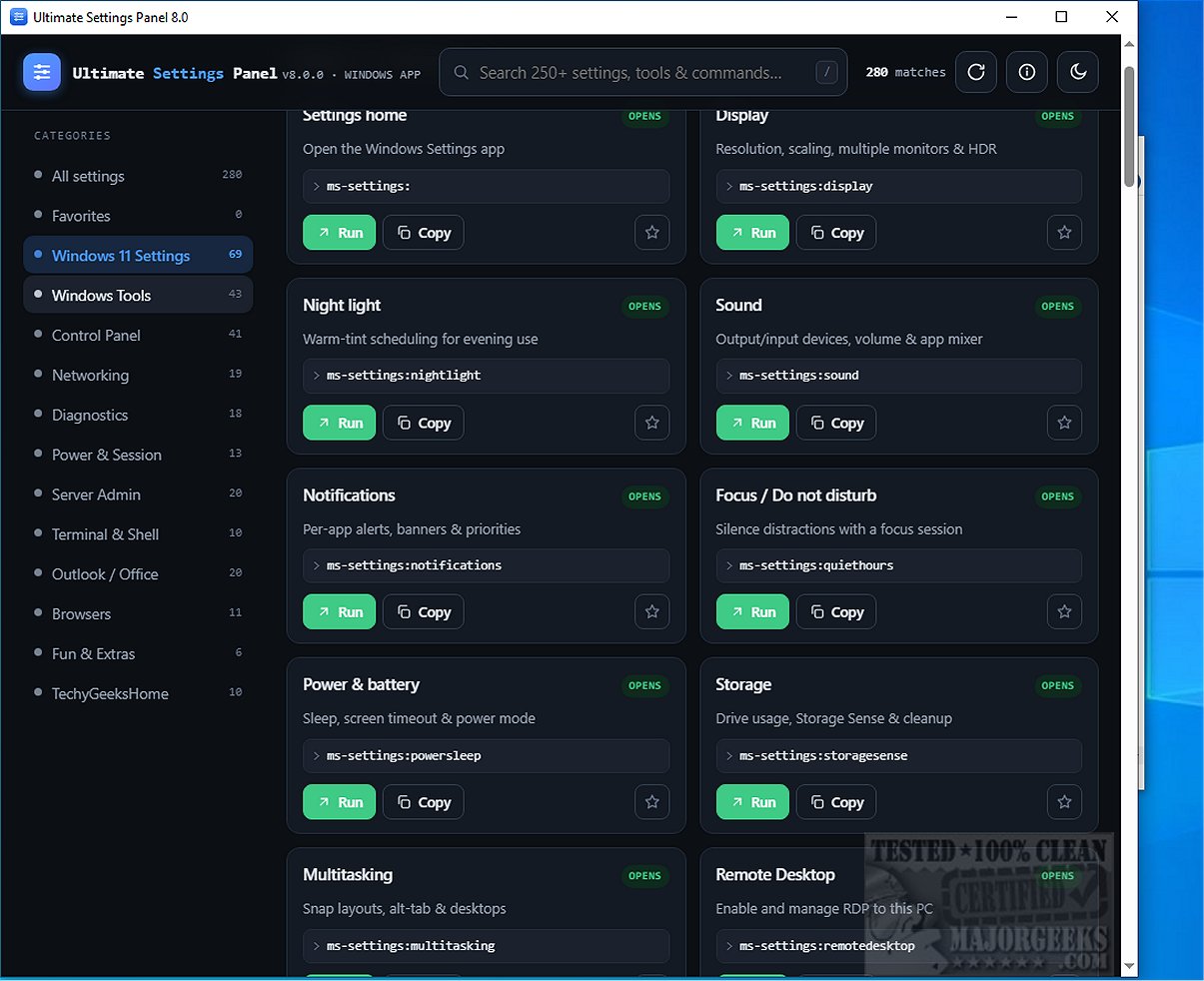
The recently released Ultimate Settings Panel 8.0.0 is an advanced card-based application designed to streamline the management of configuration settings across Windows, Microsoft Office, and Configuration Manager. This new version is optimized for Windows 10 and 11, ensuring users have a smooth and efficient experience when accessing various system settings and utilities.
User-Friendly Design
The Ultimate Settings Panel features a centralized interface where users can easily navigate through different settings. A powerful search function allows for quick keyword searches across names, descriptions, and commands, while the option to browse settings by category makes it simple to locate frequently used items. Each setting, tool, or command is represented as a card with a convenient "Run" button, enabling one-click access without the need for additional installations or complicated processes.
Advanced Features
One of the standout features of this application is the inclusion of a Windows God Mode-style panel, which offers advanced configuration options. Users can customize their experience by marking their favorite settings for easy access and switching between light and dark themes, catering to individual visibility preferences.
Privacy and Performance
Ultimate Settings Panel operates within a Microsoft Edge WebView2 window, utilizing a lightweight JavaScript-to-Go bridge. This design choice ensures fast performance while maintaining user privacy by avoiding the need for mshta execution, dropped scripts, or analytics. As a result, it has become a popular choice for those who prioritize safety in their digital tools.
Extensive Functionality
The latest version boasts over 250 unique settings, tools, and commands, all organized within a fast, user-friendly, and searchable interface. The Ultimate Settings Panel stands out as a powerful, intuitive tool that simplifies access to a wide range of configuration settings, making it an ideal solution for both casual users and tech enthusiasts.
In Summary
The Ultimate Settings Panel 8.0.0 is not just a settings management tool; it is a robust platform that enhances the user experience by providing a comprehensive, easy-to-navigate interface. With its commitment to privacy, extensive functionality, and customizable options, it empowers users to manage their systems more effectively than ever before. As technology continues to evolve, tools like Ultimate Settings Panel will be essential for maximizing productivity and maintaining user control over their digital environments
User-Friendly Design
The Ultimate Settings Panel features a centralized interface where users can easily navigate through different settings. A powerful search function allows for quick keyword searches across names, descriptions, and commands, while the option to browse settings by category makes it simple to locate frequently used items. Each setting, tool, or command is represented as a card with a convenient "Run" button, enabling one-click access without the need for additional installations or complicated processes.
Advanced Features
One of the standout features of this application is the inclusion of a Windows God Mode-style panel, which offers advanced configuration options. Users can customize their experience by marking their favorite settings for easy access and switching between light and dark themes, catering to individual visibility preferences.
Privacy and Performance
Ultimate Settings Panel operates within a Microsoft Edge WebView2 window, utilizing a lightweight JavaScript-to-Go bridge. This design choice ensures fast performance while maintaining user privacy by avoiding the need for mshta execution, dropped scripts, or analytics. As a result, it has become a popular choice for those who prioritize safety in their digital tools.
Extensive Functionality
The latest version boasts over 250 unique settings, tools, and commands, all organized within a fast, user-friendly, and searchable interface. The Ultimate Settings Panel stands out as a powerful, intuitive tool that simplifies access to a wide range of configuration settings, making it an ideal solution for both casual users and tech enthusiasts.
In Summary
The Ultimate Settings Panel 8.0.0 is not just a settings management tool; it is a robust platform that enhances the user experience by providing a comprehensive, easy-to-navigate interface. With its commitment to privacy, extensive functionality, and customizable options, it empowers users to manage their systems more effectively than ever before. As technology continues to evolve, tools like Ultimate Settings Panel will be essential for maximizing productivity and maintaining user control over their digital environments
Ultimate Settings Panel 8.0.0 released
Ultimate Settings Panel is a comprehensive, card-based application designed to streamline access to a diverse array of configuration settings across Windows, Microsoft Office, and Configuration Manager.