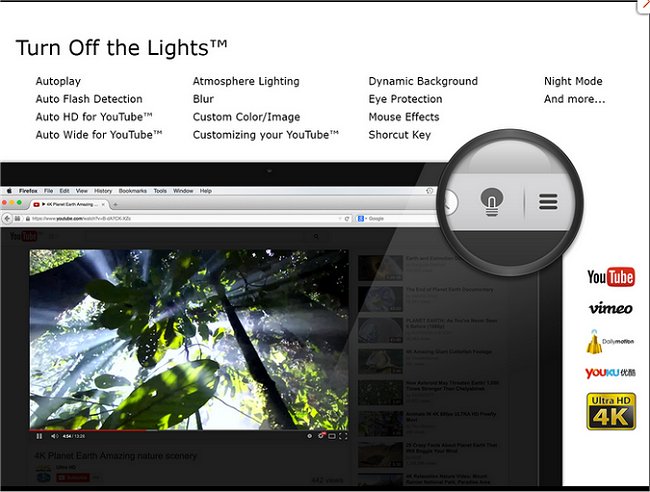
The "Turn Off the Lights" browser extension, now available in version 4.6.9 for Chrome, Firefox, and Edge, enhances the video viewing experience by allowing users to dim everything on their screen except for the video content they are engaged with, whether it be Flash or HTML5. This feature effectively reduces distractions, creating a more immersive environment for users.
The extension is easily accessible through a small lamp icon located in the browser menu or the Omnibox. To activate the dimming effect, users simply click the gray lamp icon, which will fade out the area surrounding the video. To restore the full screen, a click outside the video area is all that is needed. Additionally, users have the flexibility to customize the opacity of the dimmed screen and can choose a color other than black for the overlay.
In a broader context, this extension is part of a suite of tools designed to enhance user experience across various browsers, alongside tips for optimizing browser performance and managing settings, such as stopping Chrome from starting automatically, resetting or repairing browsers, and deleting autofill entries.
As technology continues to evolve, extensions like "Turn Off the Lights" not only cater to user needs but also pave the way for further innovations in how we consume digital content, encouraging developers to create more tools that enhance focus and enjoyment while using the internet
The extension is easily accessible through a small lamp icon located in the browser menu or the Omnibox. To activate the dimming effect, users simply click the gray lamp icon, which will fade out the area surrounding the video. To restore the full screen, a click outside the video area is all that is needed. Additionally, users have the flexibility to customize the opacity of the dimmed screen and can choose a color other than black for the overlay.
In a broader context, this extension is part of a suite of tools designed to enhance user experience across various browsers, alongside tips for optimizing browser performance and managing settings, such as stopping Chrome from starting automatically, resetting or repairing browsers, and deleting autofill entries.
As technology continues to evolve, extensions like "Turn Off the Lights" not only cater to user needs but also pave the way for further innovations in how we consume digital content, encouraging developers to create more tools that enhance focus and enjoyment while using the internet
Turn Off the Lights for Chrome, Firefox, and Edge 4.6.9 released
Turn Off the Lights for Chrome, Firefox, and Edge is a useful browser extension that lets users obscure everything on their screen except the Flash or HTML5 video they're watching, minimizing distractions and making for a more pleasant viewing experience.
Turn Off the Lights for Chrome, Firefox, and Edge 4.6.9 released @ MajorGeeks