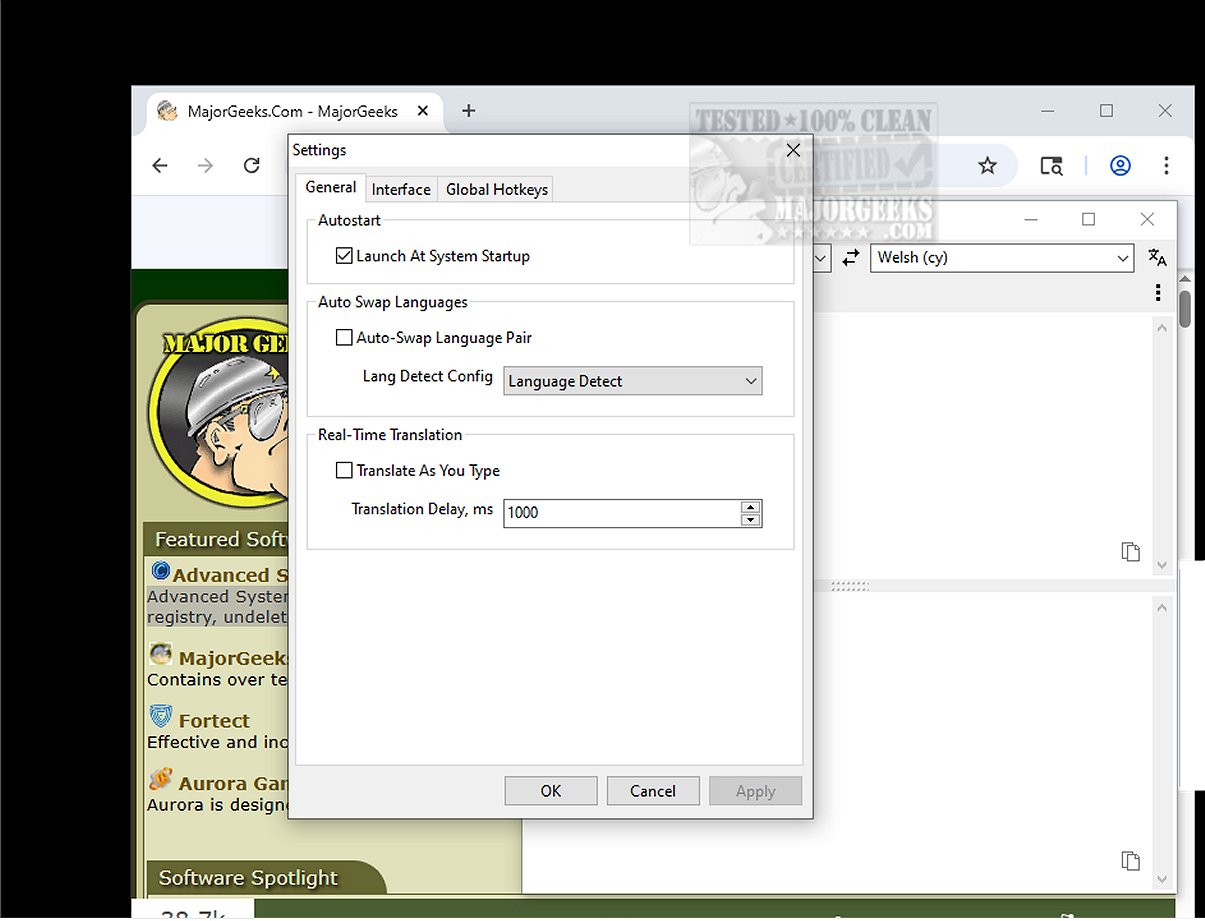
Trayslate is an innovative tray-based client designed to provide seamless and user-friendly translation services. The latest version, Trayslate 1.5.0, enhances the application’s capabilities, allowing users to conveniently translate text directly within the interface.
One of Trayslate's standout features is its ability to translate content from the clipboard, making it exceptionally quick to process text from various sources. The application runs continuously in the system tray, providing easy access at any time. Users can manually enter text or utilize the auto-detect feature which recognizes content copied to the clipboard.
Trayslate is built to maintain a lightweight experience, leveraging external, service-based translation engines without storing any data locally. This ensures both speed and security for users.
Key Features Include:
- Always Available: The app runs in the system tray, ready for use at all times.
- External Services: Utilizes configurable translation services, with no built-in engines.
- Configurability: Fully customizable through INI files.
- System-wide Use: Compatible across all applications, not limited to web browsers.
- Global Hotkeys: Users can translate selected text quickly using customizable hotkeys.
- Input Replacement: Enables text replacement in input fields via hotkeys.
- Clipboard Support: Allows quick processing of clipboard content with a double-click or hotkeys.
- Real-time Mode: Offers live processing while typing, with adjustable delays.
- Auto Language Swap: Optionally swaps languages based on the detected input.
- Tray Indicator: Displays current language pair and translation progress on the tray icon.
- Recent Pairs Management: Automatically saves frequently used language pairs.
- Multilingual UI: Interface supports twenty-five widely used languages.
- Dark Mode Support: Adapts to Windows dark mode for a comfortable viewing experience.
User Experience:
One of Trayslate's most impressive functionalities is the ability to translate selected text from any application, whether it’s a word processor, web browser, or email client. This feature dramatically enhances productivity, as users can obtain translations without the hassle of switching between different programs.
Conclusion:
Overall, Trayslate is an efficient and intuitive application perfect for users needing quick and accurate translations. By automating clipboard translations and providing on-demand functionality, Trayslate streamlines the translation process, making it a valuable tool for anyone engaged in multilingual communication. Embrace the ease and efficiency of translation with Trayslate 1.5.0!
Additional Resources:
- How-To Remove a Language From Windows 10 & 11
- How to Add, Delete, or Change Languages in Google Chrom
One of Trayslate's standout features is its ability to translate content from the clipboard, making it exceptionally quick to process text from various sources. The application runs continuously in the system tray, providing easy access at any time. Users can manually enter text or utilize the auto-detect feature which recognizes content copied to the clipboard.
Trayslate is built to maintain a lightweight experience, leveraging external, service-based translation engines without storing any data locally. This ensures both speed and security for users.
Key Features Include:
- Always Available: The app runs in the system tray, ready for use at all times.
- External Services: Utilizes configurable translation services, with no built-in engines.
- Configurability: Fully customizable through INI files.
- System-wide Use: Compatible across all applications, not limited to web browsers.
- Global Hotkeys: Users can translate selected text quickly using customizable hotkeys.
- Input Replacement: Enables text replacement in input fields via hotkeys.
- Clipboard Support: Allows quick processing of clipboard content with a double-click or hotkeys.
- Real-time Mode: Offers live processing while typing, with adjustable delays.
- Auto Language Swap: Optionally swaps languages based on the detected input.
- Tray Indicator: Displays current language pair and translation progress on the tray icon.
- Recent Pairs Management: Automatically saves frequently used language pairs.
- Multilingual UI: Interface supports twenty-five widely used languages.
- Dark Mode Support: Adapts to Windows dark mode for a comfortable viewing experience.
User Experience:
One of Trayslate's most impressive functionalities is the ability to translate selected text from any application, whether it’s a word processor, web browser, or email client. This feature dramatically enhances productivity, as users can obtain translations without the hassle of switching between different programs.
Conclusion:
Overall, Trayslate is an efficient and intuitive application perfect for users needing quick and accurate translations. By automating clipboard translations and providing on-demand functionality, Trayslate streamlines the translation process, making it a valuable tool for anyone engaged in multilingual communication. Embrace the ease and efficiency of translation with Trayslate 1.5.0!
Additional Resources:
- How-To Remove a Language From Windows 10 & 11
- How to Add, Delete, or Change Languages in Google Chrom
Trayslate 1.5.0 released
Trayslate is an innovative tray-based client designed specifically for seamless translation services. With this user-friendly application, you can easily enter text for translation directly within the interface.