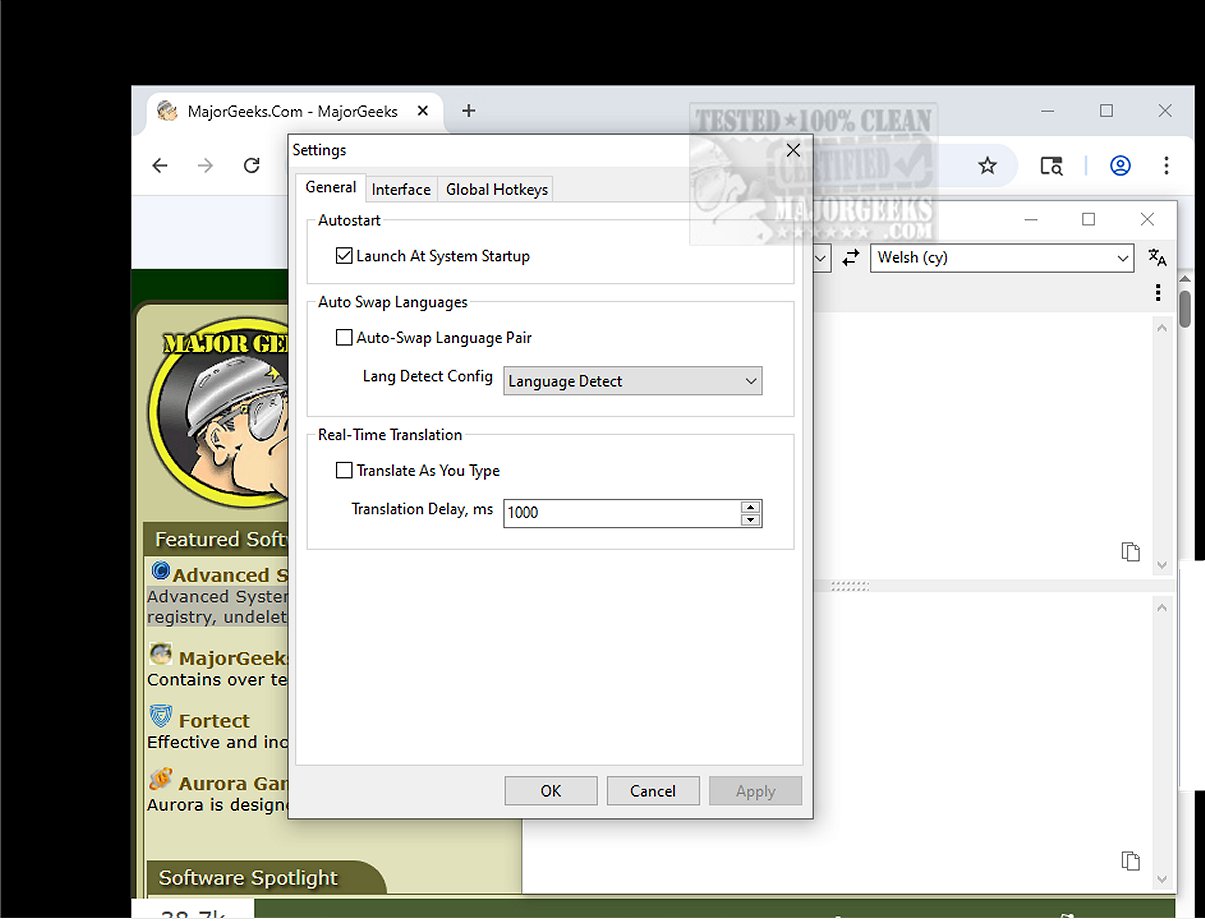
Trayslate is a cutting-edge tray-based translation client that provides a streamlined approach to translation services. Designed with user-friendliness in mind, the application allows users to enter text for translation directly within its interface or translate content copied to the clipboard, facilitating quick processing from various sources.
Always Accessible and Lightweight
Trayslate is always available in the system tray, ensuring easy access for users at any time. The app allows for manual text entry and the selection of desired language pairs for translation. Its lightweight architecture utilizes external service-based translation engines, ensuring that no data is stored locally on the device, thus maintaining user privacy and system performance.
Versatile Input Options
The application offers flexibility in text input, allowing users to either type manually or automatically detect content from the clipboard. With intuitive integration within the system, Trayslate enhances efficiency through its hotkey functionality, enabling users to automatically replace text in other applications with translations. This feature significantly streamlines workflow and saves valuable time.
Key Features of Trayslate:
- Always Available: Runs in the system tray for instant access.
- External Services: Utilizes configurable translation services without built-in engines.
- Configurability: Fully customizable through INI files.
- System-wide Use: Compatible with all applications, not limited to browsers.
- Global Hotkeys: Translate selected text with customizable hotkeys.
- Input Replacement: Replace text directly in input fields using designated hotkeys.
- Clipboard Support: Process clipboard content quickly using tray icon interactions or hotkeys.
- Real-time Mode: Provides live processing while typing with adjustable delay settings.
- Auto Language Swap: Optional feature that automatically switches based on input language.
- Tray Indicator: Displays the current language pair and translation progress on the tray icon.
- Recent Pairs: Allows management and automatic saving of commonly used language pairs.
- Multilingual UI: Available in twenty-five widely spoken languages.
- Dark Mode: Adapts to the Windows dark mode and system theme.
Highlight Feature
One of Trayslate's most notable features is its ability to translate selected text from any application in use, such as word processors, web browsers, or email clients. This functionality enables users to obtain translations swiftly without the need to switch between multiple programs.
Geek Verdict
Trayslate is a highly efficient application that simplifies the translation process. With its intuitive design and comprehensive features, it offers a reliable solution for all translation tasks. Users can expect an enjoyable and efficient translation experience as they leverage Trayslate's capabilities.
Conclusion
Embrace the convenience and efficiency of Trayslate for all your translation needs. With its user-friendly interface, versatile features, and robust performance, Trayslate stands out as an essential tool for anyone seeking quick and accurate translations. Get ready to enhance your translation experience with Trayslate!
Related Topics:
- How to Remove a Language from Windows 10 & 11
- How to Add, Delete, or Change Languages in Google Chrom
Always Accessible and Lightweight
Trayslate is always available in the system tray, ensuring easy access for users at any time. The app allows for manual text entry and the selection of desired language pairs for translation. Its lightweight architecture utilizes external service-based translation engines, ensuring that no data is stored locally on the device, thus maintaining user privacy and system performance.
Versatile Input Options
The application offers flexibility in text input, allowing users to either type manually or automatically detect content from the clipboard. With intuitive integration within the system, Trayslate enhances efficiency through its hotkey functionality, enabling users to automatically replace text in other applications with translations. This feature significantly streamlines workflow and saves valuable time.
Key Features of Trayslate:
- Always Available: Runs in the system tray for instant access.
- External Services: Utilizes configurable translation services without built-in engines.
- Configurability: Fully customizable through INI files.
- System-wide Use: Compatible with all applications, not limited to browsers.
- Global Hotkeys: Translate selected text with customizable hotkeys.
- Input Replacement: Replace text directly in input fields using designated hotkeys.
- Clipboard Support: Process clipboard content quickly using tray icon interactions or hotkeys.
- Real-time Mode: Provides live processing while typing with adjustable delay settings.
- Auto Language Swap: Optional feature that automatically switches based on input language.
- Tray Indicator: Displays the current language pair and translation progress on the tray icon.
- Recent Pairs: Allows management and automatic saving of commonly used language pairs.
- Multilingual UI: Available in twenty-five widely spoken languages.
- Dark Mode: Adapts to the Windows dark mode and system theme.
Highlight Feature
One of Trayslate's most notable features is its ability to translate selected text from any application in use, such as word processors, web browsers, or email clients. This functionality enables users to obtain translations swiftly without the need to switch between multiple programs.
Geek Verdict
Trayslate is a highly efficient application that simplifies the translation process. With its intuitive design and comprehensive features, it offers a reliable solution for all translation tasks. Users can expect an enjoyable and efficient translation experience as they leverage Trayslate's capabilities.
Conclusion
Embrace the convenience and efficiency of Trayslate for all your translation needs. With its user-friendly interface, versatile features, and robust performance, Trayslate stands out as an essential tool for anyone seeking quick and accurate translations. Get ready to enhance your translation experience with Trayslate!
Related Topics:
- How to Remove a Language from Windows 10 & 11
- How to Add, Delete, or Change Languages in Google Chrom
Trayslate 1.3.0 released
Trayslate is an innovative tray-based client designed specifically for seamless translation services. With this user-friendly application, you can easily enter text for translation directly within the interface.