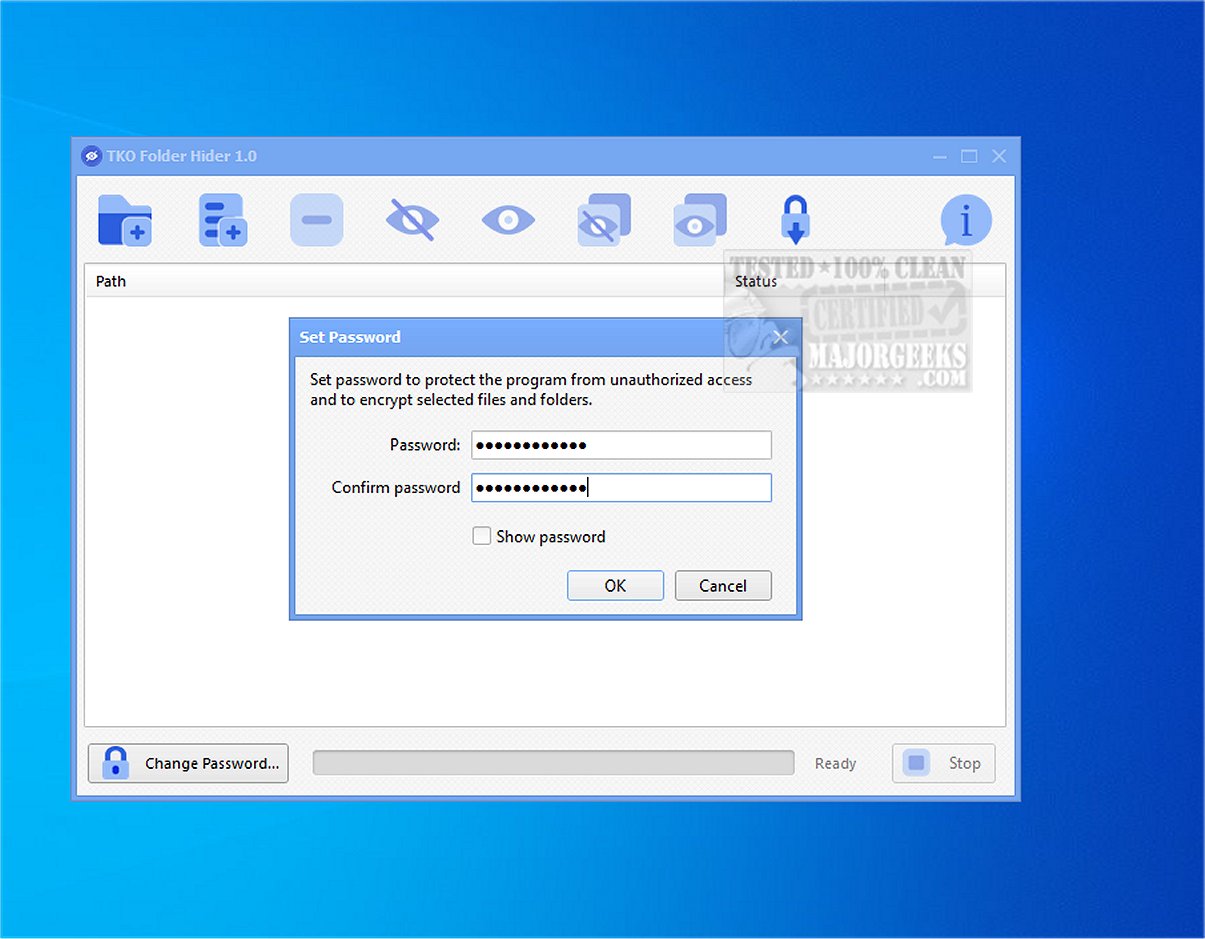
TKO Folder Hider is a newly released free tool designed for Windows users, aimed at enhancing privacy and data security by encrypting and hiding files or folders within password-protected .fhlocker locker files. This software is particularly beneficial for individuals who need to secure sensitive data such as personal photos, confidential documents, and work-related files from casual access, especially on shared or frequently used computers.
Functionality and User Experience
The application allows users to manage a list of files and folders that can be encrypted with a single password. Once encrypted, the original files are hidden from view and replaced by an encrypted locker file. To access these files again, users must input the correct password, at which point TKO Folder Hider will decrypt and restore the original items seamlessly.
Key features include:
- The ability to encrypt and hide both individual files and complete folders.
- Options to restore selected items or all protected data simultaneously.
- Support for drag-and-drop functionality to facilitate easy file management.
- Password management tools, including options for changing passwords and importing existing .fhlocker files.
- Progress tracking for longer operations and a status display that indicates whether an item is visible or hidden.
Security Measures
TKO Folder Hider employs robust security protocols, utilizing SHA-256 for hashing, HMAC for key derivation, and the Advanced Encryption Standard (AES) to encrypt locker files. This multi-layered approach to data protection not only secures files but also makes them challenging for unauthorized users to locate or access.
User-Friendly Design
The software is designed with user-friendliness in mind, featuring a straightforward interface that simplifies the management of multiple protected paths. Its drag-and-drop support and batch operations make it easier for users to handle large volumes of files, ensuring a smooth and efficient experience.
Important Considerations
While TKO Folder Hider offers a convenient way to safeguard data, users must remember their passwords, as forgetting them can lead to permanent inaccessibility of the encrypted files.
Conclusion and Additional Insights
In summary, TKO Folder Hider is an invaluable tool for anyone seeking to enhance their data privacy on Windows. Its combination of strong encryption methods, user-friendly design, and efficient file management features make it a reliable choice for protecting sensitive information from prying eyes. As data privacy concerns continue to grow, tools like TKO Folder Hider will likely become increasingly essential for users looking to maintain control over their personal and professional files. Additionally, as technology evolves, future updates may further enhance its capabilities, potentially incorporating cloud integration or advanced user authentication methods for even greater security
Functionality and User Experience
The application allows users to manage a list of files and folders that can be encrypted with a single password. Once encrypted, the original files are hidden from view and replaced by an encrypted locker file. To access these files again, users must input the correct password, at which point TKO Folder Hider will decrypt and restore the original items seamlessly.
Key features include:
- The ability to encrypt and hide both individual files and complete folders.
- Options to restore selected items or all protected data simultaneously.
- Support for drag-and-drop functionality to facilitate easy file management.
- Password management tools, including options for changing passwords and importing existing .fhlocker files.
- Progress tracking for longer operations and a status display that indicates whether an item is visible or hidden.
Security Measures
TKO Folder Hider employs robust security protocols, utilizing SHA-256 for hashing, HMAC for key derivation, and the Advanced Encryption Standard (AES) to encrypt locker files. This multi-layered approach to data protection not only secures files but also makes them challenging for unauthorized users to locate or access.
User-Friendly Design
The software is designed with user-friendliness in mind, featuring a straightforward interface that simplifies the management of multiple protected paths. Its drag-and-drop support and batch operations make it easier for users to handle large volumes of files, ensuring a smooth and efficient experience.
Important Considerations
While TKO Folder Hider offers a convenient way to safeguard data, users must remember their passwords, as forgetting them can lead to permanent inaccessibility of the encrypted files.
Conclusion and Additional Insights
In summary, TKO Folder Hider is an invaluable tool for anyone seeking to enhance their data privacy on Windows. Its combination of strong encryption methods, user-friendly design, and efficient file management features make it a reliable choice for protecting sensitive information from prying eyes. As data privacy concerns continue to grow, tools like TKO Folder Hider will likely become increasingly essential for users looking to maintain control over their personal and professional files. Additionally, as technology evolves, future updates may further enhance its capabilities, potentially incorporating cloud integration or advanced user authentication methods for even greater security
TKO Folder Hider 1.0 released
KO Folder Hider is a free Windows tool that encrypts and hides files or folders in password-protected .fhlocker locker files.