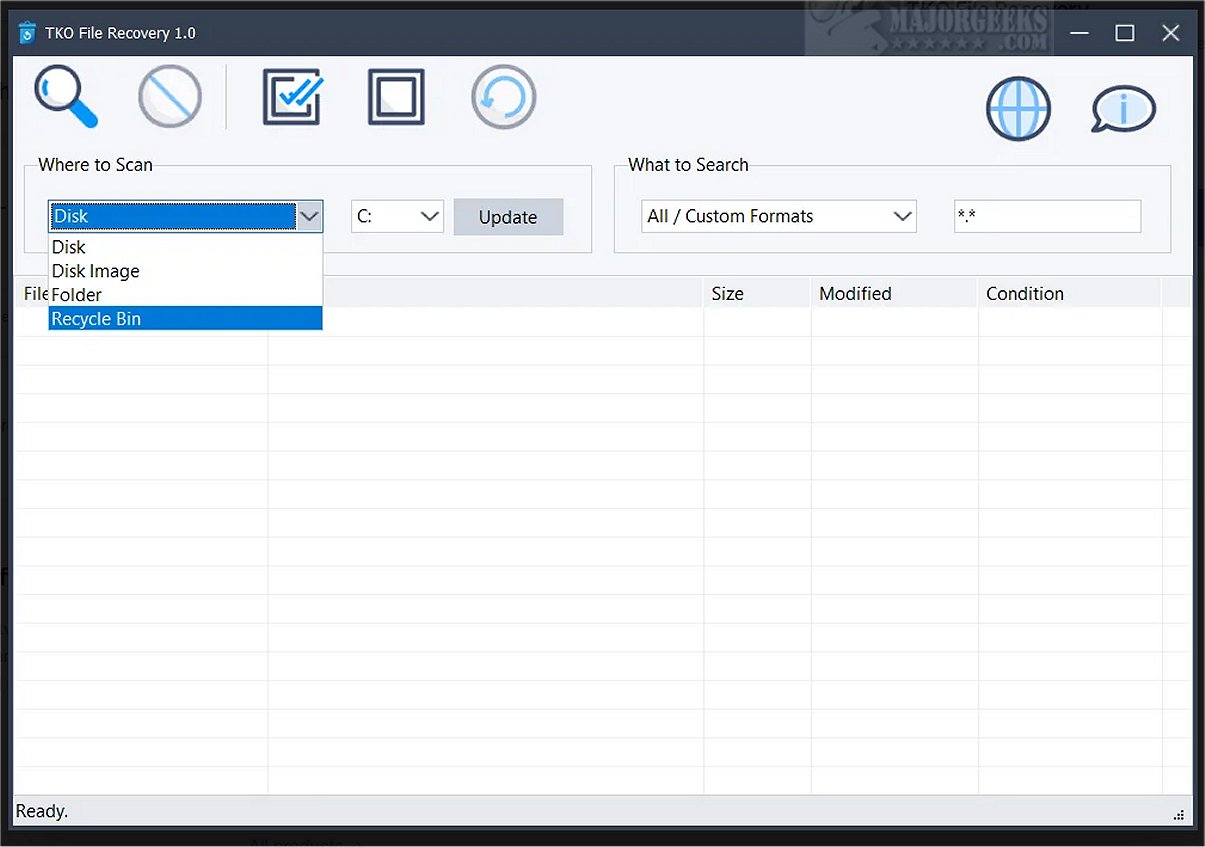
TKO File Recovery has launched its latest version, 2.1, offering enhanced capabilities for users seeking to recover deleted files. This versatile tool is compatible with a variety of storage options, including hard drives, folders, disk images, and the Windows Recycle Bin, making it an essential asset for data recovery.
Key Features of TKO File Recovery
1. Comprehensive Recovery Solutions: TKO File Recovery provides a free, flexible interface that allows users to perform scans tailored to their specific recovery needs. Users can opt for a deep scan of entire disks or target specific folders to quickly locate lost files.
2. Support for Backups and Disk Images: The software can analyze disk image files, allowing users to recover lost data without directly accessing the physical drive. Furthermore, it can efficiently scan the Recycle Bin for quick restoration.
3. Rapid Scanning of File Systems: Designed to work with common Windows file systems like NTFS and FAT32, TKO File Recovery ensures that a wide array of file recovery scenarios can be addressed effectively.
4. File Type Categorization: To enhance the user experience, TKO File Recovery incorporates built-in search categories for frequently used file types, including documents (e.g., PDF, DOCX), images (e.g., JPG, PNG), music (e.g., MP3, WAV), and videos (e.g., MP4, AVI). Users also have the option to search for any file type using custom formats.
5. File Condition Assessment: The tool evaluates the recoverability of deleted files by analyzing the condition of file clusters. Results are displayed with important details such as file name, path, size, modification date, and a condition rating—ranging from excellent to overwritten.
6. Selective and Bulk Recovery Options: After scanning, users can either select individual files for recovery or opt for bulk recovery to restore all recoverable files to a designated location. The software aims to preserve original file paths wherever feasible.
Final Thoughts
In conclusion, TKO File Recovery 2.1 is a powerful and user-friendly solution for recovering deleted files across multiple storage options. Its combination of comprehensive scanning capabilities, file type support, and assessment features makes it a reliable choice for data recovery needs. As a cost-effective alternative to premium software, TKO File Recovery empowers users to regain access to lost information effortlessly.
Additional Resources: For those interested in data management, related topics include secure file deletion methods in Windows, utilizing Storage Sense for automatic junk file cleanup, protecting files from deletion, and adding secure delete options to the context menu in Windows
Key Features of TKO File Recovery
1. Comprehensive Recovery Solutions: TKO File Recovery provides a free, flexible interface that allows users to perform scans tailored to their specific recovery needs. Users can opt for a deep scan of entire disks or target specific folders to quickly locate lost files.
2. Support for Backups and Disk Images: The software can analyze disk image files, allowing users to recover lost data without directly accessing the physical drive. Furthermore, it can efficiently scan the Recycle Bin for quick restoration.
3. Rapid Scanning of File Systems: Designed to work with common Windows file systems like NTFS and FAT32, TKO File Recovery ensures that a wide array of file recovery scenarios can be addressed effectively.
4. File Type Categorization: To enhance the user experience, TKO File Recovery incorporates built-in search categories for frequently used file types, including documents (e.g., PDF, DOCX), images (e.g., JPG, PNG), music (e.g., MP3, WAV), and videos (e.g., MP4, AVI). Users also have the option to search for any file type using custom formats.
5. File Condition Assessment: The tool evaluates the recoverability of deleted files by analyzing the condition of file clusters. Results are displayed with important details such as file name, path, size, modification date, and a condition rating—ranging from excellent to overwritten.
6. Selective and Bulk Recovery Options: After scanning, users can either select individual files for recovery or opt for bulk recovery to restore all recoverable files to a designated location. The software aims to preserve original file paths wherever feasible.
Final Thoughts
In conclusion, TKO File Recovery 2.1 is a powerful and user-friendly solution for recovering deleted files across multiple storage options. Its combination of comprehensive scanning capabilities, file type support, and assessment features makes it a reliable choice for data recovery needs. As a cost-effective alternative to premium software, TKO File Recovery empowers users to regain access to lost information effortlessly.
Additional Resources: For those interested in data management, related topics include secure file deletion methods in Windows, utilizing Storage Sense for automatic junk file cleanup, protecting files from deletion, and adding secure delete options to the context menu in Windows
TKO File Recovery 2.1 released
TKO File Recovery is designed to assist users in locating and recovering deleted files. It works across various storage mediums, including disks, folders, disk images, and even the Windows Recycle Bin, making it an invaluable resource for data restoration.