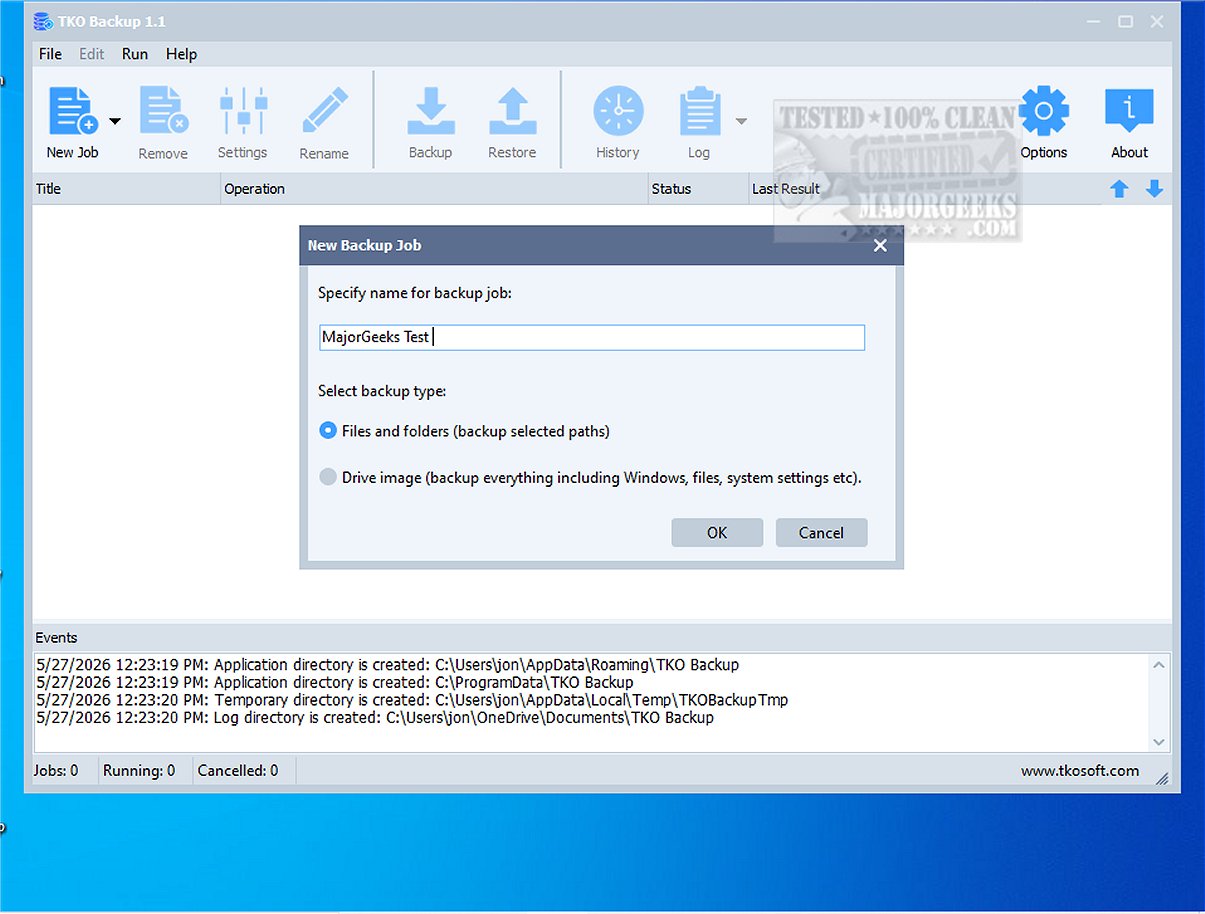
TKO Backup is a user-friendly backup software tailored for individuals looking to protect their important files, folders, and drives effortlessly. The newly released version 2.5 enhances the application’s capabilities while maintaining a straightforward interface, making it accessible for users of all technical levels.
Key Features of TKO Backup
This backup solution simplifies the process of safeguarding data by allowing users to easily select the files or folders they wish to back up, identify their desired storage locations, and choose from various backup methods. Users can also schedule backups to occur either manually or automatically, ensuring that their data is always protected without requiring constant oversight.
Comprehensive Backup Solutions
TKO Backup is particularly effective for daily data protection needs, offering backup options for essential documents, cherished photos, ongoing work projects, and more. A standout feature is the Drive Image Backup, which enables users to create a complete image of their drives, providing an extra layer of security and an efficient recovery method in case of data loss.
Versatile Backup Options
The software supports multiple backup types, including:
- Full Backups: Capturing all selected data.
- Incremental Backups: Storing only changes made since the last backup.
- Mirror Backups: Reflecting the current state of data.
Additionally, TKO Backup includes features such as restore capabilities, a backup history log, and detailed monitoring logs to track backup operations.
Additional Functionalities
Users can benefit from customizable scheduling options that automate the backup process, sophisticated file filters for selecting specific files, and retry mechanisms for failed operations. The program can also be configured to automatically shut down the computer after completing backups, enhancing user convenience.
The Geek Verdict
TKO Backup 2.5 is well-suited for home users and small office environments that prioritize a straightforward and reliable backup solution free from cloud dependencies and subscription fees. It offers an excellent way to maintain a secure backup routine without the intricacies often associated with more advanced backup software.
Future Enhancements and Potential
Looking ahead, TKO Backup could further enhance its appeal by integrating cloud backup options for users who prefer off-site storage. Additionally, incorporating more advanced features such as file versioning and enhanced encryption could solidify its position as a comprehensive backup solution for both individual and business users. As data protection becomes increasingly vital in our digital landscape, TKO Backup stands out as a practical choice for effective data management
Key Features of TKO Backup
This backup solution simplifies the process of safeguarding data by allowing users to easily select the files or folders they wish to back up, identify their desired storage locations, and choose from various backup methods. Users can also schedule backups to occur either manually or automatically, ensuring that their data is always protected without requiring constant oversight.
Comprehensive Backup Solutions
TKO Backup is particularly effective for daily data protection needs, offering backup options for essential documents, cherished photos, ongoing work projects, and more. A standout feature is the Drive Image Backup, which enables users to create a complete image of their drives, providing an extra layer of security and an efficient recovery method in case of data loss.
Versatile Backup Options
The software supports multiple backup types, including:
- Full Backups: Capturing all selected data.
- Incremental Backups: Storing only changes made since the last backup.
- Mirror Backups: Reflecting the current state of data.
Additionally, TKO Backup includes features such as restore capabilities, a backup history log, and detailed monitoring logs to track backup operations.
Additional Functionalities
Users can benefit from customizable scheduling options that automate the backup process, sophisticated file filters for selecting specific files, and retry mechanisms for failed operations. The program can also be configured to automatically shut down the computer after completing backups, enhancing user convenience.
The Geek Verdict
TKO Backup 2.5 is well-suited for home users and small office environments that prioritize a straightforward and reliable backup solution free from cloud dependencies and subscription fees. It offers an excellent way to maintain a secure backup routine without the intricacies often associated with more advanced backup software.
Future Enhancements and Potential
Looking ahead, TKO Backup could further enhance its appeal by integrating cloud backup options for users who prefer off-site storage. Additionally, incorporating more advanced features such as file versioning and enhanced encryption could solidify its position as a comprehensive backup solution for both individual and business users. As data protection becomes increasingly vital in our digital landscape, TKO Backup stands out as a practical choice for effective data management
TKO Backup 2.5 released
TKO Backup is an intuitive and user-friendly backup program designed specifically for users seeking a straightforward solution to safeguard their critical files, folders, and entire drives.