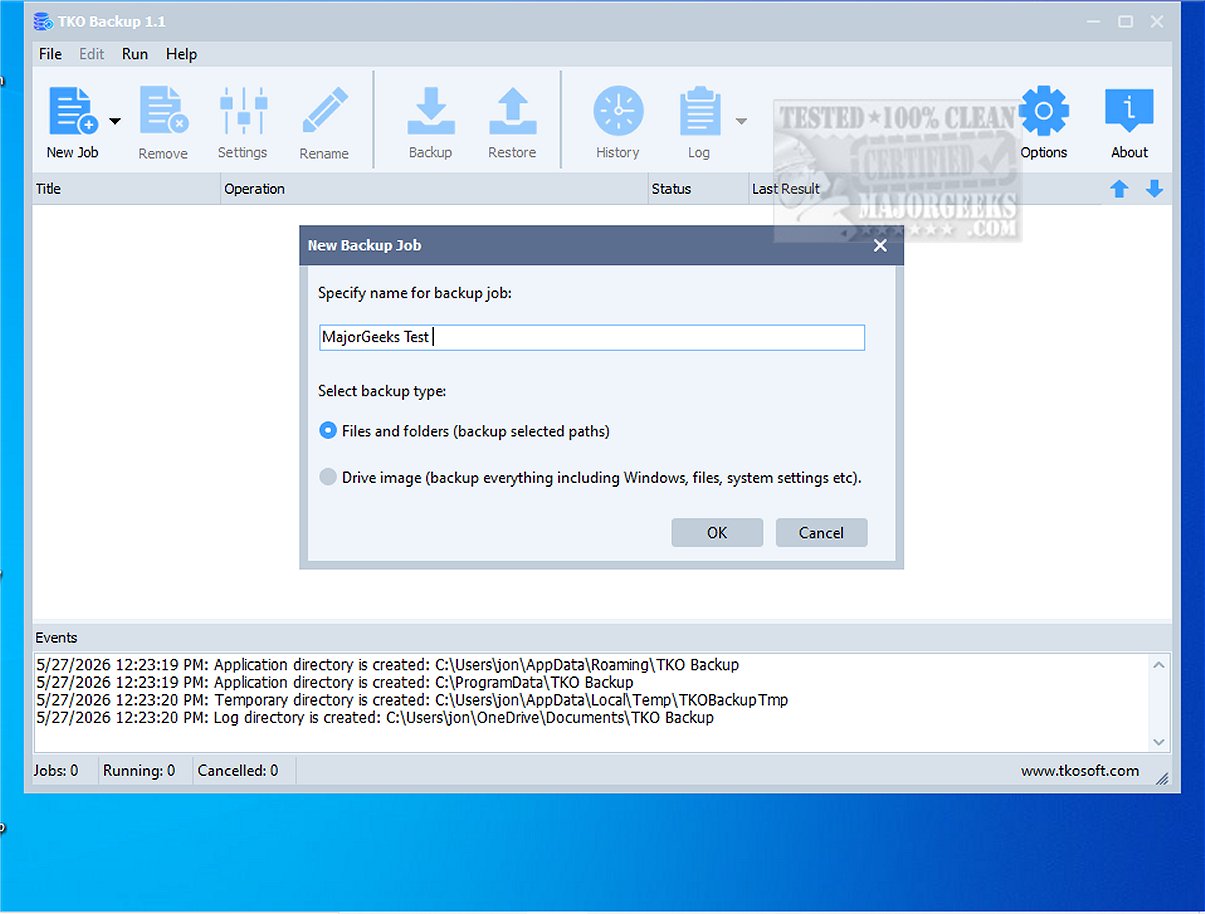
TKO Backup is an accessible and user-friendly software solution aimed at individuals who need a simple way to protect their important files, folders, and entire drives. The recently released version 2.2 enhances its capabilities and streamlines the backup process.
Key Features of TKO Backup 2.2
TKO Backup provides a seamless workflow for users, allowing them to easily select what to back up, determine storage locations, choose from several backup methods, and schedule tasks for manual or automatic execution. This utility is ideal for everyday backup needs, effectively safeguarding essential documents, cherished photos, ongoing projects, school assignments, and personal files.
One standout feature is the Drive Image Backup, which creates an exact replica of the entire drive, providing users with comprehensive security and straightforward recovery options in case of data loss.
Backup Modes and Capabilities
The software supports multiple backup types, including:
- Full Backups: Captures all selected data.
- Incremental Backups: Saves only changes made since the last backup.
- Mirror Backups: Replicates the latest state of the data.
Additionally, TKO Backup includes robust restore capabilities, a backup history for monitoring past operations, and detailed logs to oversee the backup process.
Extended Features
Additional functionalities enhance the user experience:
- Customizable scheduling options for automated backups.
- Sophisticated file filters to include or exclude specific items.
- Retry mechanisms for failed operations.
- Efficient handling of missed backup schedules.
- An option to shut down the computer automatically after backup completion for added convenience.
Overall Assessment
In summary, TKO Backup is well-suited for both home users and small office settings that prefer free Windows backup software without cloud dependency, subscription costs, or complicated configurations. Its straightforward approach to maintaining a secure and reliable backup regimen makes it an excellent choice for those seeking simplicity and efficiency.
Future Considerations
Moving forward, TKO Backup could enhance its appeal by incorporating features such as:
- Cloud backup options for users seeking remote storage solutions.
- Enhanced encryption methods to bolster security for sensitive data.
- User community forums or support channels for troubleshooting and sharing experiences.
- Mobile app versions for on-the-go backup management.
By staying responsive to user needs and technological advancements, TKO Backup can continue to grow as a trusted backup solution
Key Features of TKO Backup 2.2
TKO Backup provides a seamless workflow for users, allowing them to easily select what to back up, determine storage locations, choose from several backup methods, and schedule tasks for manual or automatic execution. This utility is ideal for everyday backup needs, effectively safeguarding essential documents, cherished photos, ongoing projects, school assignments, and personal files.
One standout feature is the Drive Image Backup, which creates an exact replica of the entire drive, providing users with comprehensive security and straightforward recovery options in case of data loss.
Backup Modes and Capabilities
The software supports multiple backup types, including:
- Full Backups: Captures all selected data.
- Incremental Backups: Saves only changes made since the last backup.
- Mirror Backups: Replicates the latest state of the data.
Additionally, TKO Backup includes robust restore capabilities, a backup history for monitoring past operations, and detailed logs to oversee the backup process.
Extended Features
Additional functionalities enhance the user experience:
- Customizable scheduling options for automated backups.
- Sophisticated file filters to include or exclude specific items.
- Retry mechanisms for failed operations.
- Efficient handling of missed backup schedules.
- An option to shut down the computer automatically after backup completion for added convenience.
Overall Assessment
In summary, TKO Backup is well-suited for both home users and small office settings that prefer free Windows backup software without cloud dependency, subscription costs, or complicated configurations. Its straightforward approach to maintaining a secure and reliable backup regimen makes it an excellent choice for those seeking simplicity and efficiency.
Future Considerations
Moving forward, TKO Backup could enhance its appeal by incorporating features such as:
- Cloud backup options for users seeking remote storage solutions.
- Enhanced encryption methods to bolster security for sensitive data.
- User community forums or support channels for troubleshooting and sharing experiences.
- Mobile app versions for on-the-go backup management.
By staying responsive to user needs and technological advancements, TKO Backup can continue to grow as a trusted backup solution
TKO Backup 2.2 released
TKO Backup is an intuitive and user-friendly backup program designed specifically for users seeking a straightforward solution to safeguard their critical files, folders, and entire drives.