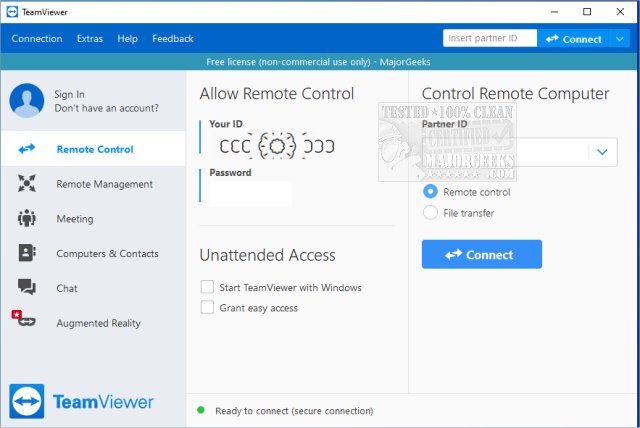
TeamViewer has recently released version 15.80.4, continuing to solidify its position as a leading remote access software. This user-friendly application allows individuals to access their computers remotely or assist others without the need for extensive technical knowledge. TeamViewer can be easily installed or run in a portable mode, making it accessible on multiple platforms including Windows, macOS, Linux, Android, and iOS.
One of the standout features of TeamViewer is its ability to facilitate real-time assistance, akin to having someone physically present to resolve tech issues. The app generates a unique 9-digit ID and a constantly changing password for each session, ensuring secure access. Users can perform a variety of actions remotely, such as troubleshooting, installing software, or even accessing their home PCs while traveling. The interface is intuitive, enabling even novice users to connect with ease.
The software is particularly useful for:
- Assisting friends or clients with software installations
- Fixing technical issues remotely
- Accessing personal computers from different locations
TeamViewer not only allows for remote assistance but also enables users to share their screens for collaborative projects or presentations. Its performance is commendable, with fast screen updates and minimal lag, even on slower internet connections. The application also prioritizes security by utilizing end-to-end encryption through AES 256-bit protocols.
While TeamViewer is free for personal use, regular commercial users may encounter license pop-ups and some feature limitations, such as remote printing, which requires a full installation. However, the advantages of having a portable version, along with support for file transfer and multi-monitor setups, make TeamViewer a versatile choice.
In summary, TeamViewer combines power and simplicity, making it an ideal tool for tech support, whether for family members or for personal file management while on the go. Its reliability and speed have made it a staple in many households and tech support scenarios.
Moreover, as remote work and digital collaboration becomes more prevalent, TeamViewer could expand its capabilities to include more robust project management features, allowing teams to work together seamlessly from various locations. This could further position TeamViewer as not just a remote access tool but also a comprehensive platform for remote collaboration and support
One of the standout features of TeamViewer is its ability to facilitate real-time assistance, akin to having someone physically present to resolve tech issues. The app generates a unique 9-digit ID and a constantly changing password for each session, ensuring secure access. Users can perform a variety of actions remotely, such as troubleshooting, installing software, or even accessing their home PCs while traveling. The interface is intuitive, enabling even novice users to connect with ease.
The software is particularly useful for:
- Assisting friends or clients with software installations
- Fixing technical issues remotely
- Accessing personal computers from different locations
TeamViewer not only allows for remote assistance but also enables users to share their screens for collaborative projects or presentations. Its performance is commendable, with fast screen updates and minimal lag, even on slower internet connections. The application also prioritizes security by utilizing end-to-end encryption through AES 256-bit protocols.
While TeamViewer is free for personal use, regular commercial users may encounter license pop-ups and some feature limitations, such as remote printing, which requires a full installation. However, the advantages of having a portable version, along with support for file transfer and multi-monitor setups, make TeamViewer a versatile choice.
In summary, TeamViewer combines power and simplicity, making it an ideal tool for tech support, whether for family members or for personal file management while on the go. Its reliability and speed have made it a staple in many households and tech support scenarios.
Further Extensions:
As technology continues to evolve, TeamViewer may explore additional features such as enhanced collaboration tools, integrations with other software applications, or even AI-driven support to streamline the troubleshooting process. Future updates could also focus on improving user experience by providing more customization options for the interface and session management.Moreover, as remote work and digital collaboration becomes more prevalent, TeamViewer could expand its capabilities to include more robust project management features, allowing teams to work together seamlessly from various locations. This could further position TeamViewer as not just a remote access tool but also a comprehensive platform for remote collaboration and support
TeamViewer 15.80.4 released
TeamViewer is a popular, easy-to-use free remote access program to access or let someone remotely access your computer. It can be installed or run as portable. Video tutorial available.