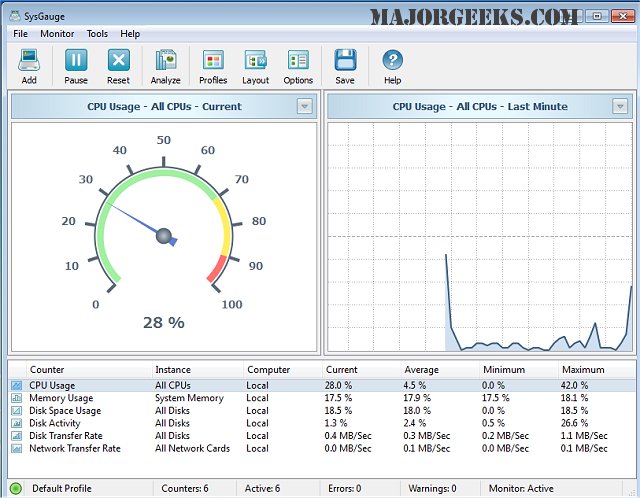
SysGauge 12.8.16 has been released, providing users with a powerful tool to monitor their machine's performance in real-time across various metrics. The software offers nine distinct categories for users to focus on: All Counters, CPU Usage, Memory Usage, Disk I/O Activity, Network Activity, Operating System, Process Status, File System, and USB Activity. Each category contains multiple subsets, allowing for detailed monitoring tailored to specific user needs. The user-friendly graphical interface simplifies navigation and data interpretation.
Moreover, SysGauge allows users to establish custom limits for system monitoring counters, enabling proactive management of system performance. The software can trigger alerts through error or warning messages, notification sounds, or email notifications if monitored metrics exceed or fall below designated thresholds. Additionally, SysGauge generates periodic status reports, providing a comprehensive overview of system performance with up to 24 hours of continuous monitoring history. Users can export these reports in various formats, including HTML, PDF, Excel, Text, CSV, or XML.
To expand on this, SysGauge's capabilities extend to supporting IT professionals and system administrators in maintaining optimal system performance and reliability. By leveraging the software's features, users can preemptively address potential issues, streamline troubleshooting processes, and enhance overall system efficiency. The ability to customize notifications and generate detailed reports makes SysGauge an essential tool for both personal and enterprise-level performance monitoring. Its ongoing updates ensure that users receive the latest improvements and features, keeping their monitoring capabilities at the forefront of technology
Moreover, SysGauge allows users to establish custom limits for system monitoring counters, enabling proactive management of system performance. The software can trigger alerts through error or warning messages, notification sounds, or email notifications if monitored metrics exceed or fall below designated thresholds. Additionally, SysGauge generates periodic status reports, providing a comprehensive overview of system performance with up to 24 hours of continuous monitoring history. Users can export these reports in various formats, including HTML, PDF, Excel, Text, CSV, or XML.
To expand on this, SysGauge's capabilities extend to supporting IT professionals and system administrators in maintaining optimal system performance and reliability. By leveraging the software's features, users can preemptively address potential issues, streamline troubleshooting processes, and enhance overall system efficiency. The ability to customize notifications and generate detailed reports makes SysGauge an essential tool for both personal and enterprise-level performance monitoring. Its ongoing updates ensure that users receive the latest improvements and features, keeping their monitoring capabilities at the forefront of technology
SysGauge 12.8.16 released
SysGauge enables you to precisely monitor in real-time your machine's performance in numerous areas.