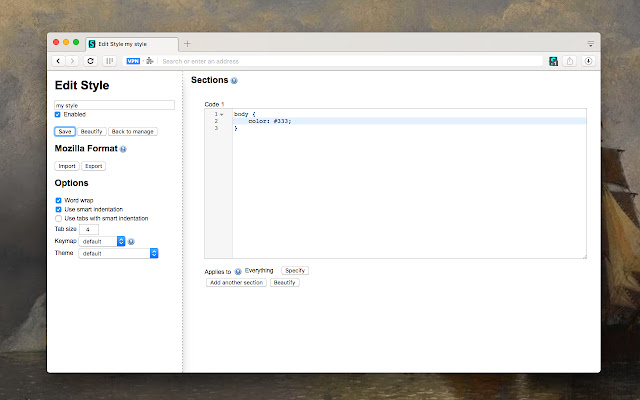
The recently released version 2.4.2 of Stylus for Chrome, Firefox, and Opera enhances the user experience by allowing users to install themes and skins for popular websites effortlessly. Stylus serves as a community-driven user styles manager, enabling users to not only apply custom themes from well-known online repositories but also to create, modify, and manage their own CSS stylesheets.
Key features of Stylus include:
- Versatile Theme Installation: Users can install themes from various online repositories and are also supported in installing styles via .user.CSS or .user.Styl URLs, as detailed in the Usercss format documentation available on GitHub.
- Database Backup: A built-in backup feature allows users to safeguard their entire collection of installed styles, ensuring compatibility with other user style managers.
- Automatic Updates: Stylus includes a user-friendly and configurable automatic update function that keeps installed styles current.
- Customizable User Interface: Users can personalize the UI with different themes, layouts, icon styles, badge colors, and various other tweaks to enhance their browsing experience.
- Code Validation: The application offers two optional code validators, which come with user-configurable rules, allowing for greater control over the styling process.
In summary, Stylus for Chrome, Firefox, and Opera not only simplifies the process of personalizing web aesthetics but also empowers users to take full control of their online browsing experience through customization and management of styles. As the tool continues to evolve, users can expect more features and enhancements that cater to their needs for a personalized web experience
Key features of Stylus include:
- Versatile Theme Installation: Users can install themes from various online repositories and are also supported in installing styles via .user.CSS or .user.Styl URLs, as detailed in the Usercss format documentation available on GitHub.
- Database Backup: A built-in backup feature allows users to safeguard their entire collection of installed styles, ensuring compatibility with other user style managers.
- Automatic Updates: Stylus includes a user-friendly and configurable automatic update function that keeps installed styles current.
- Customizable User Interface: Users can personalize the UI with different themes, layouts, icon styles, badge colors, and various other tweaks to enhance their browsing experience.
- Code Validation: The application offers two optional code validators, which come with user-configurable rules, allowing for greater control over the styling process.
In summary, Stylus for Chrome, Firefox, and Opera not only simplifies the process of personalizing web aesthetics but also empowers users to take full control of their online browsing experience through customization and management of styles. As the tool continues to evolve, users can expect more features and enhancements that cater to their needs for a personalized web experience
Stylus for Chrome, Firefox, and Opera 2.4.2 released
Stylus for Chrome, Firefox, and Opera allows you to install themes and skins for many popular sites easily.
Stylus for Chrome, Firefox, and Opera 2.4.2 released @ MajorGeeks